6-28
DCR-SR32E/SR33E/SR42/SR42A/SR42E/SR52E/SR62/SR62E/SR72E/SR82/SR82C/SR82E_ADJ
Ver. 1.7 2008.04
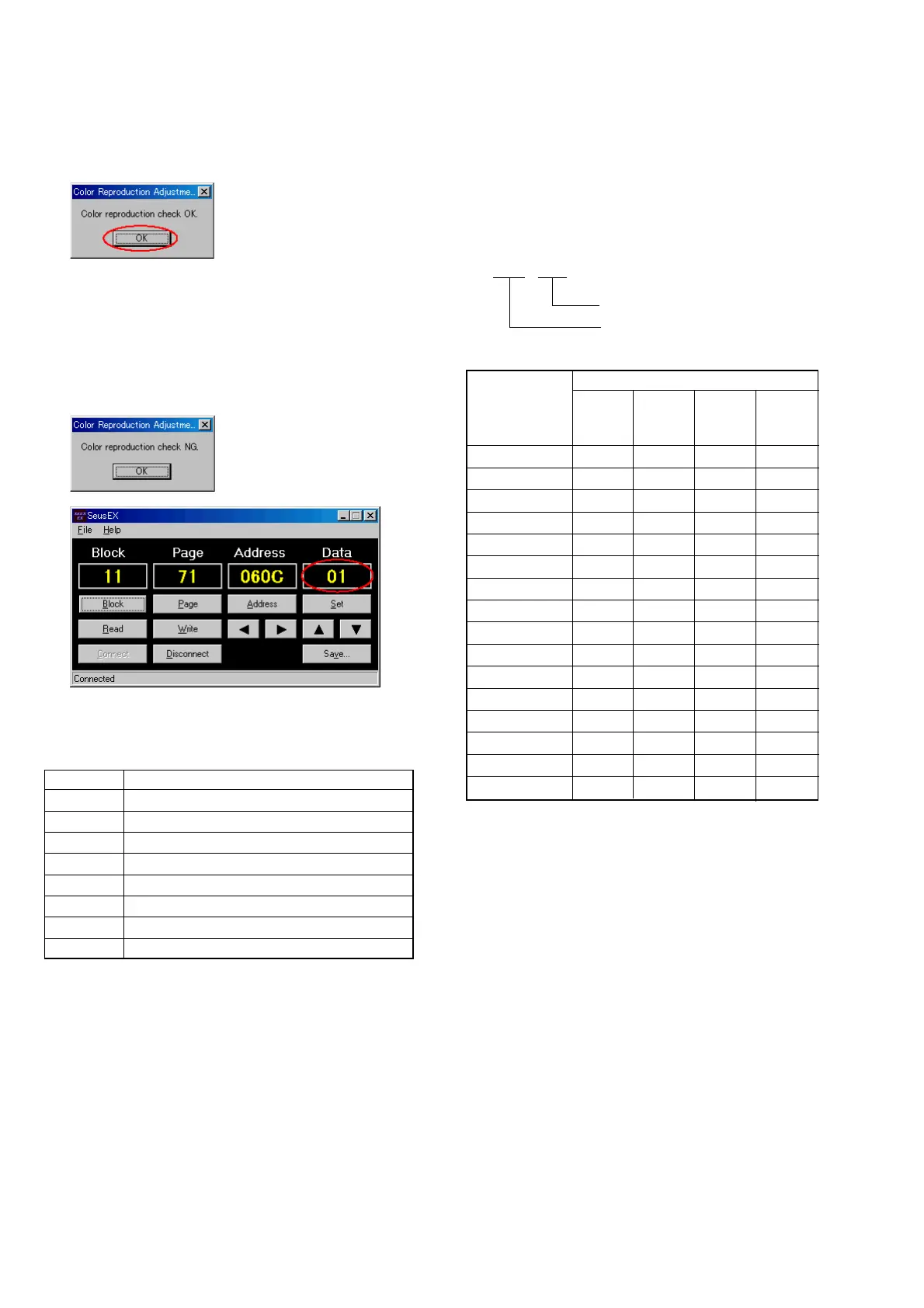
5) The color reproduction is checked, and if within the specifica-
tion, the following message will be displayed.
Click the [OK] button, and thus the color reproduction check
is complete.
6) If the color reproduction check results in NG, the following
message will be displayed.
Note: Before clicking the [OK] button, check the data dis-
played on the SeusEX screen. Error codes will be dis-
played.
If the [OK] button is clicked, the processing after ad-
justment is executed and the error codes cannot be
checked.
[Error Code Table]
Of the error code data, check the bits of which bit value is “1”, so
that the contents of error can be confirmed.
(For how to read bit values, see “Bit Value Discrimination”)
bit Contents of Error
0 Blue NG
1 Red NG
2 Magenta NG
3 White NG
4 Green NG
5 Cyan NG
6Yellow NG
7 Color bar Search NG
[Bit Value Discrimination]
The bit values must be discriminated from the data displayed on
the SeusEX. Whether bit values are “1” or “0” can be discrimi-
nated from the table shown below.
Data displayed on SeusEX
0 0
bit3 to bit0 discriminated
bit7 to bit4 discriminated
Bit values
Display on the bit3 bit2 bit1 bit0
SeusEX or or or or
bit7 bit6 bit5 bit4
00000
10001
20010
30011
40100
50101
60110
70111
81000
91001
A1010
B1011
C1100
D1101
E1110
F1111
B
A
Example: If the displayed data is “8E”, bit7 - bit4 values can be
discriminated from block (A), and also bit3 - bit0 val-
ues from block (B).
Example: If the displayed data is “01” (bit0 = 1), the Contents of
Error is “Blue NG”.
If the displayed data is “05” (bit0 = 1, bit2 = 1), the
Contents of Error is “Blue NG” and “Magenta NG”.



 To Next Page