49
Advanced Recording Operations
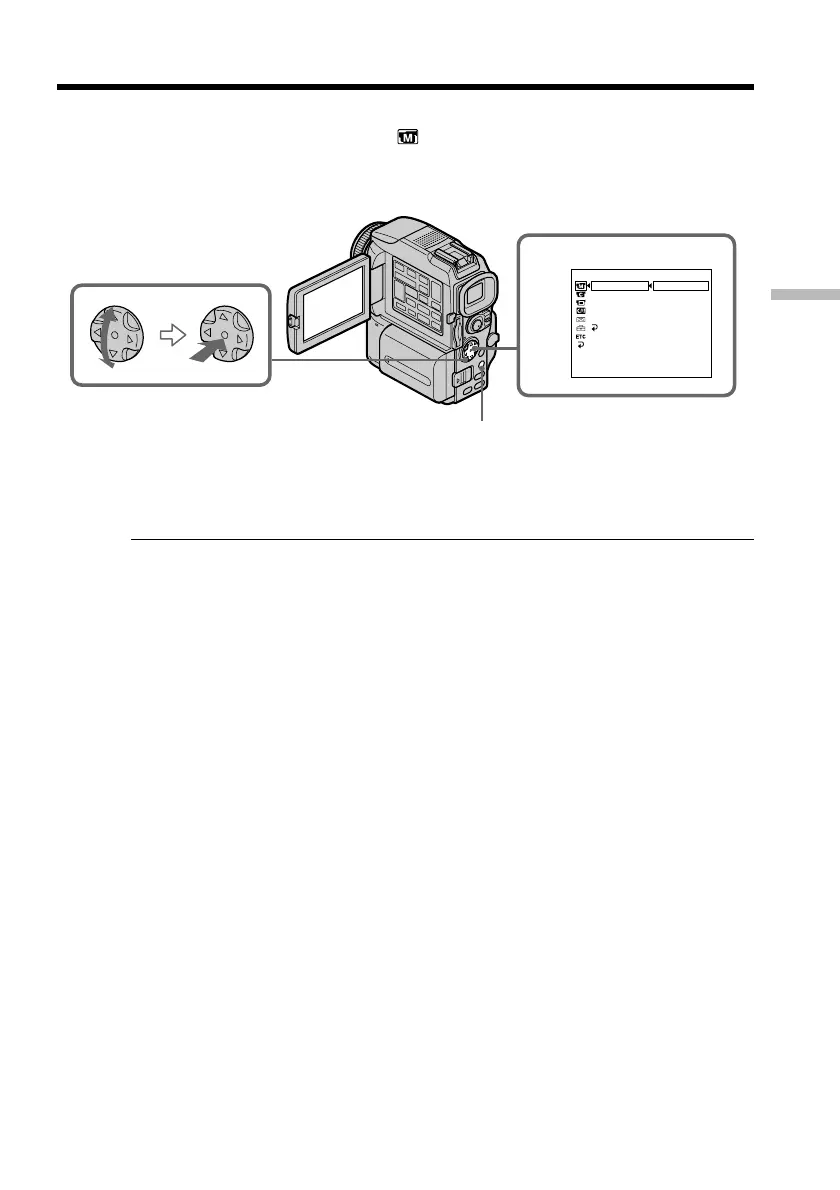
(1) Set the POWER switch to CAMERA or MEMORY. Press MENU select and
decide upon PROGRAM AE in
in the menu settings with the control
button (p. xx).
(2) Select and decide upon the desired PROGRAM AE mode with the control
button.
To cancel the PROGRAM AE function
Select PROGRAM AE to AUTO in the menu settings.
Notes
•Because your camcorder is set to focus only on subjects in the middle to far distance,
you cannot take close-ups in the following modes:
– Spotlight
– Sports lesson
– Beach & ski
•Your camcorder is set to focus only on distant subjects in the following modes:
– Sunset & moon
– Landscape
•The following functions do not work in the PROGRAM AE mode:
– Slow shutter
– Old movie
– Bounce
•The following functions do not work in the low lux mode:
– Digital effect
– Overlap
– Wipe
– Dot
– Recording with the flash
•When you set the POWER switch to MEMORY, the following modes do not work
(The indicator flashes.):
– Low lux
– Sports lesson
•The PROGRAM AE function does not work in the following cases. (The indicator
flashes.)
– To set NIGHTSHOT to ON
– To record images on a “Memory Stick” using the MEMORY MIX function.
Using the PROGRAM AE function
MANUAL SET
AUTO
SPOTL IGHT
PORTRA I T
PROGRAM AE
PEFFECT
DEFFECT
WHT BA L
AUTO SHTR
RETURN
[
MENU
]
:
END
BEACH&SK I
SPORTS
SUNSETMOON
LANDSCAPE
LO
W
LUX
1
MENU


 To Next Page