7
Workspace (page 32)
You can register the current tab status as a
Workspace, which allows you to resume your work at
any time.
Note (page 41)
You can create a new note in any folder on the Digital
Paper device. You can also use your favorite PDF file
as a template.
Network
Use the Network Drive (page 48)
Use the Web browser for internet access
(page 53)
Battery
Charging the Digital Paper Device
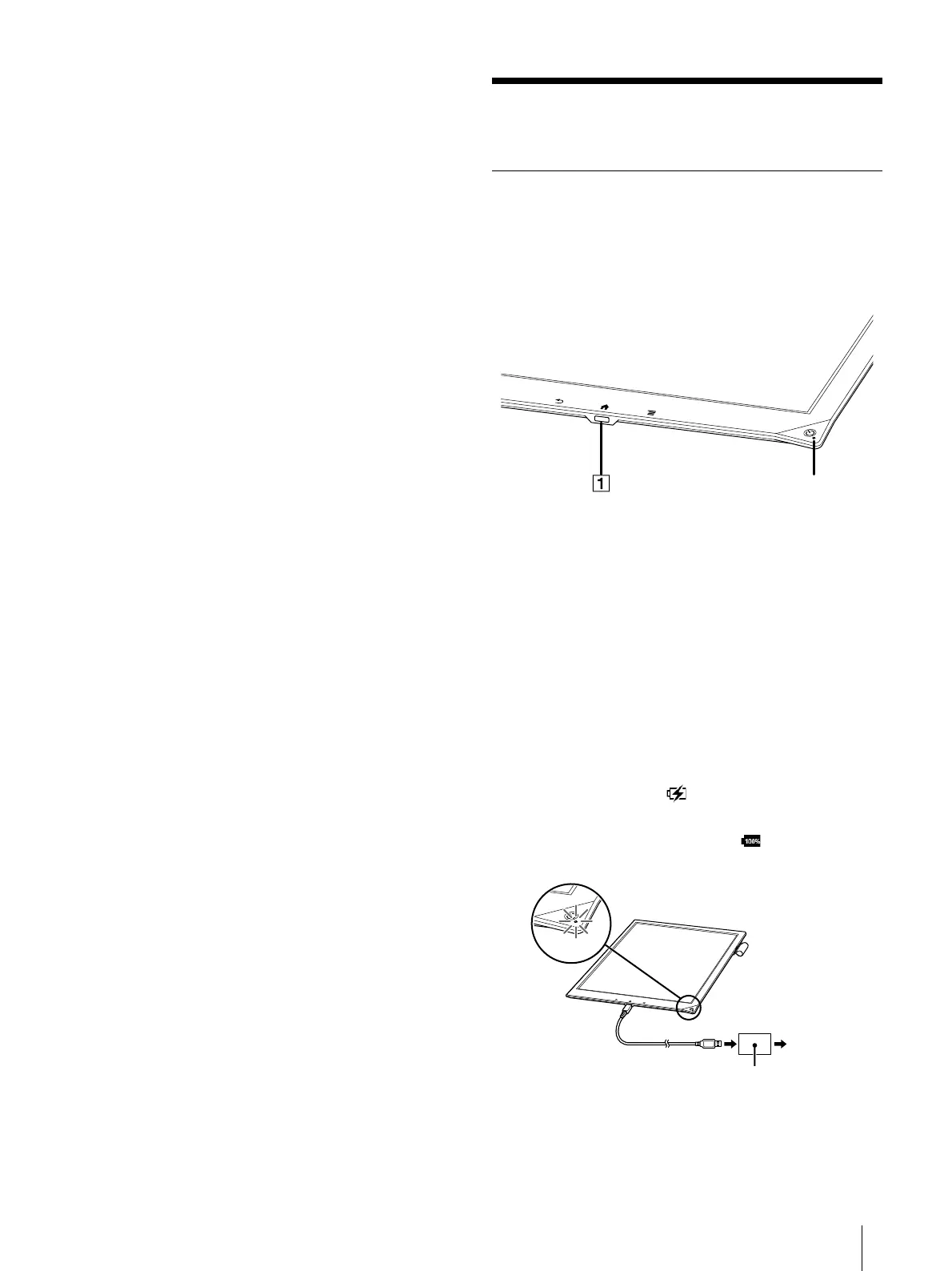
The charge/battery status icon at the right side of the
status bar shows the battery level (page 8).
When the battery level becomes low, select either
one of the methods below to charge the device.
Micro USB connector
Charge indicator
Charging via an AC outlet
1 Connect one end of the supplied USB cable to the
micro USB connector of your device, and the
other end to the AC adapter.
2 Connect the AC adapter to an AC outlet.
The icon turns into and the Charge indicator
will light up red while charging. When charging is
complete, the icon turns into and the
indicator turns off.













 To Next Page