44
Menu items that can be modified differ depending on the positions of the mode dial.
The LCD screen shows only the items you can operate at the moment. Factory
settings are indicated with
x
.
When the mode dial is set to /SCN/S/A/M
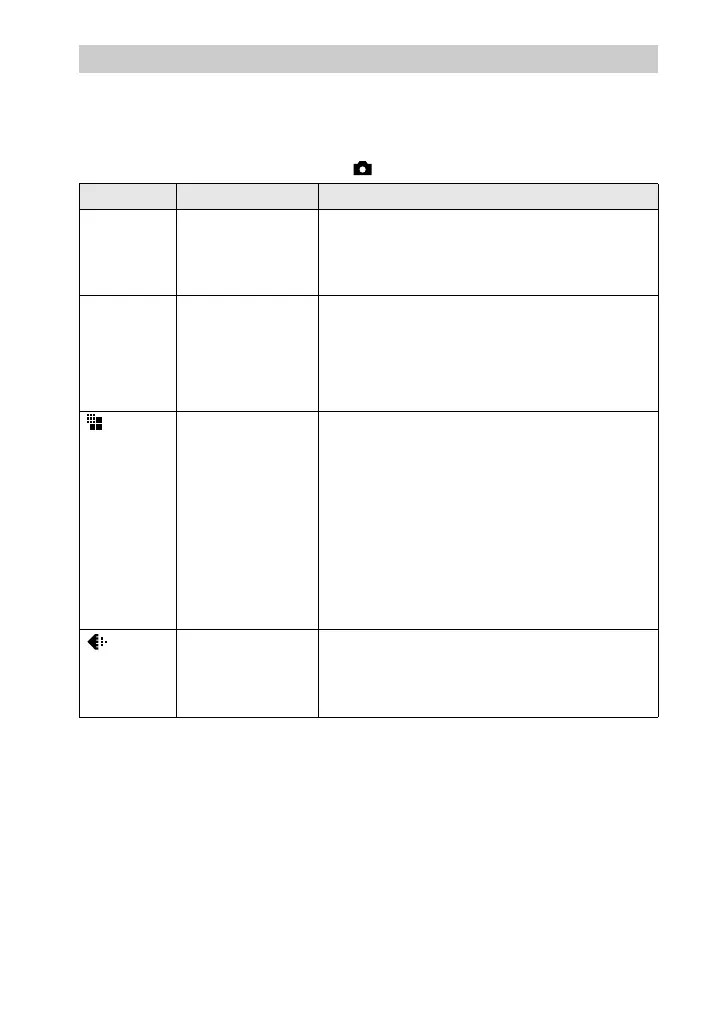
Menu settings
Item Setting Description
WB
(WHITE
BAL)
ONE PUSH
x
AUTO
IN DOOR
OUT DOOR
Sets the white balance (page 62).
ISO 400
200
100
x
AUTO
Selects the ISO film speed. When recording
under dark situations or recording a fast-moving
subject, use a high-number setting. When you
record high-quality images, use a low-number
setting (except when the mode dial is set to
SCN).
(IMAGE
SIZE)
x
2272×1704
(DSC-S85 only)
x
2048×1536
(DSC-S75 only)
2272 (3:2)
(DSC-S85 only)
2048 (3:2)
(DSC-S75 only)
1600×1200
1280×960
640×480
Selects the image size when recording still
images.
(P. QUALITY)
x
FINE Records still images in the fine image quality
mode.
STANDARD Records still images in the standard image
quality mode.












 To Next Page