38
3
2
1
2
1
PAGE SELECT
Camera 1
AF Mode:
Digital Zoom:
Date/Time:
Red Eye Reduction
:
Hologram AF:
Auto Review:
Single
Smart
Day&Time
Off
Auto
Off
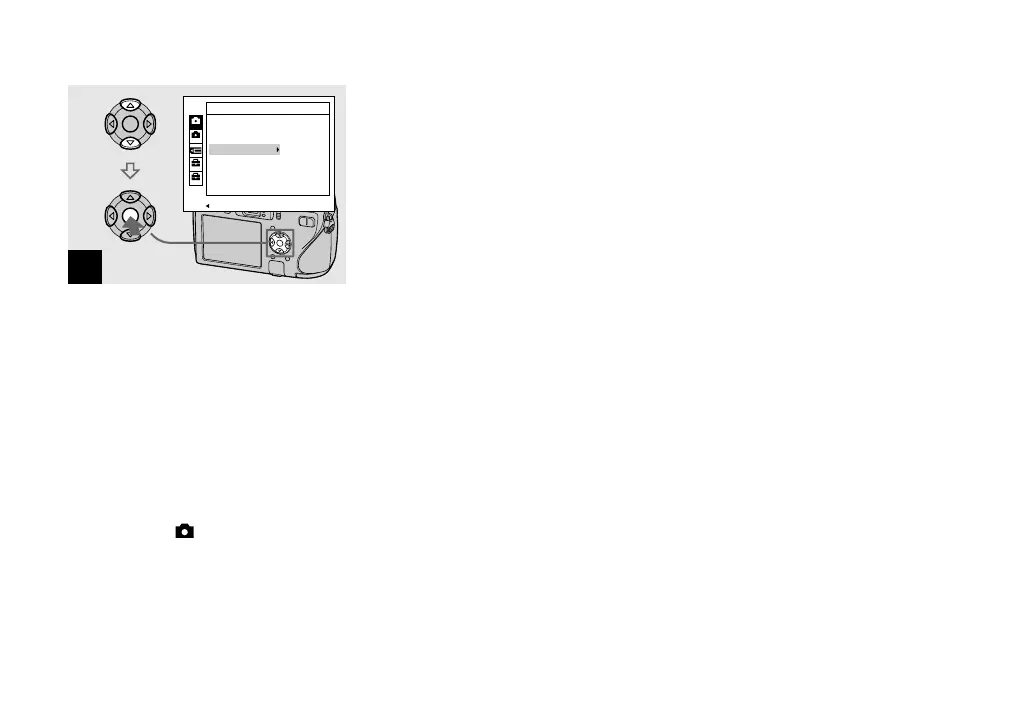
Select the date and time
setting with / on the control
button, then press .
Day&Time: Superimposes the date, hour,
and minute onto the image.
Date: Superimposes the year, month and
day onto the image.
Off: Does not superimpose the date and
time onto the image.
After the setting has been completed, set
the mode dial to to shoot the image.
• You can shoot even when the mode dial is set
to P, S, A, M or SCN.
• If you select [Date], the date is superimposed
onto the image in the order selected in “Setting
the date and time” (page 18).
• Date and time setting is maintained even when
the power is turned off.












 To Next Page