82
Selecting the folder
and playing back
images
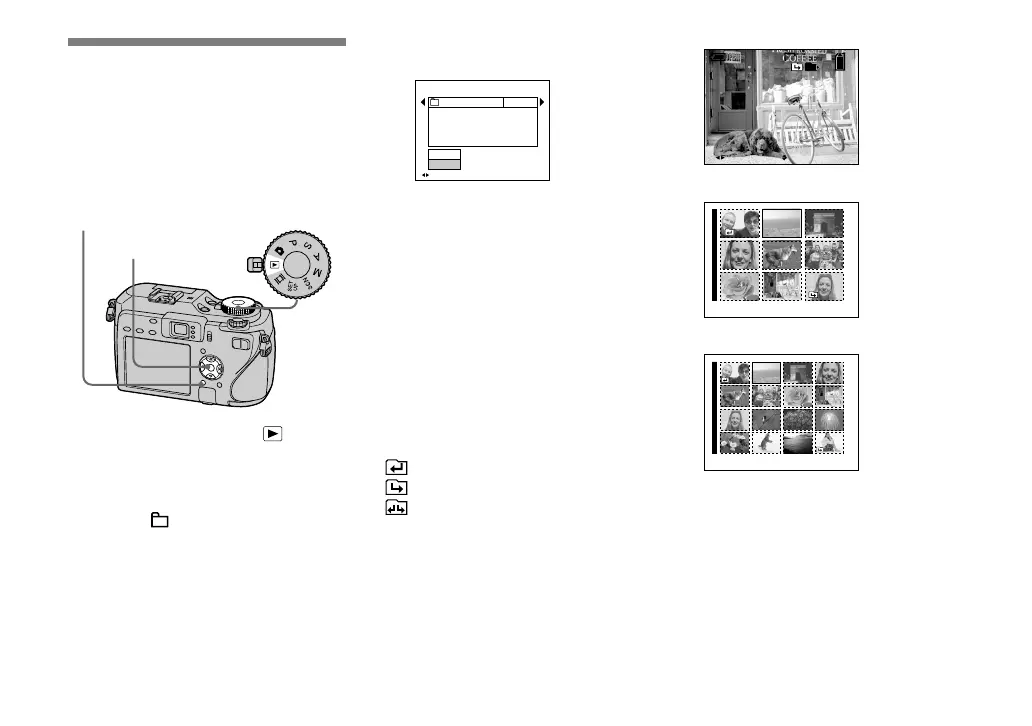
Select the folder that images you want to
play back are stored.
MENU Mode dial
Control button
Set the mode dial to .
Press MENU.
The menu appears.
Select (Folder) with , then
press .
Select the desired folder with
/.
BACK/N EXT
Select Folder
Cancel
OK
Folder Name:
102 2/2
Created:
No. Of Files:
2005
102MSDCF
9
111::05:34
AM
Select [OK] with , then press
.
To cancel the selection
In step , select [Cancel].
When multiple folders are
created in the recording
medium
When the fi rst or last image in the folder is
displayed, the following indicators appear
on the screen.
: Moves to the previous folder.
: Moves to the next folder.
: Moves to both the previous and next
folders.
Single screen
VGA
60min
10:30PM2005 1 1101-0009
9/9
101
BACK/NEXT VOLUME
Index (nine-image) screen
•
SINGLE DISPLAY
Index (sixteen-image) screen
•
SINGLE DISPLAY
• When no images are stored in the folder, “No
fi le in this folder” appears.












 To Next Page