43
Viewing still images
2
BACK/NEXT
10:30PM2005 1 1101
-
0003
VOL UME
VGA
60min
3/9
101
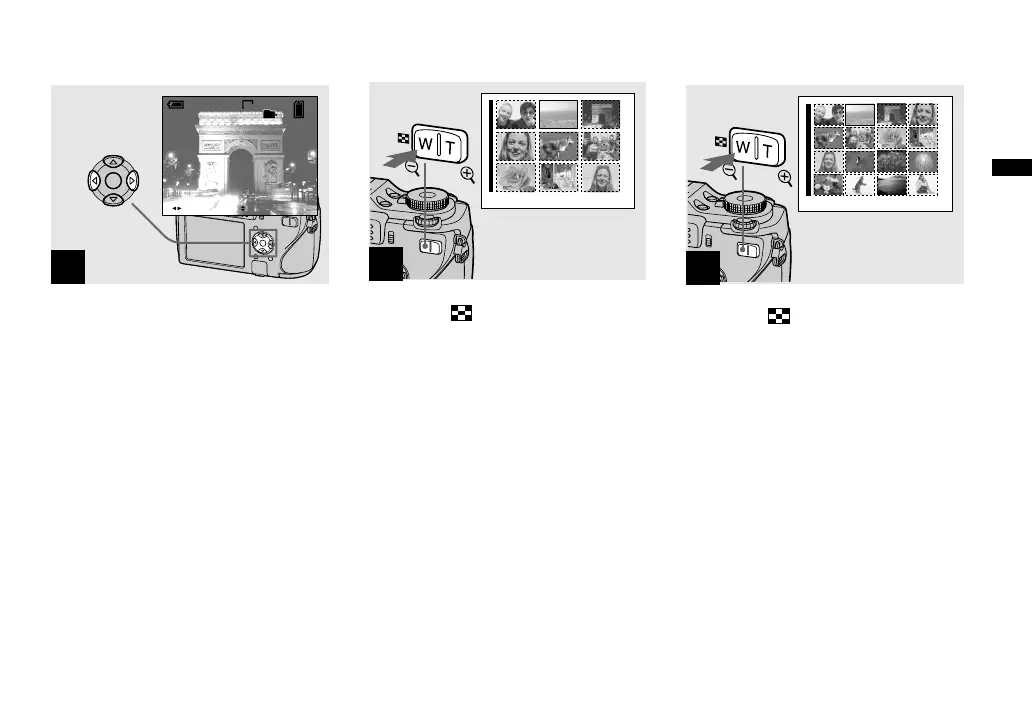
Select the desired still image
with / on the control button.
: To display the preceding image
: To display the next image
Viewing an index (nine-image or sixteen-image) screen
•
SINGLE DISPLAY
1
Press (index) once.
The display switches to the index (nine-
image) screen
.
To display the next (previous) index
screen
Press /// on the control button to
move the yellow frame up/down/left/right.
2
•
SINGLE DISPLAY
Press (index) again.
The display switches to the index (sixteen-
image) screen
.
To display the next (previous) index
screen
Press /// on the control button to
move the yellow frame up/down/left/right.












 To Next Page