49
Deleting still images
2
2
1
2
1
Memory Stick Tool
Format:
Create REC. Folder:
Change REC. Folder:
OK
Cancel
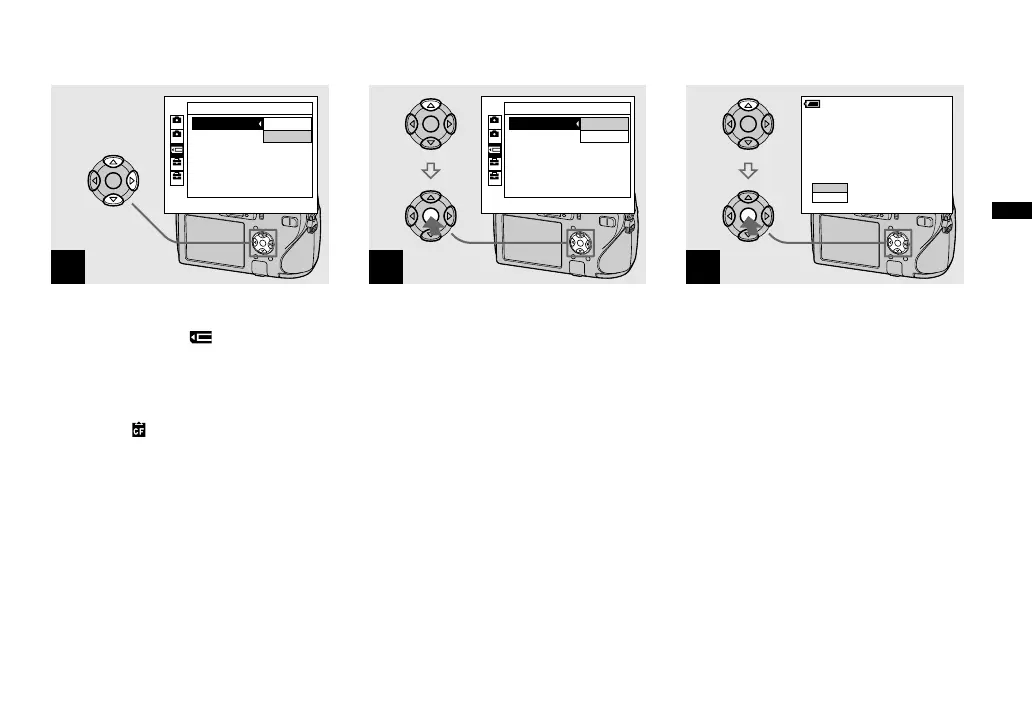
When you format a “Memory
Stick”, select
(Memory
Stick Tool) with / on the
control button.
When you format a CF card,
select
(CF Card Tool) with
/ on the control button.
Select [Format] with on the
control button, then press .
3
2
1
2
1
Memory Stick Tool
Format:
Create REC. Folder:
Change REC. Folder:
OK
Cancel
Select [OK] with on the
control button, then press .
To cancel the formatting
Select [Cancel] with on the control
button, then press .
4
Format
All data will be erased
60min
Ready?
OK
Cancel
Select [OK] with on the
control button, then press .
The message “Formatting” appears. When
this message disappears, the format is
complete.
• The “Memory Stick” is already formatted, and
can be used immediately.
• Be sure to format the CF card using this
camera. Otherwise, satisfactory performance
may not be obtained.












 To Next Page