77-GB
PictureGear 3.2 Lite
Basic Operation
Starting the Program
PictureGear can be started by the following procedure.
1 Turn on the PC and load Windows.
2 Click the Start button on the task bar.
The Start menu appears.
3 Point to Programs on the Start menu, and click PictureGear 3.2Lite from the
list of programs.
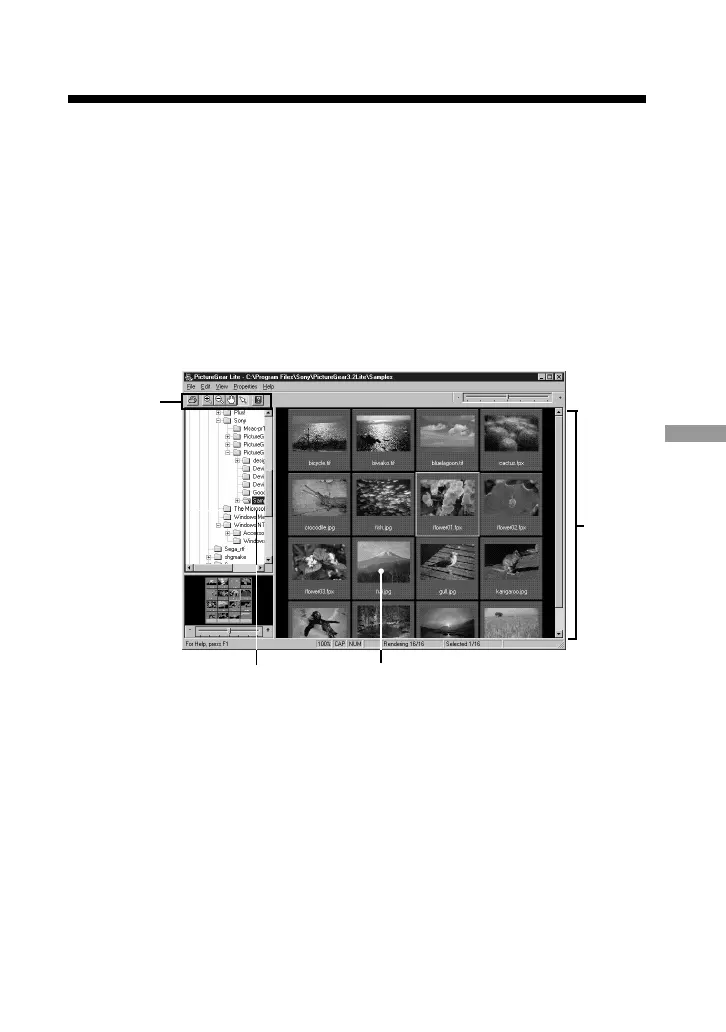
PictureGear starts and the main window appears.
Sample slides are displayed automatically in the View Area.
A slide selected on this screen can be magnified by the menu and tool bar, and
moved in the Folder List.
(Continued on the following page)
Tool Bar
View
Area
SlidesFolder List



 To Next Page