80-GB
Display Slides other than the Samples
Locate the folder in the PictureGear folder list containing the slides you wish to
display, and click it.
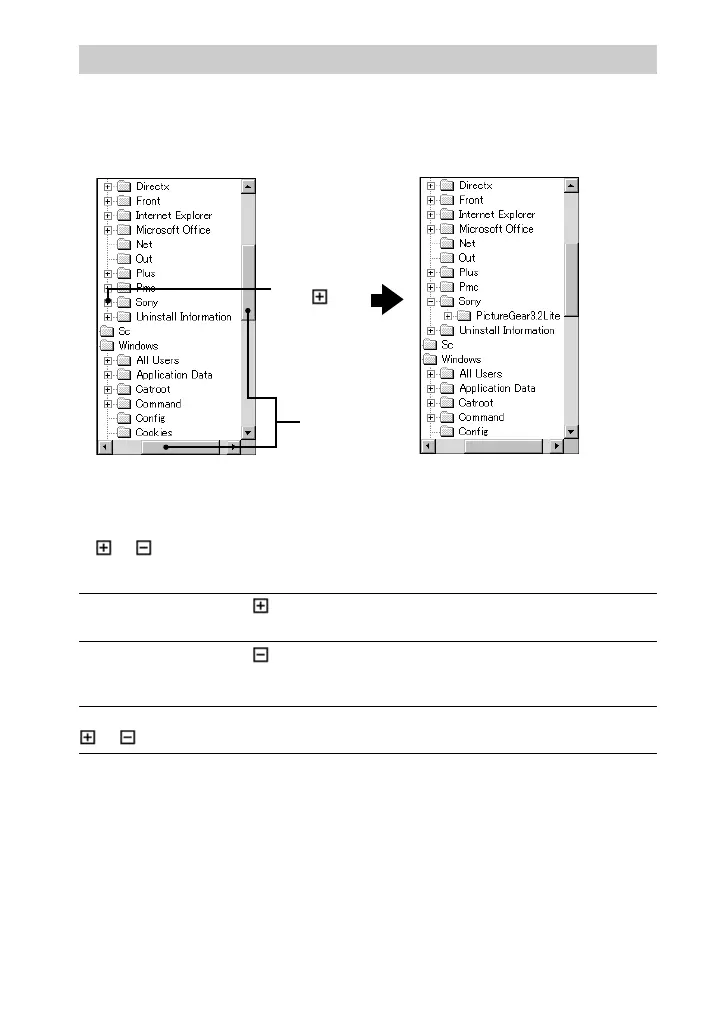
Locating a Folder
Manipulate the folder list as follows to locate the desired folder.
Folder List Indicators
The drive and folder icons are displayed in the folder list.
A or mark appears at the left of most icons.
The drive or folder contains other folders that are
not currently displayed.
The drive or folder contains other folders that are
displayed under the drive or folder icon, shifted
to the right.
This drive or folder contains only files, or is
empty.
Drives and folders with a
mark
Drives and folders without a
or mark
Drives and folders with a
mark
When you
click
Scroll Bars



 To Next Page