Operating the Menus
Chapter 6 Adjusting and Setting Through Menus
86 (GB) Chapter 6 Adjusting and Setting Through Menus
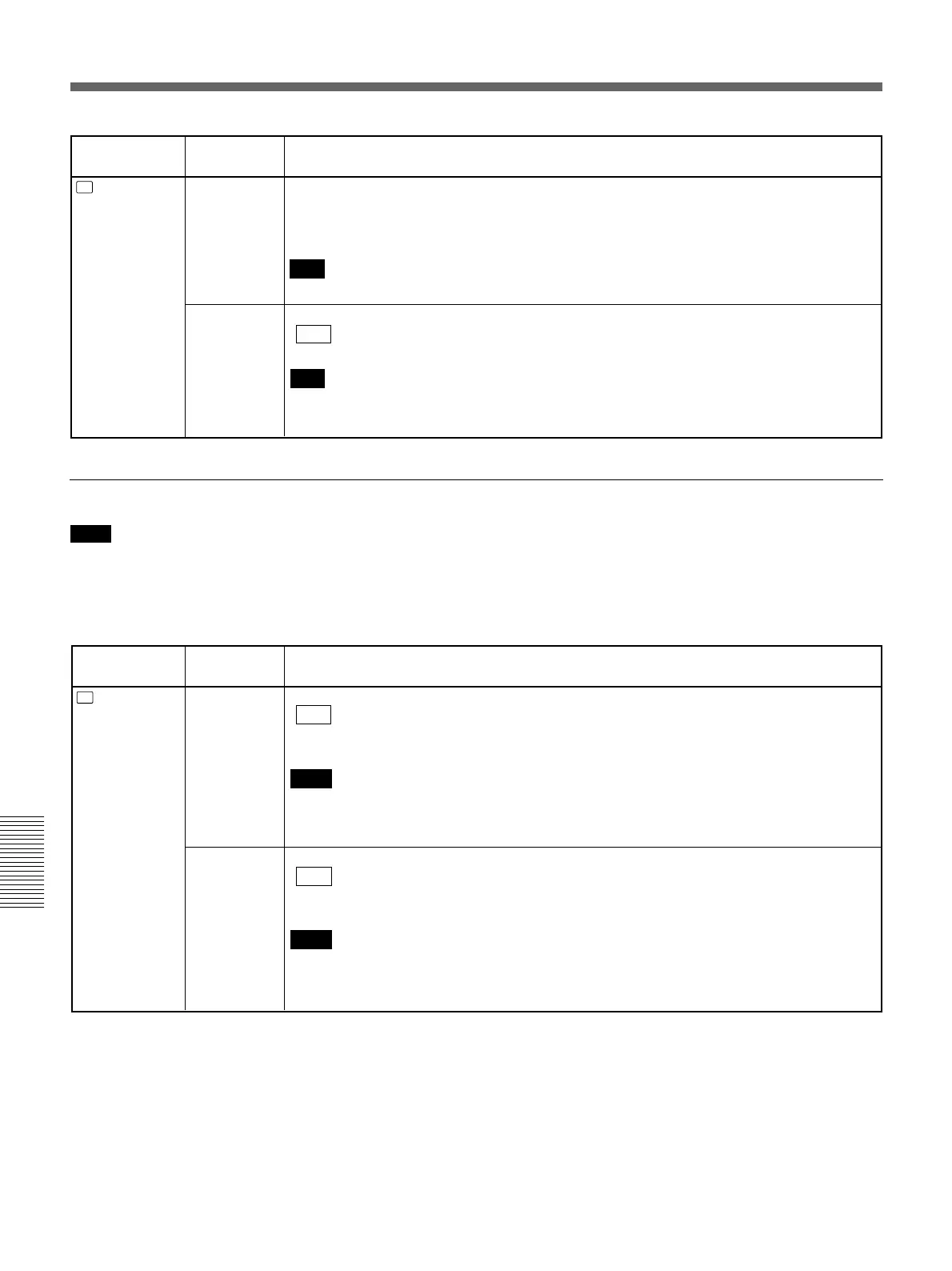
Icon/Menu
Submenu
Setting
(page)
DISP
DISPLAY
SET
DATE DISP Selects the form of the date displayed on the search screen or of the data codes and so on.
Y/M/D: Displays YY/MM/DD (year/month/day).
M/D/Y: Displays MM/DD/YY (month/day/year).
D/M/Y: Displays DD/MM/YY (day/month/year).
Note
The default is M/D/Y for the DSR-45A; and D/M/Y for the DSR-45AP.
TIME DISP
Selects the form of the time displayed on the search screen or of the data codes and so on.
24H : Displays 24-hour time.
12H: Displays 12-hour time.
Note
The counter of this unit operates only on a 12-hour cycle. Even if you set this item to 24H,
the counter value is displayed on a 12-hour cycle.
VIDEO SET menu
Icon/Menu
Submenu
Setting
(page)
V
VIDEO SET PB YNR Switches the noise reduction level for the luminance signals when a tape is played.
OFF : No noise reduction
LOW: Low noise reduction
HIGH: High noise reduction
Notes
• When you use noise reduction, there may be an afterimage depending on the condition of
the picture.
• The setting of this item does not affect a signal output via the DV jack.
PB CNR
Switches the noise reduction level for the chrominance signals when a tape is played.
OFF : No noise reduction
LOW: Low noise reduction
HIGH: High noise reduction
Notes
• When you use noise reduction, there may be an afterimage depending on the condition of
the picture.
• The setting of this item does not affect a signal output via the DV jack.
Note
To perform the adjustment in H PHASE, H PHASE F,
SC PHASE, or SC PHASE F, you must set EXT
SYNC to ON and input the reference video signals to
the VIDEO IN REF.IN connector.



 To Next Page