6-1
During the adjustment, see the Adjustment Related
Parts Arrangement on page 6-2.
NTSC model: DSRM-E1
PAL model : DSRM-E1P
Instruments to be Used.
1) Monitor TV
2) Frequency counter
3) NTSC/PAL pattern generator (with video output terminal)
4) Digital voltmeter
5) Regulated power supply
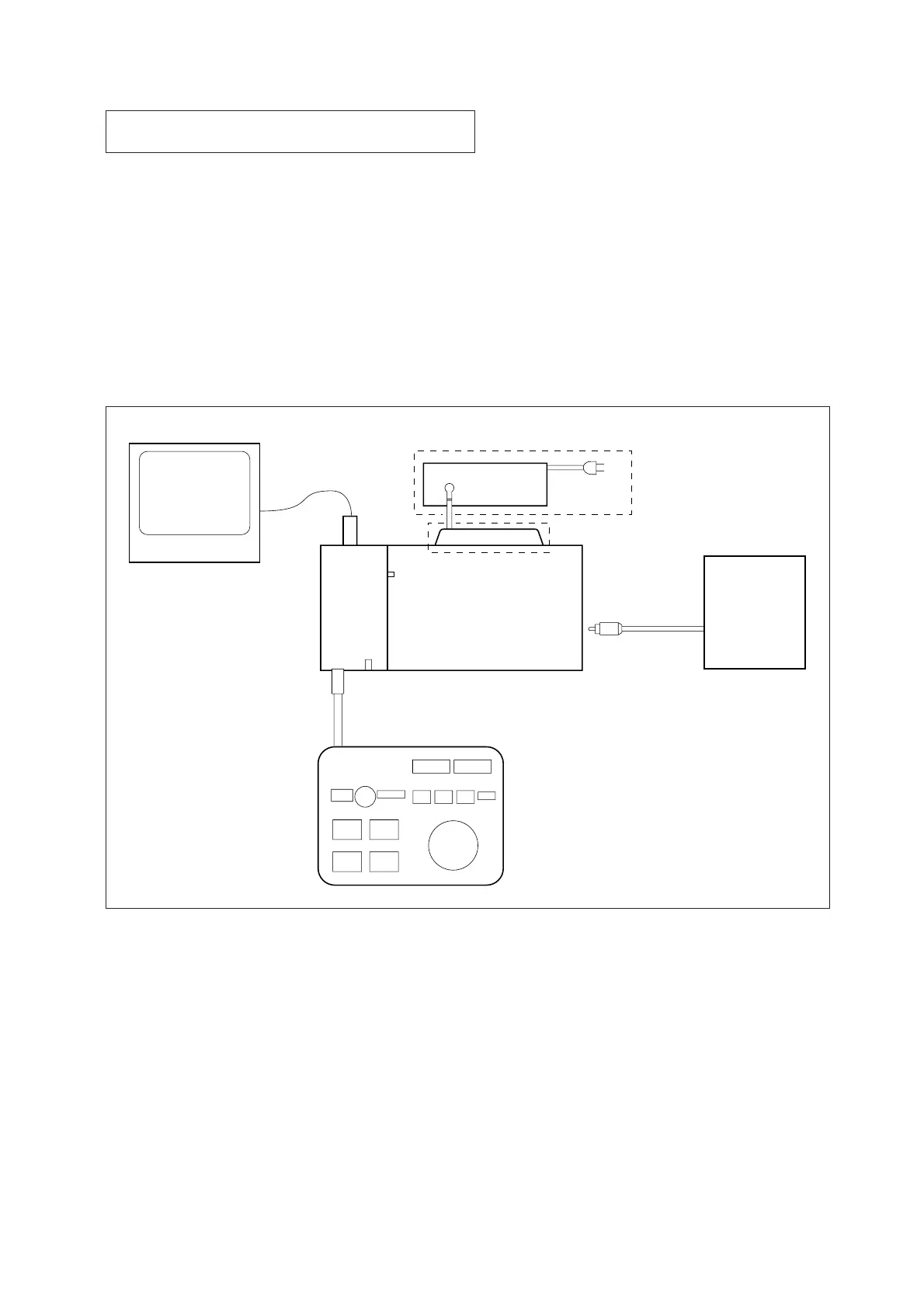
Connection
Unless otherwise specified, connect and adjust the measuring in-
struments as shown in the following diagram.
SECTION 6
ELECTRICAL ADJUSTMENTS
DSRM-E1/E1P
MONITOR TV
MONITOR OUT
(VIDEO)
AC
ADAPTOR
AC-V700
DK-415
POWER SW
AC
IN
VIDEO WALK MAN
(For REC)
VIDEO
IN
SIGNAL
GENERATOR
POWER LED
PLAYER
MENU
PREVIEW EDIT
REW FF
MARK
IN
MARK
OUT
CANCEL
RECORDER
S
”P
6-1. How to Enter the SERVICE Mode
1) With the PAUSE button kept pressed, turn on the POWER
switch on the main unit.
2) Still keep pressing the PAUSE button, press the MENU button
several times quickly.
3) Make sure that the service menu is displayed on the monitor
TV.
6-2. How to Release the SERVICE Mode.
1) Press the MENU button on the main unit.
(Normal menu screen will appear.)



 To Next Page