6-3
HIT EACH KEY
MENU
?
>
/
.
YES
NO
PREVIEW
EDIT
CUT IN
CUT OUT
PLAYER
RECORDER
STOP
PLAY
PAUSE
REC
[MENU]
ª
¢
·
›
PUSH
[CANCEL]
[PREVIEW]
[EDIT]
[MARKIN]
[MARKOUT]
[PLAYER]
[RECORDER]
[STOP]
[PLAY]
[PAUSE]
[REC]
Menu displayed on
monitor TV
Buttons on main unit
SEL/PUSH
EXECUTE
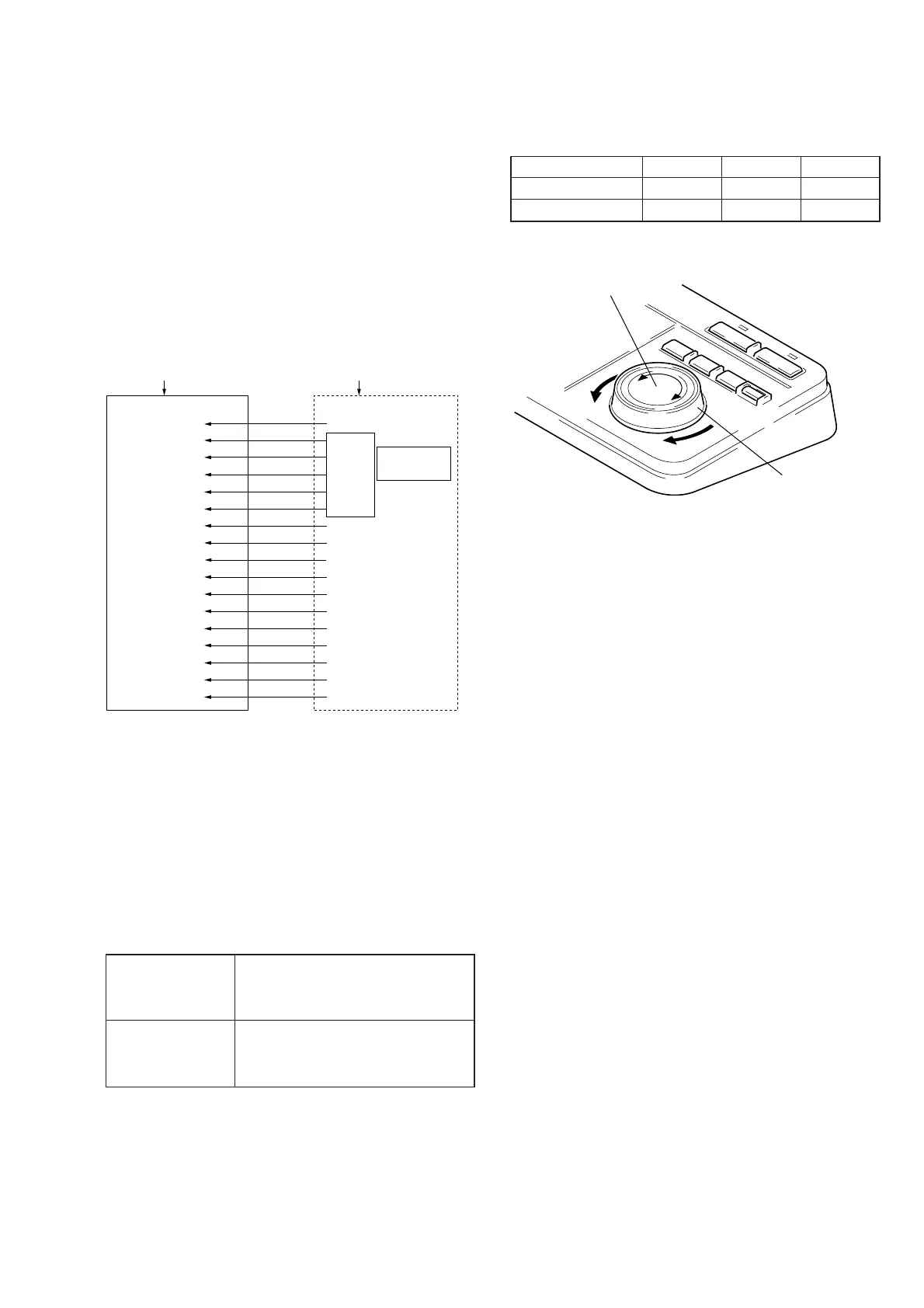
JOG dial
SHUTTLE knob
6-4. System Control Adjustment
4-1. Key Input Check
1) Select the SERVICE mode.
(Refer to 6-1. How to Enter the SERVICE Mode)
2) Using the SEL/PUSH EXECUTE button (.), position the cur-
sor at the KEY item.
3) Press the SEL/PUSH EXECUTE button to open the HIT EACH
KEY screen.
4) Press same buttons on the main unit as the keys displayed on
the monitor TV, from top to bottom sequentially.
5) Confirm that the keys displayed on the monitor TV are input
correctly.
Note: Confirm that the buzzer sounds when a button on the main
unit is pressed.
4-2. JOG/SHUTTLE (mode check)
1) Select the SERVICE mode.
(Refer to 6-1. How to Enter the SERVICE Mode)
2) Using the SEL/PUSH EXECUTE button (.), position the cur-
sor at the JOG SHUTTLE item.
3) Press the SEL/PUSH EXECUTE button to open the JOG
SHUTTLE TESTS screen.
4) Rotating the SHUTTLE knob, confirm that the following data
are displayed on the monitor TV.
Clockwise ratation 0000 n 0036 n 0037 n
0055 n 0072 n 0090 n
0108 n 0127
Counterclockwise 0000 n –0036 n –0037 n
rotation –0055 n –0072 n –0090 n
–0108 n –0127
5) Rotating the JOG dial, confirm that the following data are dis-
played on the monitor TV.
Slow Nomal Fast
CW rotation 0037 0055 0090
CCW rotation –0037 –0055 –0090
6) After confirmation, press the CANCEL button.
4-3. LED ON Check
1) Select the SERVICE mode.
2) Using the SEL/PUSH EXECUTE button (.), position the
cursor at the LED item.
3) Press the SEL/PUSH EXECUTE button to open the HIT .
> KEY screen.
4) Using the SEL/PUSH EXECUTE button (.), position the
cursor at the keys displayed on the monitor TV, from top to
bottom sequentially.
5) Confirm that the same LED on main unit as the key at the
cursor position lights up.
6) Position the cursor at the EXIT to return to the service menu
screen.
6-3E



 To Next Page