13
Customise the controller
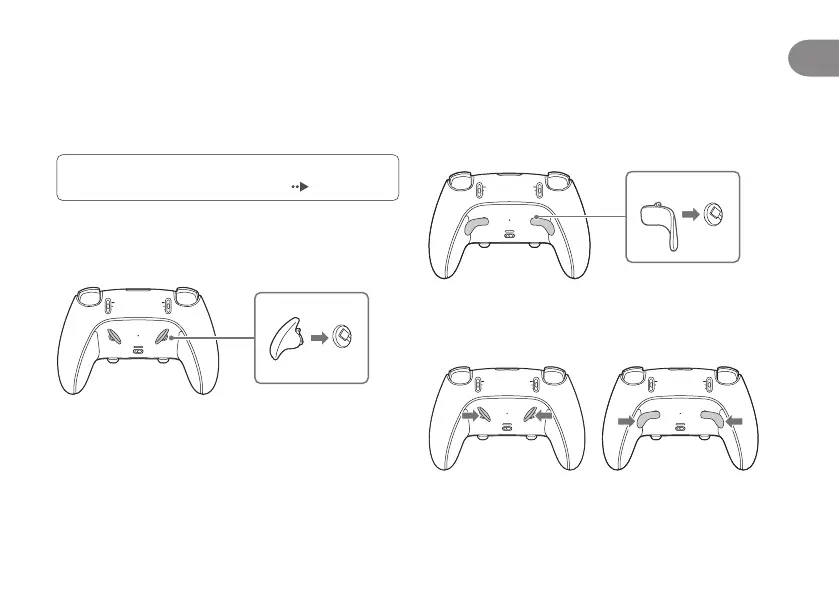
Attach or remove the back button
The back buttons are changeable. Choose from the
dierent back button types included to best suit your
playstyle.
For more details on assigning functions to the back
buttons, refer to the PS5 User’s Guide (
page 23).
Attach the half dome back button
Insert the half dome back button into a back button slot.
The half dome back button is interchangeable.
Attach the lever back button
Insert the lever back button into the corresponding back
button slot. The right and left lever back buttons are not
interchangeable. Check which button is right (RB) and left
(LB) before attaching them.
Remove the back button
Pull the back button inwards and towards the top of the
controller. Then, in that position, lift it up from the slot.
EN





 To Next Page