12
Customise the controllerPair the controller
The first time you use the controller, you’ll need to pair it
with your PS5™ console.
1
Turn on your console.
2
Connect the controller to your console using
the included USB cable.
3
Press the (PS) button.
The controller powers on. After the light bar blinks, the
player indicator lights up.
When your controller has enough battery life, you can
disconnect the USB cable and use your controller
wirelessly.
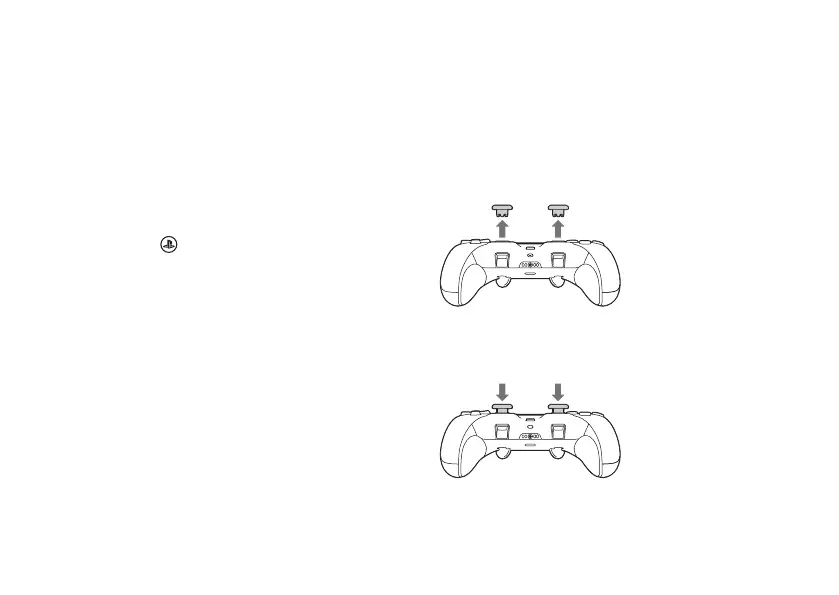
Change the stick cap
Switch out the stick caps with one of the dierent types
included and find which best suits your playstyle.
Remove the caps
Pull the cap directly away from the controller.
Attach the caps
Press the cap down onto the stick until you hear a “click”.





 To Next Page