16
Customise the controller
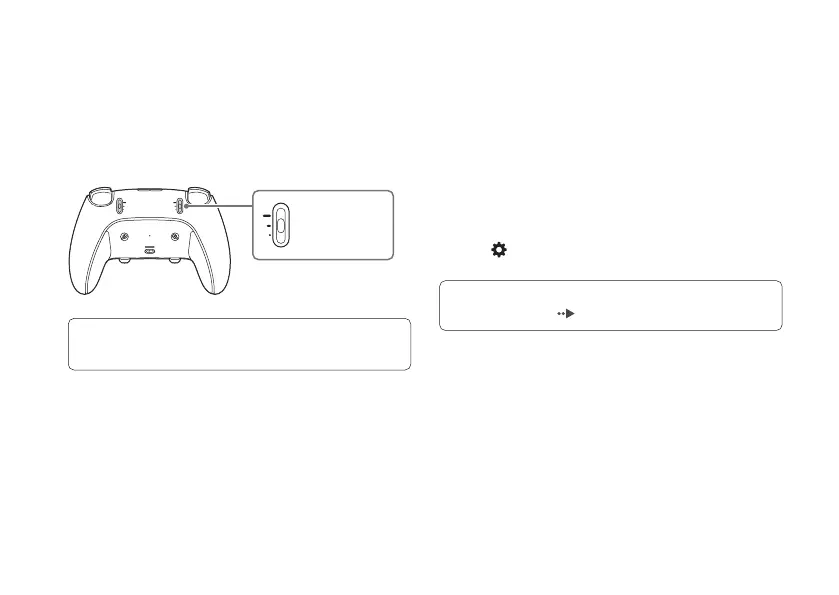
Change the stroke of the L2/R2 buttons
You can adjust the stroke (trigger length/stop) of the
L2/R2 buttons, which is how far you can push down
the buttons.
To adjust this, move the L2/R2 stop sliders on the back of
your controller.
When the stop sliders are set to short or medium,
trigger eects will not be available.
long stroke
medium stroke
short stroke
Set up a profile
You can save stick sensitivity, vibration strength, button
assignments, and other controller settings as a profile.
• Assign your favorite profiles to a shortcut to quickly
switch between them during a game. Use the Fn button
to switch profiles.
• Assigned profiles are saved to your controller. Take your
controller with you and play with your profile on any PS5
console.
To set up a profile, go to your PS5 home screen and select
Settings
> Accessories > DualSense Edge wireless
controller.
For more details on setting up a profile, refer to the
PS5 User’s Guide (
page 23).






 To Next Page