EasyManua.ls Logo

Sony DWT-B01 - User Manual

Sony DWT-B01
44 pages
Print Icon
To Next Page IconTo Next Page
Loading...
3-873-945-12 (1)
© 2008 Sony Corporation
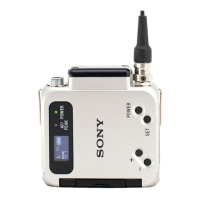
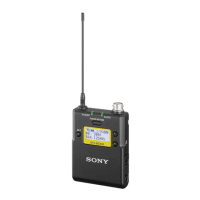
Digital Wireless
Transmitter
Operating Instructions
Before operating the unit, please read this manual thoroughly
and retain it for future reference.
DWT-B01
The supplied CD-ROM includes the Operating Instructions for the DWT-B01
digital wireless transmitter (English, French, German, Italian, Spanish, and
Japanese versions) and the frequency lists (English and Japanese versions)
in PDF format.
For more details, see “Using the CD-ROM manual” on page 21.

Other manuals for Sony DWT-B01

Questions and Answers

  • W
    wellsnicoleAug 15, 2025
    What to do if there is no sound from my Sony DWT-B01?
    • G
      gilbertkaylaAug 15, 2025
      If there's no sound when using your Sony Transmitter, ensure that the channel setting on both the transmitter and the receiver are the same. Also, check that the setting of the encrypted transmission function is identical on both devices.
  • J
    Julie HuntAug 18, 2025
    Why do I experience interruptions in reception with my Sony Transmitter?
    • C
      Charles JohnsonAug 18, 2025
      If you are experiencing interruptions in reception with your Sony Transmitter, try decreasing the distance between the transmitter and the receiver to improve signal strength. Additionally, if the transmission power is set to “L: 1mW”, increase the transmission power for a more stable connection.
  • B
    Benjamin DawsonAug 22, 2025
    Why do the batteries drain quickly on my Sony DWT-B01?
    • S
      stephen02Aug 22, 2025
      If your Sony Transmitter's batteries are draining quickly, avoid using manganese batteries. Instead, use alkaline batteries for longer-lasting power.
  • R
    robertknightAug 26, 2025
    How to fix a Sony DWT-B01 that does not turn on?
    • L
      Leslie CunninghamAug 26, 2025
      If your Sony Transmitter does not turn on, first ensure that the batteries are inserted correctly into the battery compartment, paying attention to the correct orientation. If they are, replace the batteries with new ones.
  • M
    Marcus CarrollAug 28, 2025
    What to do if the sound is weak on my Sony Transmitter?
    • P
      Patricia EllisAug 29, 2025
      If the sound from your Sony Transmitter is weak, and you have a microphone connected, set the audio input to MIC. While watching the audio input level meter, adjust the attenuator to the right level.
  • T
    Theresa CamposSep 1, 2025
    How to eliminate distortion in the sound from my Sony DWT-B01?
    • M
      Mark OsborneSep 1, 2025
      If you notice distortion in the sound from your Sony Transmitter, monitor the audio input level meter and adjust the attenuator to a level that prevents distortion.
  • D
    Daniel FloresSep 4, 2025
    How to improve weak bass on my Sony DWT-B01 Transmitter?
    • E
      evelezSep 4, 2025
      If you find that the bass is weak when using your Sony Transmitter, decrease the low-cut filter frequency while monitoring the sound until the sound quality is satisfactory.
  • N
    nancyjohnsonSep 7, 2025
    What to do if there is too much bass on my Sony DWT-B01?
    • H
      hbrooksSep 7, 2025
      If your Sony Transmitter has too much bass, and you believe the connected microphone is the cause, use the low-cut filter to reduce the bass.
  • G
    Garrett GlennSep 12, 2025
    What to do if the Sony DWT-B01 power does not turn off?
    • J
      Jason BellSep 12, 2025
      If the power switch on your Sony Transmitter doesn't turn off the device, check if the POWER SW LOCK function is enabled and turn it off.

Sony DWT-B01 Specifications

General IconGeneral
BrandSony
ModelDWT-B01
CategoryTransmitter
LanguageEnglish

Related product manuals