EasyManua.ls Logo

Sony UTX-B1 - User Manual

Sony UTX-B1
135 pages
Print Icon
To Next Page IconTo Next Page
Loading...
Wireless Microphone
Package
2-698-941-11 (2)
UWP-X5
©2006 Sony Corporation
Operating Instructions Page 2 GB
Mode d’emploi Page 34 FR
Bedienungsanleitung Page 60 DE
Istruzioni per l’uso Page 86 IT
Manual de instrucciones Page 111 ES
Sony Corporation
Printed in Korea

Table of Contents

Other manuals for Sony UTX-B1

Questions and Answers

  • J
    Jeremy ButlerAug 1, 2025
    What to do if there is sound interruption or noise with my Sony Microphone system?
    • C
      calderonbillyAug 1, 2025
      Sound interruption or noise can occur for several reasons. It may be due to jamming radio waves; determine usable channels where the RF indications on the tuner do not appear and set both the tuner and transmitter to the same channel. If using multiple transmitters, use another channel group unaffected by jamming. Ensure the transmitter and tuner are on the same channel. If using multiple transmitters, set each to a different channel within the same channel group to avoid signal interference.
  • R
    Rachel SchwartzAug 5, 2025
    How to fix distortion in the sound of my Sony Microphone system?
    • T
      Tyler AlvaradoAug 5, 2025
      Sound distortion can occur if the attenuation level of the transmitter is too low, causing the input level of the tuner to be extremely high. To fix this, press the – button on the transmitter in attenuation level setting mode to raise the attenuation level. Also, ensure that the transmitter and tuner are set to the same channel.
  • E
    Erica MayAug 9, 2025
    Why does my Sony Microphone system have no sound?
    • D
      Denise AlvarezAug 10, 2025
      If there is no sound, ensure that the channel setting on the transmitter matches the channel on the tuner. Also, verify that the transmitter is turned on, so the RF indications appear on the tuner.
  • B
    Brian MarshallAug 14, 2025
    What to do if my Sony Microphone system batteries become drained quickly?
    • T
      Thomas EllisAug 14, 2025
      If the batteries are draining quickly, replace them with new ones. Ensure you are using alkaline batteries, as manganese batteries have a significantly shorter lifespan. The UWP-X5 is being used under cold conditions.
  • J
    John JohnsonAug 18, 2025
    How to fix weak sound on my Sony Microphone system?
    • D
      Dr. William Meadows MDAug 18, 2025
      If the sound is weak, it could be due to a high attenuation level on the transmitter, resulting in a low output level. Decrease the attenuation level by pressing the + button on the transmitter in attenuation level setting mode. Also, check the volume on the amplifier or mixer and adjust it accordingly.
  • M
    Mary SheppardAug 22, 2025
    How to troubleshoot a Sony Microphone system that does not turn on?
    • C
      Cynthia PetersAug 22, 2025
      If the unit does not turn on, first check that the batteries are inserted with the correct polarity. If they are, the batteries may be exhausted, so replace them with new ones. Also, the battery terminals in the transmitter may be dirty; clean the + and – terminals with a cotton swab.
  • T
    Tristan ChapmanAug 27, 2025
    What to do if the channel cannot be changed on my Sony Microphone system?
    • L
      Lisa JacksonAug 27, 2025
      If you cannot change the channel, restart the unit while holding down the SET button. Then, use the + and – buttons to change the channel.

Summary

Configuration of the Package

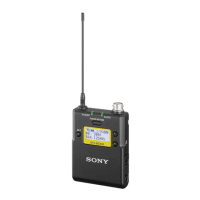
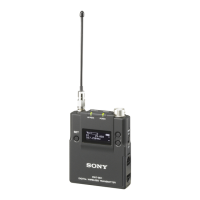
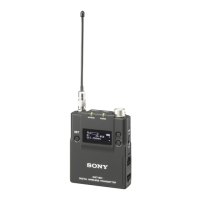
Body-pack transmitter (UTX-B1)

Details the components and function of the UTX-B1 body-pack transmitter.

Diversity tuner module (URX-M1)

Details the components and function of the URX-M1 diversity tuner module.

Precautions

Power Supply

Diversity tuner module (URX-M1) Power

Explains how the diversity tuner module receives power from other components.

Body-pack transmitter (UTX-B1) Power

Details the power requirements and battery usage for the UTX-B1 body-pack transmitter.

Inserting the Batteries

Step-by-step guide on how to insert batteries into the transmitter's compartment.

Battery Indication and Notes

Explains battery status display and important battery handling precautions.

Attachment and Installation Procedures

Wearing the Head-set Type Microphone

Instructions on how to correctly wear the head-set type microphone on the ear.

Attaching Accessories to Body-pack Transmitter

Procedures for attaching the head-set microphone to the UTX-B1 transmitter.

Attaching and Removing Belt Clip

Guides on how to attach and detach the belt clip to the transmitter.

Installing a Diversity Tuner Module

Settings

Operation

Setting RF Output Power (UTX-B1)

Selects the RF output power level (30 mW or 5 mW) for the UTX-B1 transmitter.

System Operation Steps

Connects components, sets channels, and powers on transmitter and tuner for operation.

Error Messages

Troubleshooting

Sony UTX-B1 Specifications

General IconGeneral
BrandSony
ModelUTX-B1
CategoryTransmitter
LanguageEnglish

Related product manuals