EasyManua.ls Logo

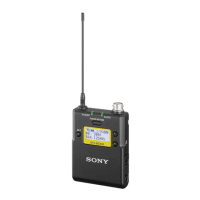
Sony UTX-B03HR - User Manual

Sony UTX-B03HR
18 pages
Print Icon
To Next Page IconTo Next Page
Loading...
UHF Synthesized
Transmitter
Operating Instructions
UTX-B03HR
4-590-342-11 (1)
© 2016 Sony Corporation

Questions and Answers

  • T
    Thomas LopezAug 15, 2025
    Why is there no sound from my Sony UTX-B03HR Transmitter?
    • N
      Nancy ClarkeAug 15, 2025
      There could be several reasons for the absence of sound. First, ensure that the channel setting on the transmitter matches the receiver. Second, verify that the transmitter is turned on and transmitting signals, and if the transmission output is weak, reduce the distance between the transmitter and receiver. Also, check if the transmitter is set to line level input and switch to microphone input if necessary. Another potential cause is a mismatch in the compander mode setting between the transmitter and receiver, so ensure these settings are the same. Finally, check if the transmitter is muted and, if so, press the POWER/MUTING button to unmute it.
  • S
    Shirley MooreAug 18, 2025
    What to do if the sound from my Sony Transmitter is distorted?
    • B
      Brooke WadeAug 18, 2025
      If the sound is distorted, it could be due to a few reasons. Check the attenuation level on the transmitter; if it's too low or set to 0, the input level is likely extremely high, so adjust the attenuation to prevent distortion. Also, ensure that the channel setting is the same on both the transmitter and the receiver. Finally, verify that the compander mode setting matches on both devices.
  • S
    Sydney JonesAug 21, 2025
    How to fix sound interruption or noise with my Sony UTX-B03HR?
    • J
      John AllisonAug 22, 2025
      Sound interruption or noise can occur for several reasons. First, ensure that the channel setting on the transmitter matches the receiver. If you are using multiple transmitters, they cannot be set to the same channel. Refer to the frequency list on the supplied CD-ROM to reconfigure the channel on each transmitter. Also, transmitters should be set to channels within the same channel group to avoid signal interference. Avoid using adjacent channels; use channels separated by at least two channels (250 kHz).
  • A
    andrewboothAug 25, 2025
    Why is the sound from my Sony UTX-B03HR so weak?
    • D
      Daniel CervantesAug 26, 2025
      A weak sound may be due to several factors. First, the attenuation level on the transmitter may be too high, resulting in a low input level; adjust the attenuation to an appropriate level. Also, check the volume on the amplifier or mixer and adjust it accordingly. Ensure that the transmitter is set to microphone input instead of line level input. Finally, verify that the compander mode setting is the same on both the transmitter and the receiver.
  • D
    David HayesAug 28, 2025
    Why do the batteries in my Sony UTX-B03HR Transmitter drain so quickly?
    • K
      Kaylee CookAug 28, 2025
      Batteries may drain quickly due to several reasons. If the batteries are getting low, replace them with new ones. If you are using manganese batteries, switch to alkaline batteries, as manganese batteries have a significantly shorter lifespan. Also, be aware that cold conditions can cause batteries to drain more quickly.
  • L
    Lisa HobbsAug 31, 2025
    What to do if my Sony Transmitter does not turn on?
    • K
      Keith SmithAug 31, 2025
      If the unit does not turn on, first check the polarity orientation of the batteries and insert them correctly. If that's not the issue, the batteries may be low, so replace them with new ones. Also, inspect the battery terminals for dirt and clean them with a cotton swab if necessary.
  • V
    Virginia LongSep 4, 2025
    Why can't the channel on my Sony UTX-B03HR Transmitter be set with infrared transmission?
    • M
      michaelmurraySep 4, 2025
      If the transmitter channel cannot be set with infrared transmission, it could be due to the infrared receptor on the transmitter being too far from the infrared transmission port on the receiver; reduce the distance to within about 20 cm (8 in.). Also, interference from infrared communications between other devices or from direct sunlight could be present. Try to place the transmitter and receiver as close as possible to mitigate this.
  • T
    Timothy CoxSep 7, 2025
    How do I fix the channel on my Sony UTX-B03HR Transmitter if it cannot be changed?
    • B
      Bernard SmallSep 7, 2025
      If the channel cannot be changed, the unit may not be in transmission stopped mode. To switch to this mode, turn off the unit, then turn it back on while holding down the SET button.
  • N
    nelsoncassandraSep 12, 2025
    What to do if my Sony UTX-B03HR does not turn off?
    • K
      Kent SmithSep 12, 2025
      If the unit does not turn off, the POWER/MUTING button may be locked. Release the locked status in the PWR LOCK menu.

Summary

Parts Identification

Display Section

Explains the various indicators and elements of the transmitter's display screen.

Power Supply

Inserting the Batteries

Instructions for inserting AA batteries into the compartment.

Supplying Power from a USB Connector

How to power the unit using a USB connection.

Preparation

Connecting a Lavalier Microphone

Steps to connect a Sony lavalier microphone to the transmitter.

Settings

Setting the Transmit Channel

Guide to selecting the transmission channel group and number.

Setting the Compander Mode

How to select the compander mode based on the receiver.

Menu Displays and Detailed Settings

Setting the compander mode (COMPANDER)

How to set the compander mode for different receiver types.

Restoring factory default settings (RESET)

Procedure to restore all parameters to factory defaults.

Error Messages

Troubleshooting

Specifications

Sony UTX-B03HR Specifications

General IconGeneral
BrandSony
ModelUTX-B03HR
CategoryTransmitter
LanguageEnglish

Related product manuals