10
Menu Displays and
Detailed Settings
Menu Structure and Operation
There are three menu display modes that can be selected
according to the application.
Simple mode
This mode displays only the required settings for
transmitting audio.
You can enable simple mode by setting MENU MODE
(menu display mode) to SIMPLE.
Configuration menus
• GP/CH (group/channel) select
• BAND (frequency band) select (Not available on
Japanese and Korean models)
• RF POWER (RF transmit output level) select
• ATT (attenuator) setting
• LCF (low-cut filter) setting
• IN LEVEL (audio input level) select
• TIME (accumulated running time) display
• MENU MODE (menu display mode) setting
The following configuration menus cannot be modified
during transmission. Set these menus in transmission
stopped mode.
• GP/CH (group/channel) select
The following configuration menus do not appear and
cannot be modified during transmission. Set these menus
in transmission stopped mode.
• BAND (frequency band) select (Not available on
Japanese and Korean models)
• RF POWER (RF transmit output level) select
Extended mode
This mode displays all configuration menus.
You can enable extended mode by setting MENU MODE
(menu display mode) to ADVANCED.
The existing settings configured in extended mode are
active even when using simple mode.
Configuration menus
• GP/CH (group/channel) select
• BAND (frequency band) select (Not available on
Japanese and Korean models)
• RF POWER (RF transmit output level) select
• ATT (attenuator) setting
• LCF (low-cut filter) setting
• IN LEVEL (audio input level) select
• TIME (accumulated running time) display
• MENU MODE (menu display mode) setting
• COMPANDER (compander mode) setting
• PWR LOCK (POWER button lock) function
• MUTING (muting function) setting
• PHASE (phase switching) setting
• BATTERY (battery type) setting
• CONTRAST (display text contrast) setting
• RESET (factory default setting) function
• VERSION (software version) display
The following configuration menus cannot be modified
during transmission. Set these menus in transmission
stopped mode.
• GP/CH (group/channel) select
The following configuration menus do not appear and
cannot be modified during transmission. Set these menus
in transmission stopped mode.
• BAND (frequency band) select (Not available on
Japanese and Korean models)
• RF POWER (RF transmit output level) select
• RESET (factory default setting) function
Transmission stopped mode
This mode allows settings to be modified when RF
transmission has stopped.
Use this mode to make settings without risk of
interrupting other wireless traffic when setting channels
and other settings.
With the power off, press and hold the SET button and
press the POWER/MUTING button for at least 1 second
to turn the power on and to display the transmission
stopped mode menu.
The following configuration menus can only be modified
in transmission stopped mode.
• GP/CH (group/channel) select
• BAND (frequency band) select (Not available on
Japanese and Korean models)
• RF POWER (RF transmit output level) select
• RESET (factory default setting) function
Basic menu operation
The basic menu operation is the same in simple mode,
extended mode, and transmission stopped mode.
1
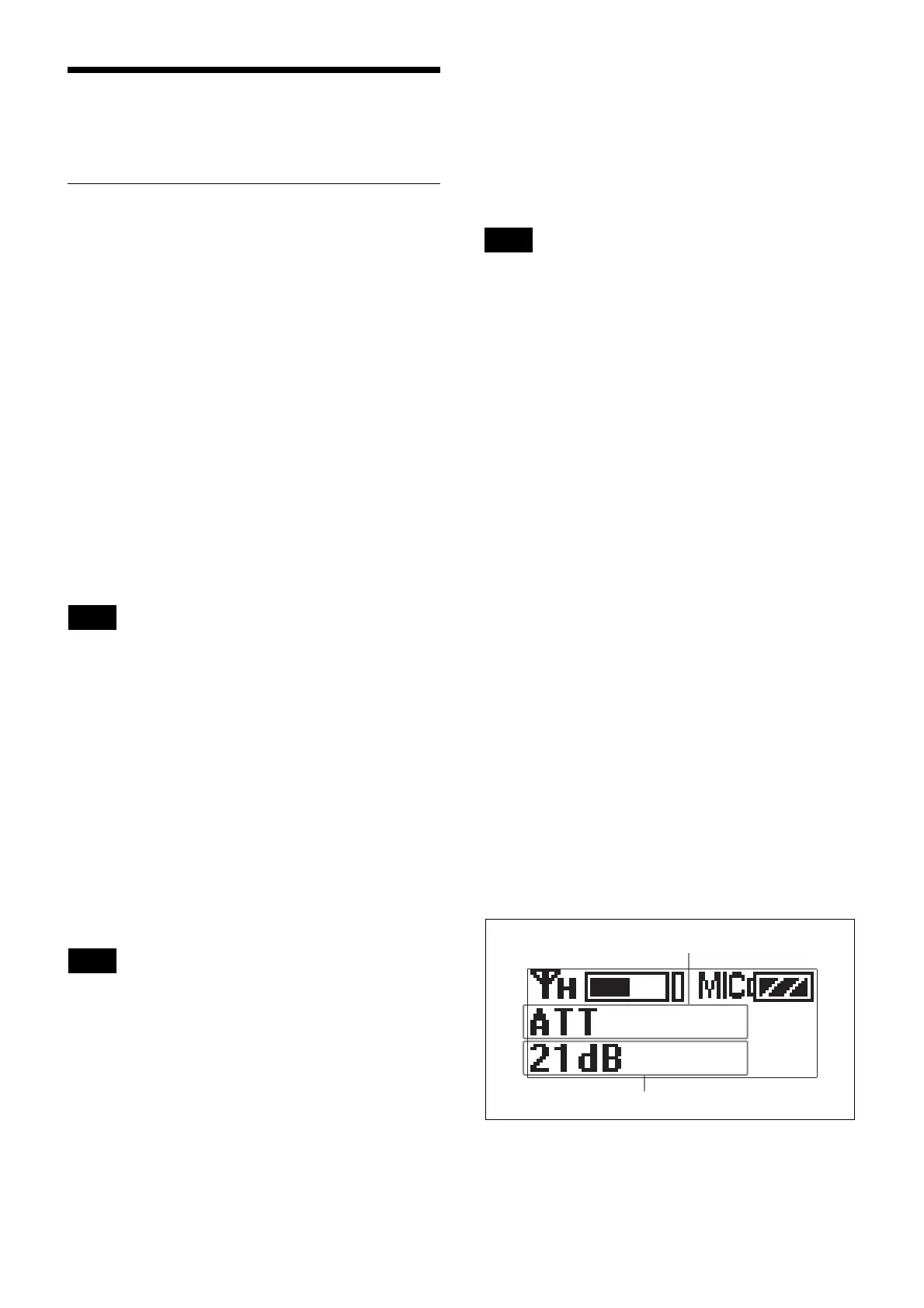
Press the + or – button to display the function to be
set.
Note
Note
Note
Function name
Setting


 To Next Page