21
Attachment and Installation Procedures
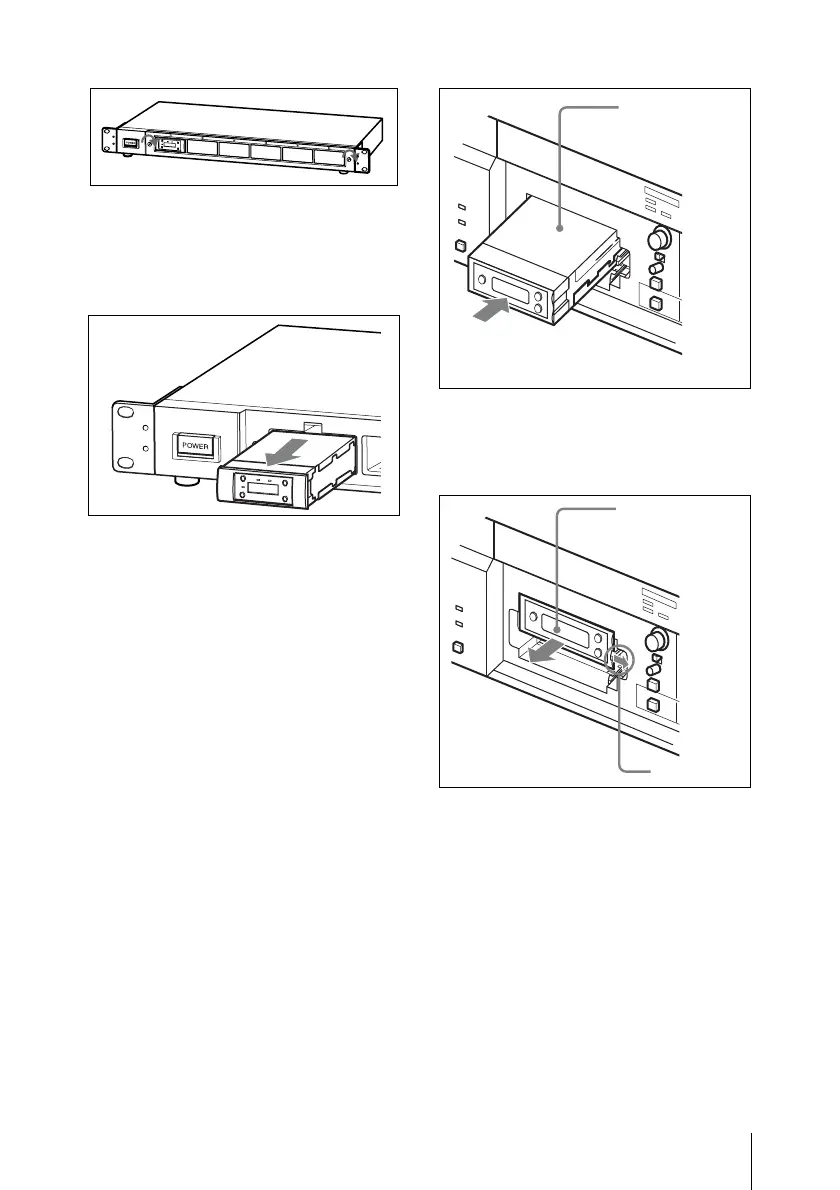
To remove a diversity tuner
module
After removing the front cover, hold the
tuner unit by the top and bottom, then pull it
out of the slot.
To install a diversity tuner
module (URX-M1) into an
SRP-X500P Powered Mixer
The SRP-X500P Powered Mixer can
accommodate up to two diversity tuner
modules (URX-M1).
Remove the tuner slot cover from the SRP-
X500P and inspect the top and bottom sides
of the diversity tuner module. Then, insert it
into the slot.
To remove the diversity tuner
module
Pull the latch securing the tuner module to
the side and pull out the tuner module.
Tuner module
Tuner module
Latch


 To Next Page