EasyManua.ls Logo

Sony EV-C500E - Recording Overview

Sony EV-C500E
38 pages
Print Icon
To Next Page IconTo Next Page
To Previous Page IconTo Previous Page
Loading...
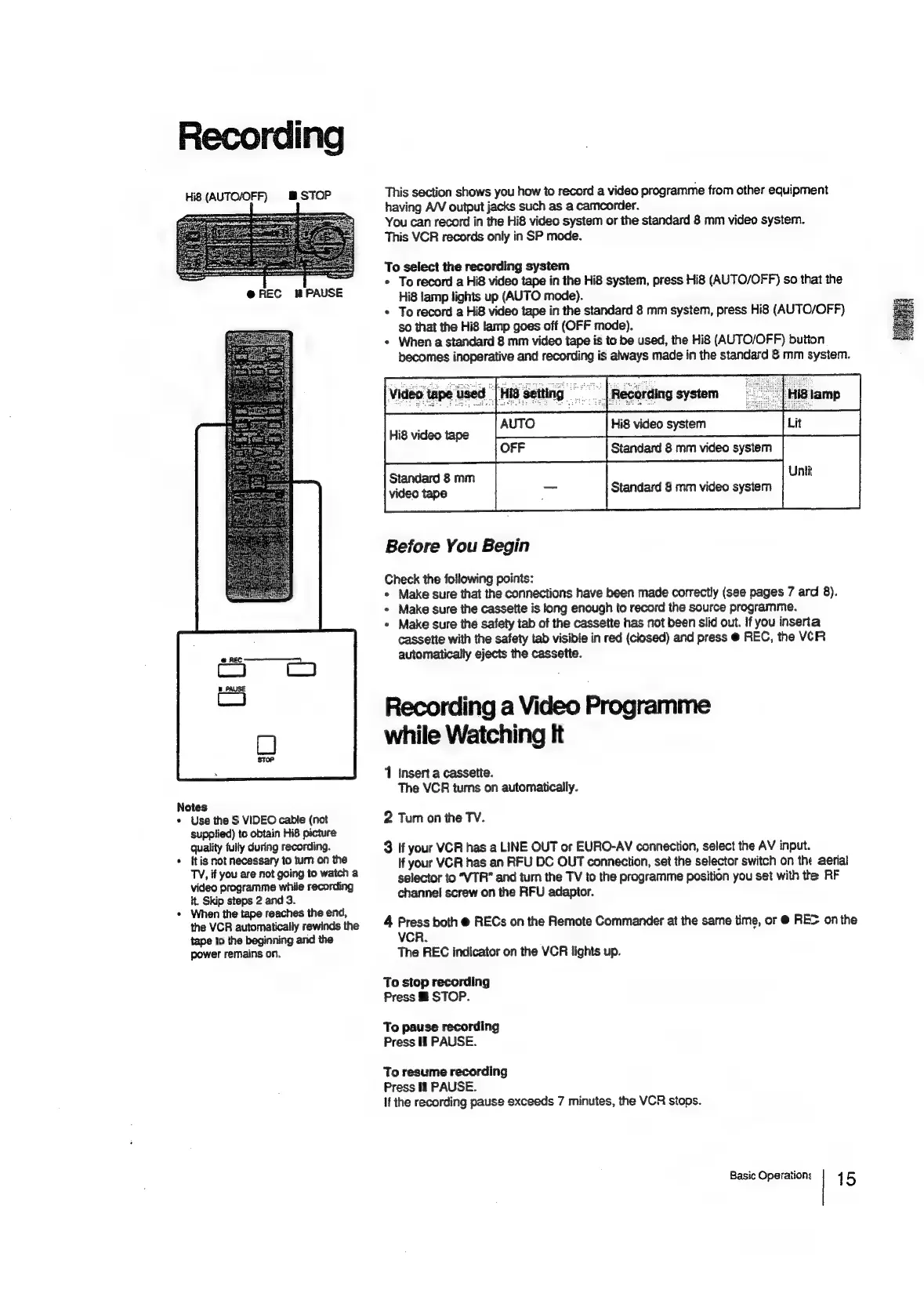
Recording
Hi8
(AUTO/OFF)
&
STOP
Notes
*
Use
the
S
VIDEO
cable
(not
supplied)
to
obtain
Hi8
picture
quality
fully
during
recording.
*
{tis
not
necessary
to
tum
on
the
TV,
if
you
are
not
going
to
watch
a
video
programme
while
recording
it.
Skip
steps
2
and
3.
*
When
the
tape
reaches
the
end,
the
VCR
automatically
rewinds
the
tape
to
the
beginning
and
the
power
remains
on.
This
section
shows
you
how
to
record
a
video
programme
from
other
equipment
having
A/V
output
jacks
such
as
a
camcorder.
You
can
record
in
the
Hi8
video
system
or
the
standard
8
mm
video
system.
This
VCR
records
only
in
SP
mode.
To
select
the
recording
system
*
To
record
a
Hi8
video
tape
in
the
Hi8
system,
press
Hi8
(AUTO/OFF)
so
that
the
Hi8
lamp
lights
up
(AUTO
mode).
*
To
record
a
Hi8
video
tape
in
the
standard
8
mm
system,
press
Hi8
(AUTO/OFF)
so
that
the
Hi8
lamp
goes
off
(OFF
mode).
«
When
a
standard
8
mm
video
tape
is
to
be
used,
the
Hi8
(AUTO/OFF)
button
becomes
inoperative
and
recording
is
always
made
in
the
standard
8
mm
system.
ne
ue
li
Hi8
video
tape
Hi8
video
system
Standard
8
mm
video
system
Standard
8
mm
Uni
video
tape
Standard
8
mm
video
system
Before
You
Begin
Check
the
following
points:
*
Make
sure
that
the
connections
have
been
made
correctly
(see
pages
7
ard
8).
*
Make
sure
the
cassette
is
long
enough
to
record
the
source
programme.
+
Make
sure
the
safety
tab
of
the
cassette
has
not
been
slid
out.
If
you
inserta
cassette
with
the
safety
tab
visible
in
red
(closed)
and
press
@
REC,
the
VCR
automatically
ejects
the
cassette.
Recording
a
Video
Programme
while
Watching
It
1
insert
a
cassette.
The
VCR
turns
on
automatically.
2
Tum
on
the
TV.
3
If
your
VCR
has
a
LINE
OUT
or
EURO-AV
connection,
select
the
AV
input.
If
your
VCR
has
an
RFU
DC
OUT
connection,
set
the
selector
switch
on
the
aerial
selector
to
“VTR”
and
turn
the
TV
to
the
programme
position
you
set
with
the
RF
channel
screw
on
the
RFU
adaptor.
4
Press
both
@
RECs
on
the
Remote
Commander
at
the
same
time,
or
@
REC
on
the
VCR.
The
REC
indicator
on
the
VCR
lights
up.
To
stop
recording
Press
@
STOP.
To
pause
recording
Press
If
PAUSE.
To
resume
recording
Press
If
PAUSE.
If
the
recording
pause
exceeds
7
minutes,
the
VCR
stops.
Basic
Operations
15

Related product manuals