EasyManua.ls Logo

Sony EV-C500E - Chapter 4 Advanced Operations; Variable Speed Playback; Still Picture and Picture Search; Locked Picture Search

Sony EV-C500E
38 pages
Print Icon
To Next Page IconTo Next Page
To Previous Page IconTo Previous Page
Loading...
Chapter
4
Advanced
Operations
Variable
Speed
Playback
>
PLAY
DUAL
MODE
SHUTTLE
ring
Notes
«
When
viewing
the
picture
in
variable
speed
playback
mode,
the
picture
may
shake
vertically
or
the
colour
may
become
black
and
white,
depending
upon
the
TV
you
are
using.
*
During
picture
search,
several
streaks
will
appear
on
the
TV
screen.
This
is
normal.
If
you
play
back
a
tape
recorded
in
LP
mode,
a
wider
streak
will
appear
on
the
TV
screen
during
picture
search.
*
If
you
perform
picture
search
with
the
VCR
connected
to
your
TY
via
LINE
OUT2
RFU
DC
OUT,
you
may
hear
a
slight
sound
such
as
a
buzzing
sound.
+
When
you
perform
a
variable
speed
playback
in
the
reverse
direction,
a
wider
streak
appears
on
the
screen,
especially
in
SP
mode.
This
is
normal.
18
|
Advanced
Operations
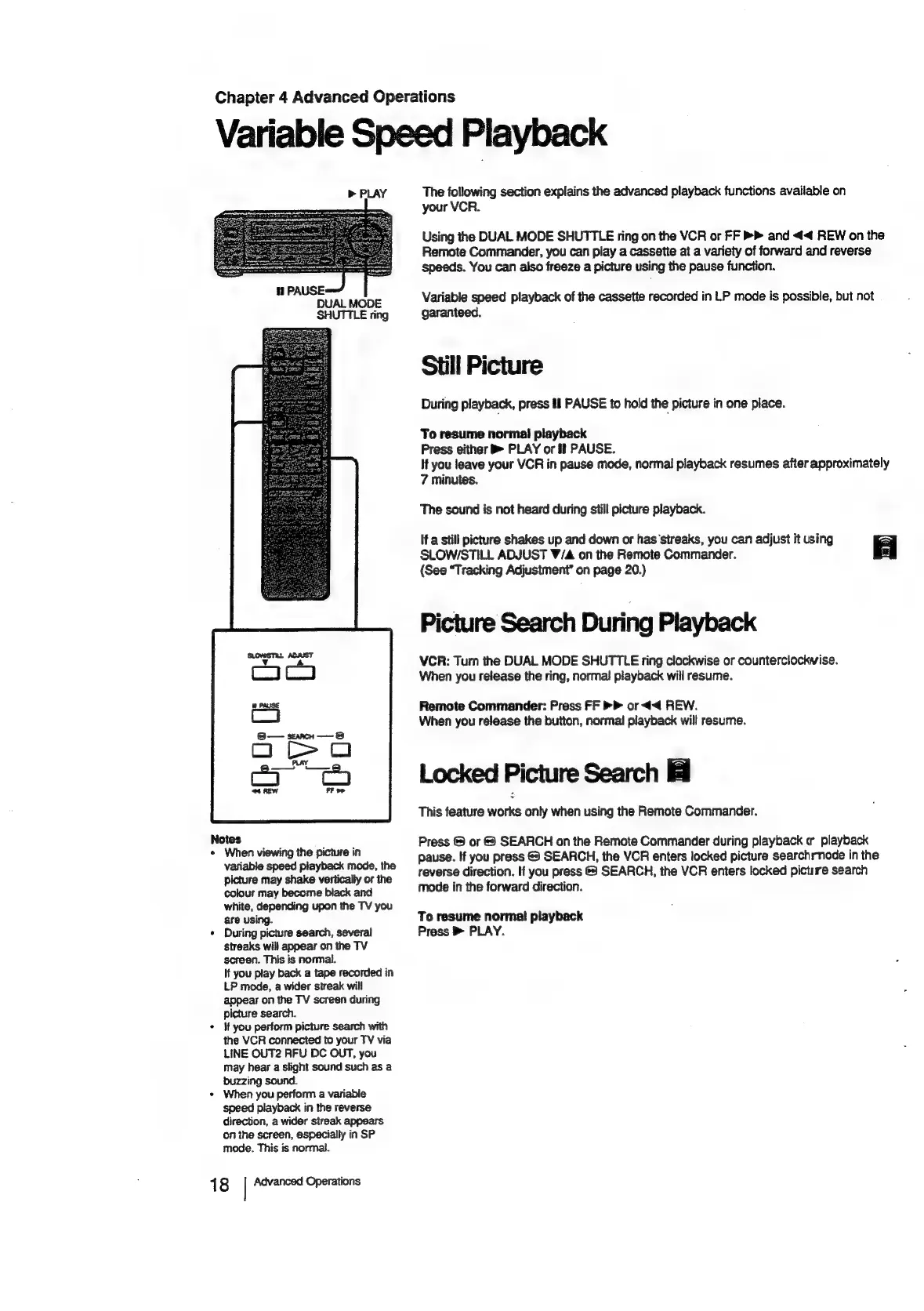
The
following
section
explains
the
advanced
playback
functions
available
on
your
VCR.
Using
the
DUAL
MODE
SHUTTLE
ring
on
the
VCR
or
FF
»
and
<<
REW
on
the
Remote
Commander,
you
can
play
a
cassette
at
a
variety
of
forward
and
reverse
speeds.
You
can
also
freeze
a
picture
using
the
pause
function.
Variable
speed
playback
of
the
cassette
recorded
in
LP
mode
is
possible,
but
not
garanteed.
Still
Picture
During
playback,
press
fl
PAUSE
to
hold
the
picture
in
one
place.
To
resume
normal
playback
Press
either
PLAY
or
il
PAUSE.
If
you
leave
your
VCR
in
pause
mode,
normal
playback
resumes
after
approximately
7
minutes.
The
sound
is
not
heard
during
still
picture
playback.
If
a
still
picture
shakes
up
and
down
or
has‘streaks,
you
can
adjust
it
using
=
SLOW/STILL
ADJUST
V/A
on
the
Remote
Commander.
(See
“Tracking
Adjustment’
on
page
20.)
a}
Picture
Search
During
Playback
VCR:
Turn
the
DUAL
MODE
SHUTTLE
ring
clockwise
or
counterclockwise.
When
you
release
the
ring,
normal
playback
will
resume.
Remote
Commander:
Press
FF
>
or
44
REW.
When
you
release
the
button,
normal
playback
will
resume.
Locked
Picture
Search
This
feature
works
only
when
using
the
Remote
Commander.
Press
©
or
&
SEARCH
on
the
Remote
Commander
during
playback
er
playback
pause.
If
you
press
@
SEARCH,
the
VCR
enters
locked
picture
searchrnode
in
the
reverse
direction.
If
you
press
&
SEARCH,
the
VCR
enters
locked
picture
search
mode
in
the
forward
direction.
To
resume
norma!
playback
Press
®
PLAY.

Related product manuals