EasyManua.ls Logo

Sony EV-C500E - Pausing and Editing During Recording; Selecting Audio Input Source

Sony EV-C500E
38 pages
Print Icon
To Next Page IconTo Next Page
To Previous Page IconTo Previous Page
Loading...
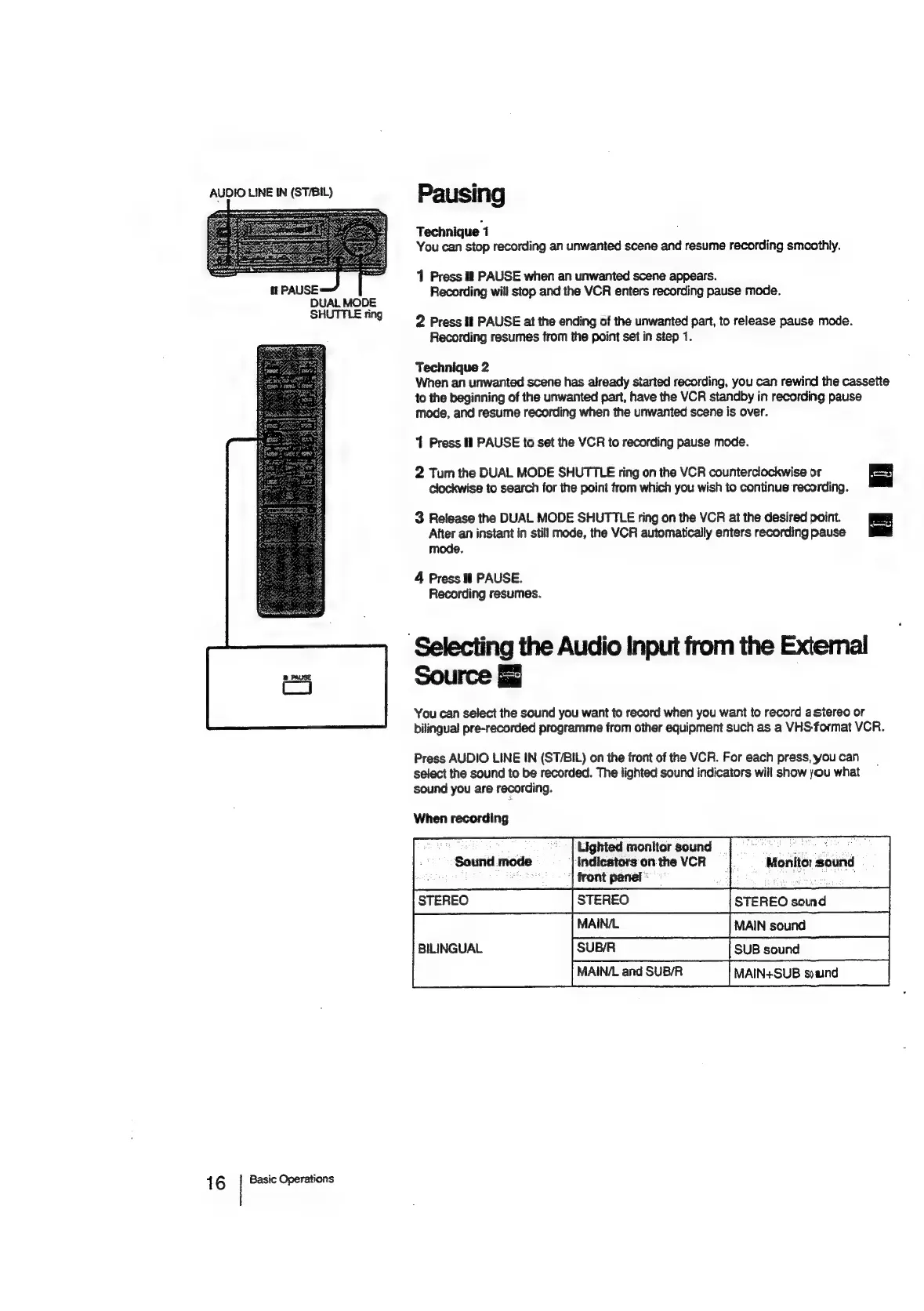
AUDIO
LINE
IN
(ST/BIL)
16
DUAL
MODE
SHUTTLE
ring
Basic
Operations
Pausing
Technique
1
You
can
stop
recording
an
unwanted
scene
and
resume
recording
smoothly.
11
Press
il
PAUSE
when
an
unwanted
scene
appears.
Recording
will
stop
and
the
VCR
enters
recording
pause
mode.
2
Press
lf
PAUSE
at
the
ending
of
the
unwanted
part,
to
release
pause
mode.
Recording
resumes
from
the
point
set
in
step
1.
Technique
2
When
an
unwanted
scene
has
already
started
recording,
you
can
rewind
the
cassette
to
the
beginning
of
the
unwanted
part,
have
the
VCR
standby
in
recording
pause
mode,
and
resume
recording
when
the
unwanted
scene
is
over.
1
Press
ll
PAUSE
to
set
the
VCR
to
recording
pause
mode.
2
Tum
the
DUAL
MODE
SHUTTLE
ring
on
the
VCR
counterclockwise
or
clockwise
to
search
for
the
point
trom
which
you
wish
to
continues
recording.
3
Release
the
DUAL
MODE
SHUTTLE
ring
on
the
VCR
at
the
desired
point.
After
an
instant
in
still
mode,
the
VCR
automatically
enters
recordingpause
J
mode.
4
Press
il
PAUSE.
Recording
resumes.
‘Selecting
the
Audio
Input
from
the
Extemal
Source
You
can
select
the
sound
you
want
to
record
when
you
want
to
record
astereo
or
bilingual
pre-recorded
programme
from
other
equipment
such
as
a
VHS-format
VCR.
Press
AUDIO
LINE
IN
(ST/BIL)
on
the
front
of
the
VCR.
For
each
press,
you
can
select
the
sound
to
be
recorded.
The
lighted
sound
indicators
will
show
you
what
sound
you
are
recording.
When
recording
Lighted
monitor
sound
indicators
on
the
VCR
‘|
front
panel:
STEREO
STEREO
STEREO
sound
BILINGUAL
[SUBR——s|
SUB
sound
MAIN/L
and
SUB/R
MAIN+SUB
syaind
Sound
mode
Monitor
sound

Related product manuals