EasyManua.ls Logo

Sony EV-C500E - Double Speed and Reverse Playback; Frame-by-Frame Picture

Sony EV-C500E
38 pages
Print Icon
To Next Page IconTo Next Page
To Previous Page IconTo Previous Page
Loading...
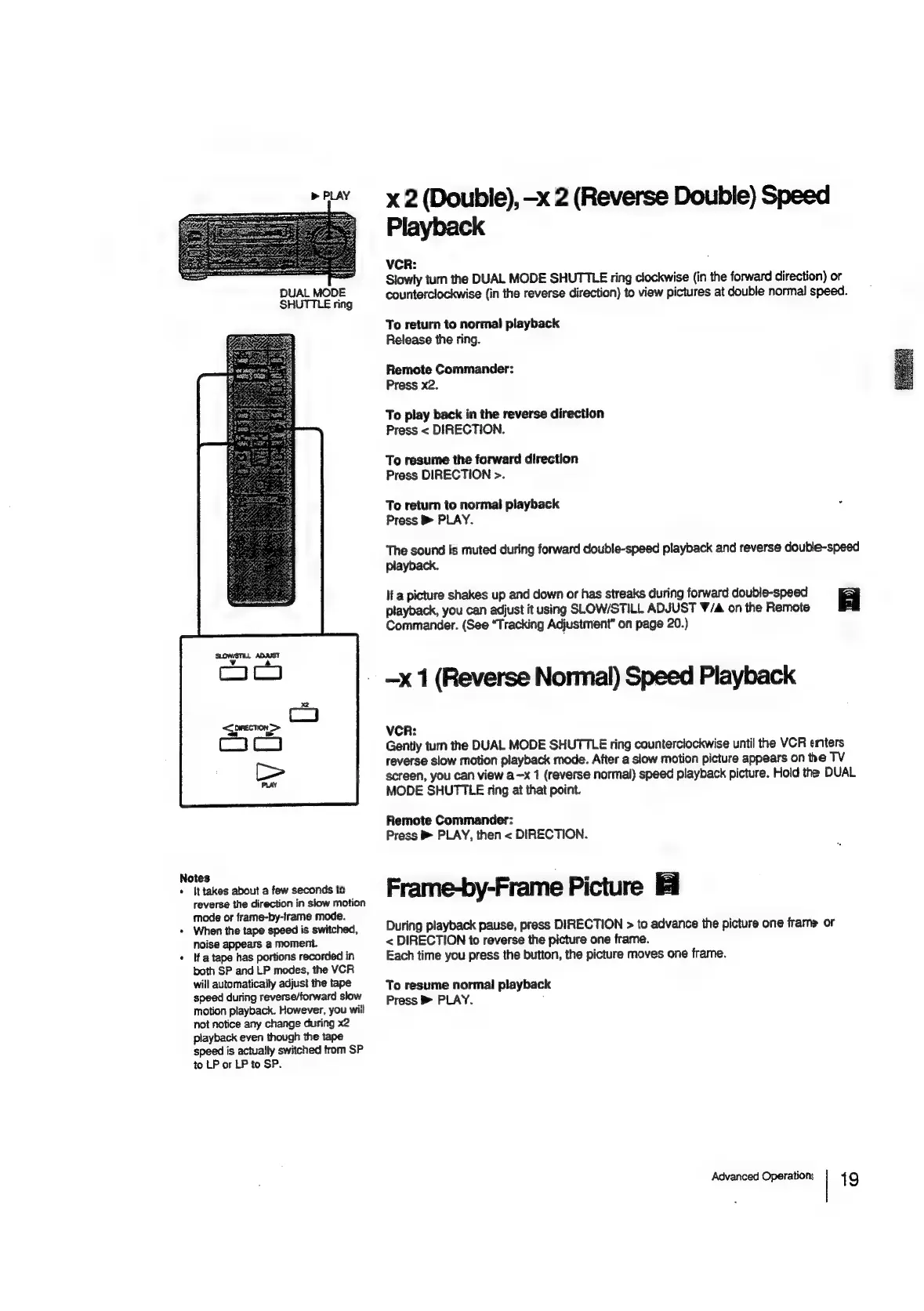
DUAL
MODE
SHUTTLE
ring
Notes
*
Ittakes
about
a
few
seconds
to
reverse
the
direction
in
slow
motion
mode
or
frame-by-frame
mode.
+
When
the
tape
speed
is
switched,
noise
appears
a
moment.
«
Ifa
tape
has
portions
recorded
in
both
SP
and
LP
modes,
the
VCR
will
automatically
adjust
the
tape
speed
during
reverse/forward
slow
motion
playback.
However,
you
will
not
notice
any
change
during
x2
playback
even
though
the
tape
speed
is
actually
switched
from
SP
to
LP
or
LP
to
SP.
x
2
(Double),
—x
2
(Reverse
Double)
Speed
Playback
VCR:
,
Slowly
turn
the
DUAL
MODE
SHUTTLE
ring
clockwise
(in
the
forward
direction)
or
counterclockwise
(in
the
reverse
direction)
to
view
pictures
at
double
normal
speed.
To
return
to
normal
playback
Release
the
ring.
Remote
Commander:
Press
x2.
To
play
back
in
the
reverse
direction
Press
<
DIRECTION.
To
resume
the
forward
direction
Press
DIRECTION
>.
To
return
to
normal
playback
Press
PLAY.
The
sound
Is
muted
during
forward
double-speed
playback
and
reverse
double-speed
playback.
If
a
picture
shakes
up
and
down
or
has
streaks
during
forward
double-speed
=
playback,
you
can
adjust
it
using
SLOW/STILL
ADJUST
W/A
on
the
Remote
aS
Commander.
(See
“Tracking
Adjustment”
on
page
20.)
-x
1
(Reverse
Normal)
Speed
Playback
VCR:
Gently
tum
the
DUAL
MODE
SHUTTLE
ring
counterciockwise
until
the
VCR
enters
reverse
slow
motion
playback
mode.
After
a
slow
motion
picture
appears
on
the
TV
screen,
you
can
view
a—x
1
(reverse
normal)
speed
playback
picture.
Hold
the
DUAL
MODE
SHUTTLE
ring
at
that
point.
Remote
Commander:
Press
PLAY,
then
<
DIRECTION.
Frame-by-Frame
Picture
During
playback
pause,
press
DIRECTION
>
to
advance
the
picture
one
frame
or
<
DIRECTION
to
reverse
the
picture
one
frame.
Each
time
you
press
the
button,
the
picture
moves
one
frame.
To
resume
normal
playback
Press
B
PLAY.
,
Advanced
Operation:
1
9

Related product manuals