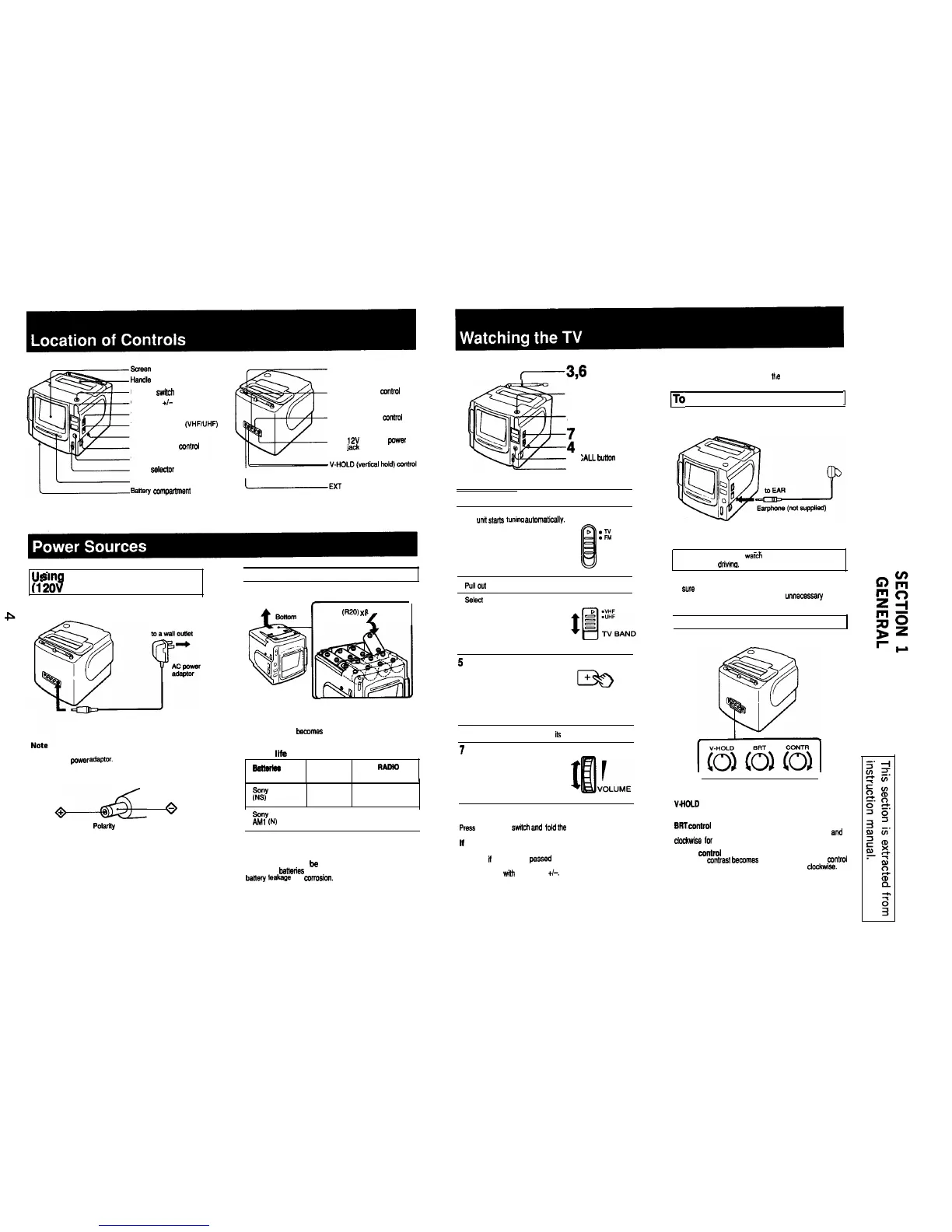
sueen
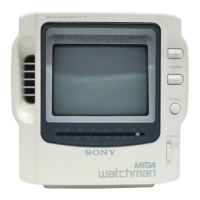
Handle
POWER
swkch
CHANNEL +/- buttons
VOLUME control
TV BAND selector (VHFAIHF)
EAR (earphone) jack
RADIO TUNING ~~trcl
CH CALL button
MODE
eelector
Dial scale
aattery
comparment (bottom)
Telescopic antenna
BRT (brightness)
mntrcl
CONTR (contrast)
ccntml
DC IN t2V (external
power
input) jack
IEXT
ANT (external antenna)
jack
Usin on House Current
II
2d
AC)
1
Batteries
Using the supplied AC power adaptor
I
Size D
(R20)
x
8
4
to DC IN 12V
When to replace batteries
When the picture became.5 small, replace all the batteries
wim new ones.
Use only recommended AC power adaptor. Do not use
any other AC
power
adaptor.
Battery life
Balmtea
N RAM0
AM PM
3
Polarity of the plug
I I
Sony SUM-l
PW
1.5
25 25
Sony
alkaline
AM1 (N)
5
I
70 70
Note
When me unit is not to
be
used for a long period of time.
remove the bettedes to avoid unit damage caused by
ba”ery
1eakaga
and
ccrrcslon.
r---3,6
1
110 Listen Using the Earphone
1
5
i
CHC
2
:ALL
button
1 Press the POWER switch
2 Se, the MODE selector to TV.
The
unit
starts
tunina
autOmaticallY. MODE
t
D
:6
El
. AM
3
Pull cut the antenna fully
4
Select
the band. VHF or UHF.
5
Tune in the desired channel.
CHANNEL
I->
6
Adiust the antenna length and its direction
7
Adiust the volume.
To turn off the TV
press
me POWER
switch
ad
i0id
me
antenna.
It the channel changes
If the power is momentarily lost because of a mechanical
shock. or if the unit has passed through a tunnel. the
channel may change.
If this happens, tune in the desired
channel again
with
CHANNEL +I-.
To indicate the current channel
Press the CH CALL button.
The line appears et the position of the current channel
For your safety, do not
warch
the N nor operate the
controls while drivina.
Note
Be sure to turn off me N after use. especially when
listening with earphone. This prevents unnecessary
batter/ wear.
(
Picture Adjustment
V.HOLD control
Turn the control when the picture rolls vertically
BRT Mntrcl
Turn the control counterclockwise for more brightness end
clcdtwise lcr less brightness.
CONTR ccntrcl
The picture mntrast
bewmes
stronger by turning the COntrCl
counterclockwise. and is reduced by turning it ClCckWisB.


 To Next Page