12
SECTION 2 DISASSEMBLY
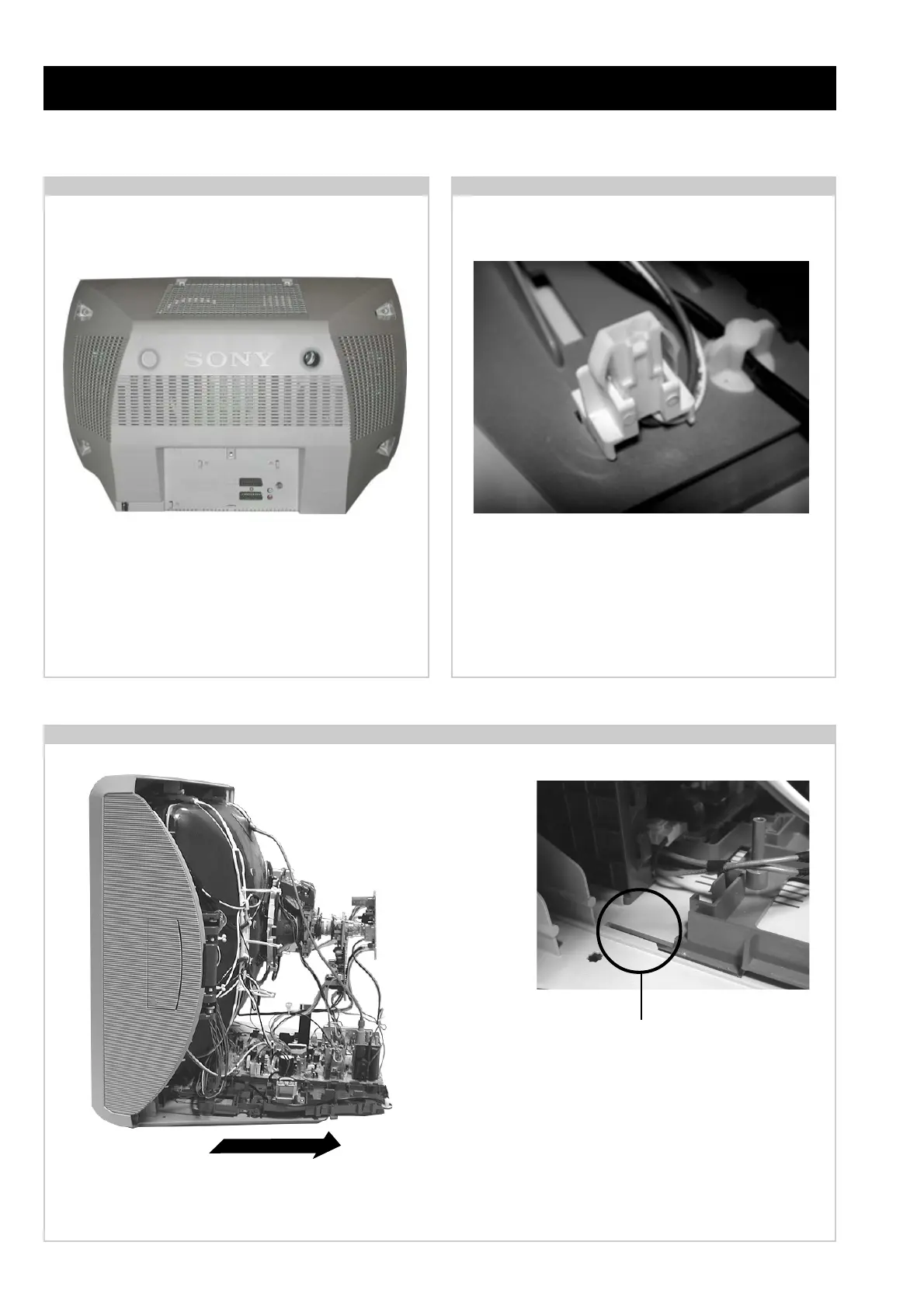
2-1. Rear Cover Removal
Release the mains power cable from its securing posts.
Remove the rear cover fixing screws indicated. Pull the rear
cover away from the front beznet. Take care when removing
the rear cover not to damage the speaker cables as speakers
are fitted inside the rear cover.
2-2. Speaker Connector Disconnection
Before completely removing the rear cover disconnect the
speaker connectors which are located on the inside base of
thebeznet.
2-3. Chassis Removal and Refitting
To remove lift the main bracket rear slightly and slide the
chassis away from the beznet. Ensure that the
interconnecting leads are released from their purse locks to
prevent damage being caused.
When refitting the chassis ensure that the main bracket is
located in the beznet guide slots before sliding the chassis
forwards. Refit the interconnecting leads in their respective
purse locks.
=>
=> <=
<=
=>
=>
=>



 To Next Page