EasyManua.ls Logo

Sony GN1G - Page 30

Sony GN1G
98 pages
Print Icon
To Next Page IconTo Next Page
To Previous Page IconTo Previous Page
Loading...
30
ADJUSTMENT
W/B ADJUSTMENT VIA SERVICE MODE
Apply when B* board or Panel is replaced.
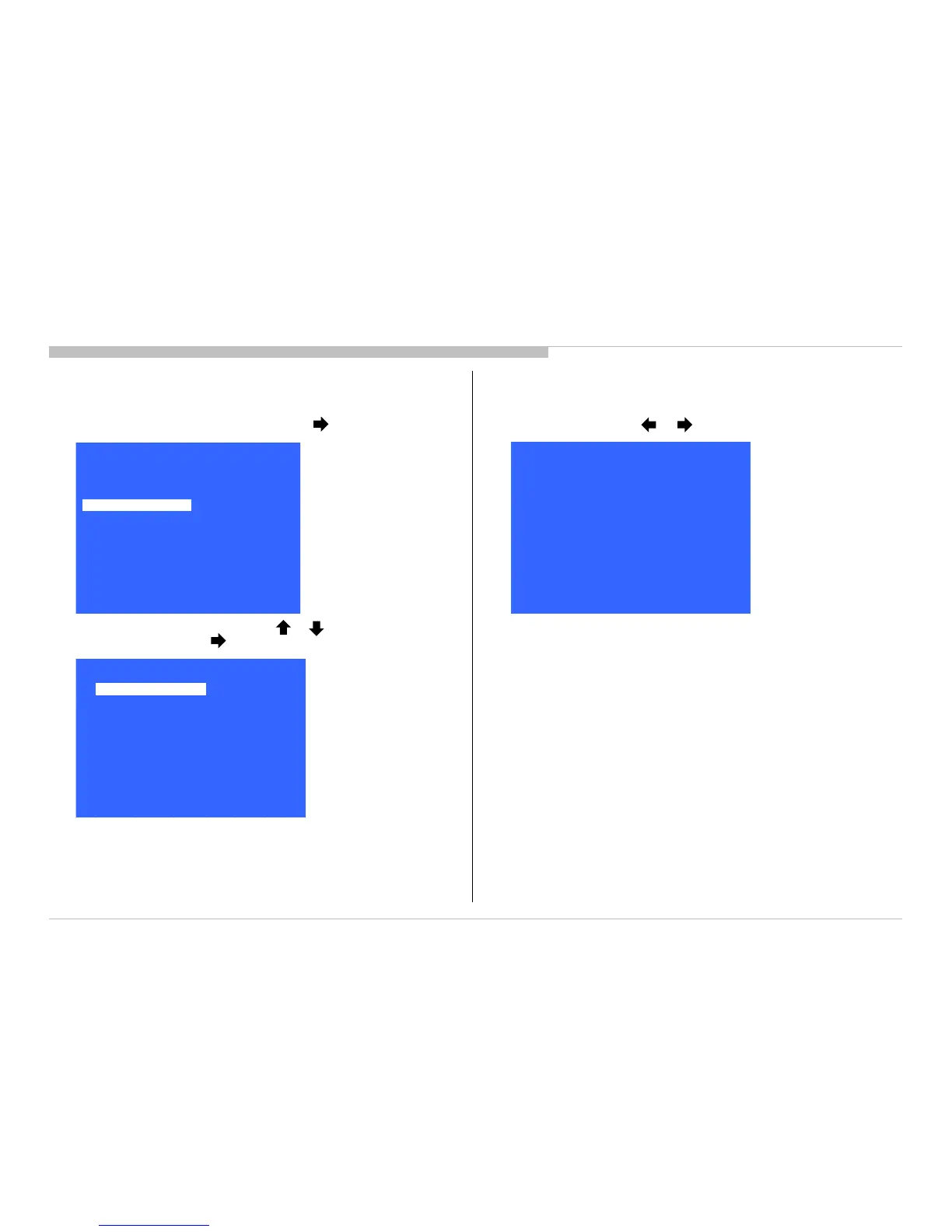
1) In Service Mode, select “Panel/PQ” pressing button.
2) Go to “WB Adjustment”, category by or button. To select
“WB Adjustment”, press button.
[</>] Set [Home]Exit
Panel / PQ
Back
<<
WB Adjustment
>>
WB/Mura/CUC data trans fer
>>
Back
R WB Gain
<[ 0 ]>
G WB Gain
<[ 0 ]>
B WB Gain
<[ 0 ]>
R WB Offset
<[ 0 ]>
G WB Offset
<[ 0 ]>
B WB Offset
<[ 0 ]>
<<
[</>] Set [Home]Exit
>>
>>
>>
>>
>>
>>
>>
Service Mode
[</>] Set [Home]Exit
Tuner
Wifi / BT
Model Information
Self diagnosis History
Video / Audio
Panel / PQ
General Setting
3) To change data, press or button.
KDL-50W800C, 805C, 807C, 809C/KDL-55W800C, 805C

Related product manuals