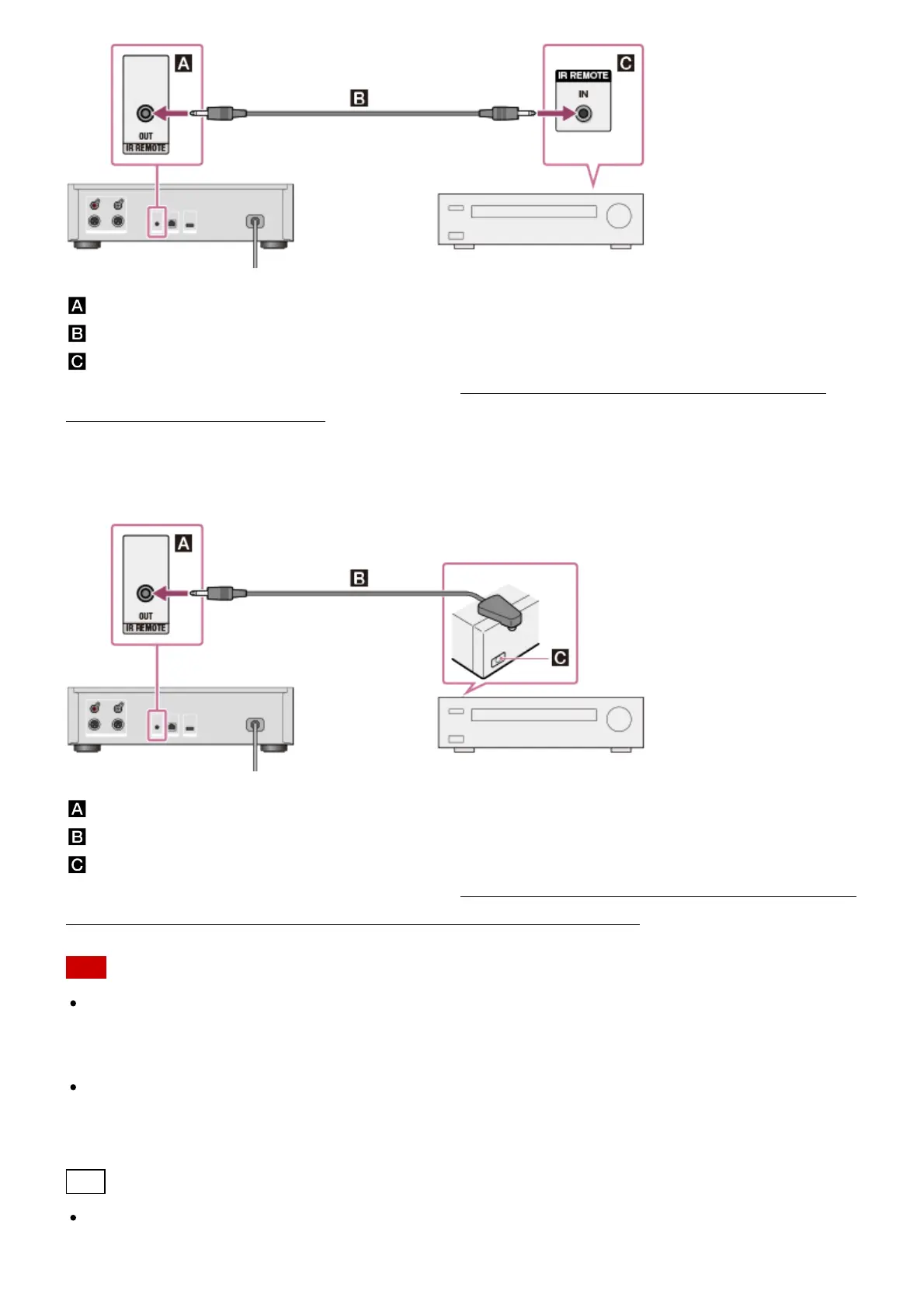
: IR REMOTE OUT jack of the HDD AUDIO PLAYER
: Monaural mini-plug cable (supplied)
: IR input jack of an amplifier
For details on how to operate an amplifier, see “Operating a Sony amplifier using the remote
control or dedicated application.”
When you use a Sony amplifier not equipped with an IR input jack or an
amplifier from other manufacturers.
: IR REMOTE OUT jack of the HDD AUDIO PLAYER
: IR blaster (supplied)
: The remote sensor (receiver) of a connected amplifier
For details on how to operate an amplifier, see “Operating an amplifier manufactured by another
company using the supplied remote control or a dedicated application.”
Note
The XLR balanced cords are locked in place. Forcibly removing them may damage the
connected devices. Make sure to unlock and disconnect the XLR balanced cord before
moving the HDD AUDIO PLAYER.
The HDD AUDIO PLAYER is equipped with a built-in antenna for wireless LAN. Make sure to
keep a distance between the HDD AUDIO PLAYER and speakers or other devices to
maintain good wireless communication.
Hint
When you connect an amplifier to the HDD AUDIO PLAYER using the XLR balanced cords,





 To Next Page