Note
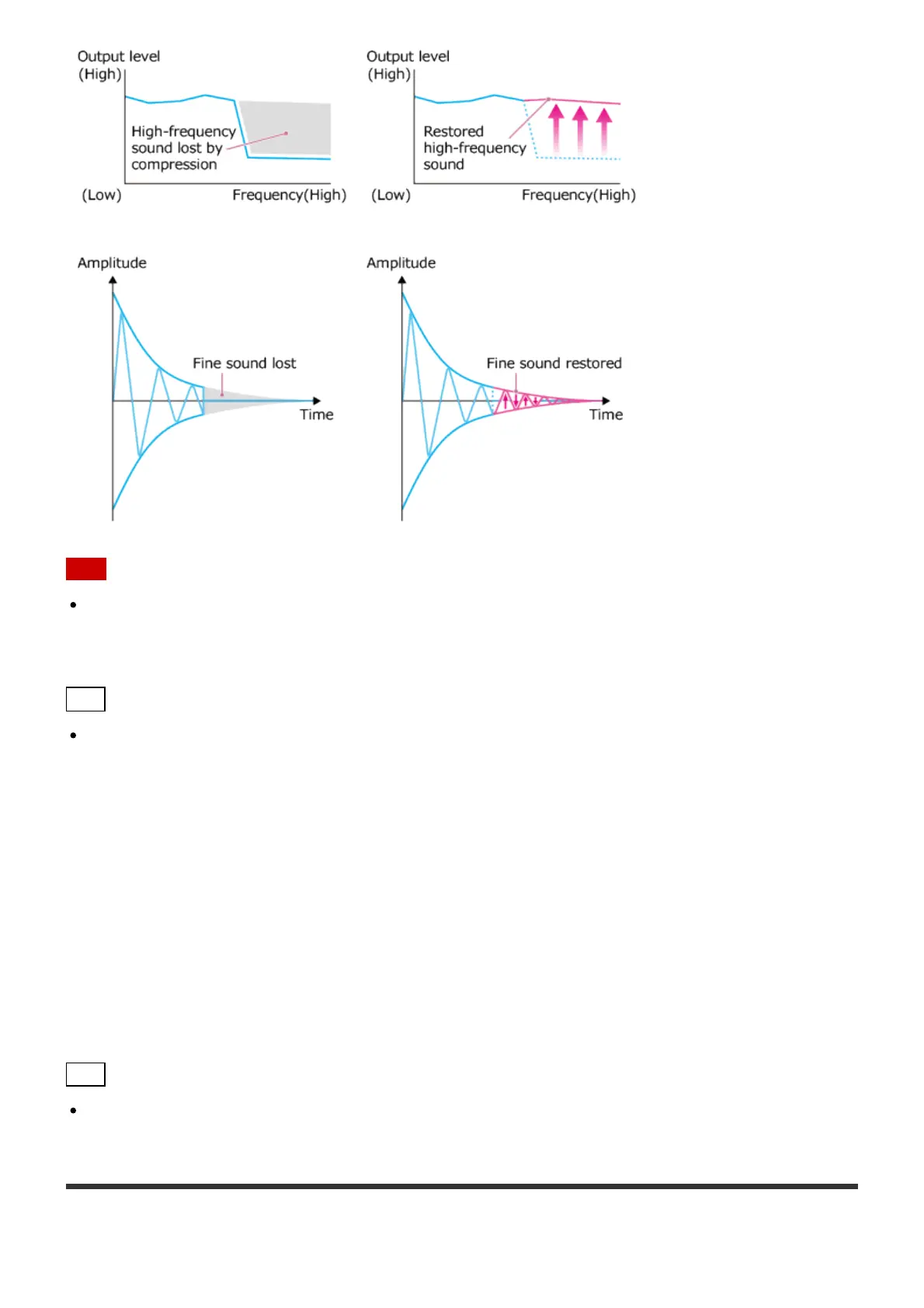
Only the fine sound restoration feature of the DSEE function will be applied to PCM audio
sources with lossless compression. The DSEE function does not work for DSD (DSDIFF,
DSF) format files.
Hint
DSEE stands for Digital Sound Enhancement Engine, a high range compensation and fine
sound restoration technology developed independently by Sony.
1. Select [Settings] – [Audio Settings] from the Home screen.
2. Select [DSEE].
3. Select [Auto].
The DSEE function automatically works for compressed audio sources and PCM audio
sources with lossless compression. The DSEE lamp lights up while the DSEE function is
active.
Hint
You can also set this function using the Playback Options menu during playback.
Using the Gapless Playback function (Gapless Playback)





 To Next Page