EasyManua.ls Logo

Sony HCD-551 - Storing and Tuning Stations

Sony HCD-551
32 pages
Print Icon
To Next Page IconTo Next Page
To Previous Page IconTo Previous Page
Loading...
Receiving
Broadcasts
Storing
Station
Frequencies
into
Memory
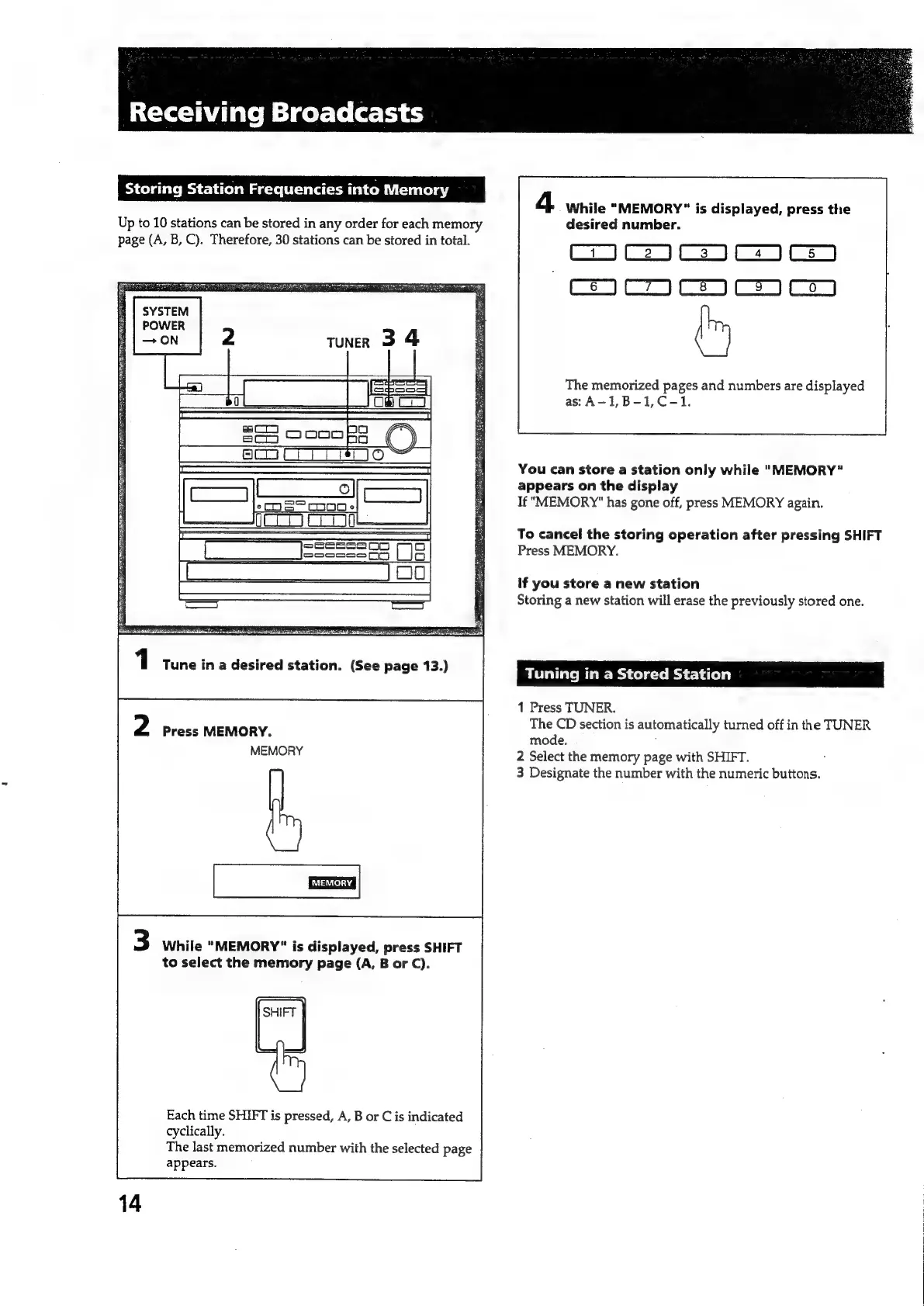
Up
to
10
stations
can
be
stored
in
any
order
for
each
memory
page
(A,
B,
C).
Therefore,
30
stations
can
be
stored
in
total.
SYSTEM
POWER
ee
7
:
bs
|
ld
DN
Pec
NE
ee
ee
ee
ee
ee
1
Tune
in
a
desired
station.
(See
page
13.)
2
Press
MEMORY.
MEMORY
3
While
"MEMORY"
is
displayed,
press
SHIFT
to
select
the
memory
page
(A,
B
or
C).
P=
Each
time
SHIFT
is
pressed,
A,
B
or
C
is
indicated
cyclically.
The
last
memorized
number
with
the
selected
page
appears.
4
While
"MEMORY"
is
displayed,
press
the
desired
number.
mmm
ama
aoe
m
The
memorized
pages
and
numbers
are
displayed
as:
A-1,B-1,C-1.
You
can
store
a
station
only
while
"MEMORY"
appears
on
the
display
If
"MEMORY"
has
gone
off,
press
MEMORY
again.
To
cancel
the
storing
operation
after
pressing
SHIFT
Press
MEMORY.
if
you
store
a
new
station
Storing
a
new
station
will
erase
the
previously
stored
one.
Tuning
in
a
Stored
Station
1
Press
TUNER.
The
CD
section
is
automatically
turned
off
in
the
TUNER
mode.
2
Select
the
memory
page
with
SHIFT.
3
Designate
the
number
with
the
numeric
buttons.

Related product manuals