EasyManua.ls Logo

Sony HCD-551 - Setting the Super Woofer; Operating the Super Woofer; Level Meter and Phase Adjustment; Personal Listening Setup

Sony HCD-551
32 pages
Print Icon
To Next Page IconTo Next Page
To Previous Page IconTo Previous Page
Loading...
Setting
the
Super
Woofer
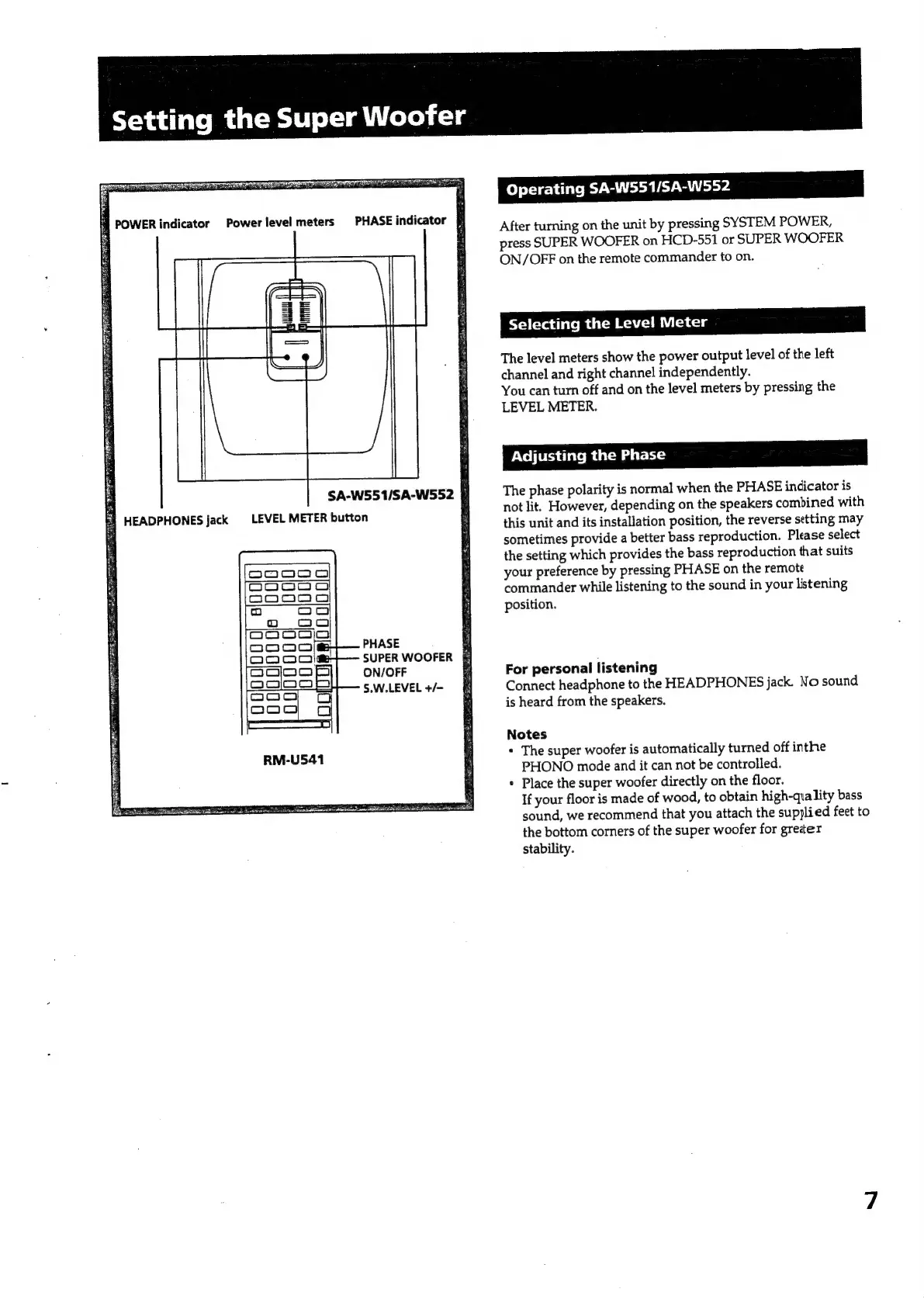
SA-W551/SA-W552
§
Ey
HEADPHONES
jack
©
LEVEL
METER
button
PHASE
ON/OFF
S.W.LEVEL
+/-
EEE
RITE
SEE
eE
eEE
SS
SUPER
WOOFER
E
Operating
SA-W551/SA-W552
After
turning
on
the
unit
by
pressing
SYSTEM
POWER,
press
SUPER
WOOFER
on
HCD-551
or
SUPER
WOOFER
ON/OFF
on
the
remote
commander
to
on.
Selecting
the
Level
Meter
The
level
meters
show
the
power
output
level
of
the
left
channel
and
right
channel
independently.
You
can
turn
off
and
on
the
level
meters
by
pressing
the
LEVEL
METER.
Adjusting
the
Phase
The
phase
polarity
is
normal
when
the
PHASE
indicator
is
not
lit.
However,
depending
on
the
speakers
combined
with
this
unit
and
its
installation
position,
the
reverse
setting
may
sometimes
provide
a
better
bass
reproduction.
Please
select
the
setting
which
provides
the
bass
reproduction
that
suits
your
preference
by
pressing
PHASE
on
the
remote
commander
while
listening
to
the
sound
in
your
listening
position.
For
personal
listening
Connect
headphone
to
the
HEADPHONES
jack.
No
sound
is
heard
from
the
speakers.
Notes
+
The
super
woofer
is
automatically
turned
off
inthe
PHONO
mode
and
it
can
not
be
controlled.
»
Place
the
super
woofer
directly
on
the
floor.
If
your
floor
is
made
of
wood,
to
obtain
high-quality
bass
sound,
we
recommend
that
you
attach
the
supjlied
feet
to
the
bottom
corners
of
the
super
woofer
for
greter
stability.

Related product manuals