EasyManua.ls Logo

Sony HCD-551 - Dolby Surround Sound Setup; Speaker Configuration and Modes; Dolby Surround Software Notes

Sony HCD-551
32 pages
Print Icon
To Next Page IconTo Next Page
To Previous Page IconTo Previous Page
Loading...
Getting
Ready
for
Dolby
Surround
Sound
This
section
describes
about
selecting
the
speaker
configuration
and
then
adjusting
the
speaker
volume
and
the
delay
time
of
the
rear
speakers
so
that
you
can
enjoy
the
Dolby
surround
sound.
Placement
of
Speakers
and
Selecting
the
PRO
LOGIC
MODE
The
Dolby
Pro
Logic
Surround
Decoder
has
the
same
functions
for
playback,
such
as
movie
theaters
and
gives
a
theater-like
experience
in
your
listening
room,
naturally
reproducing
the
audio
sound
field.
The
HCD-551
incorporates
a
decoder
which
reproduces
the
specially
encoded
surround
sound
of
Dolby
surround
video
programs.
In
the
Dolby
surround
mode,
select
the
speaker
operation
mode
according
to
your
speaker
configuration
by
pressing
DOLBY
PRO
LOGIC
MODE:
NORMAL,
WIDE,
PHANTOM
or
3CH.
With
this
unit,
it
is
recommended
to
select
NORMAL
mode.
__
ee
lee
eoe|
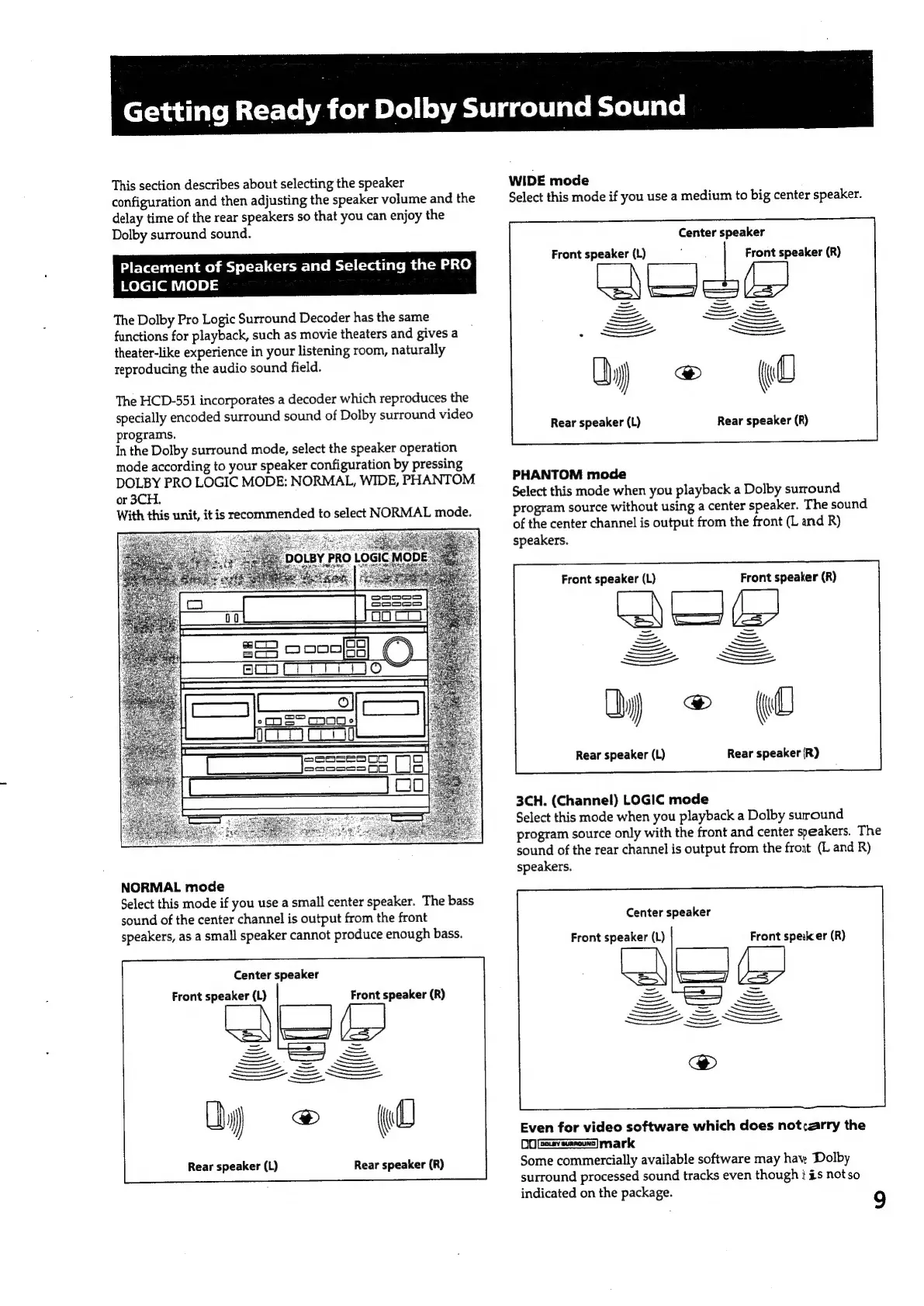
NORMAL
mode
Select
this
mode
if
you
use
a
small
center
speaker.
The
bass
sound
of
the
center
channel
is
output
from
the
front
speakers,
as
a
small
speaker
cannot
produce
enough
bass.
Center
speaker
Front
speaker
(L)
Front
speaker
(R)
Le
=
Gee
YS”
£3
=
—_—_
=
=
Rear
speaker
(L)
Rear
speaker
(R)
WIDE
mode
Select
this
mode
if
you
use
a
medium
to
big
center
speaker.
Center
speaker
Front
speaker
(L)
Front
speaker
(R)
Rear
speaker
(L)
Rear
speaker
(R)
PHANTOM
mode
Select
this
mode
when
you
playback
a
Dolby
surround
program
source
without
using
a
center
speaker.
The
sound
of
the
center
channel
is
output
from
the
front
(L
and
R)
speakers.
Front
speaker
(L)
Front
speaker
(R)
LA
(=
\
=
=
SS
EE
Rear
speaker
(L)
Rear
speaker
(R)
3CH.
(Channel)
LOGIC
mode
Select
this
mode
when
you
playback
a
Dolby
suround
program
source
only
with
the
front
and
center
speakers.
The
sound
of
the
rear
channel
is
output
from
the
front
(L
and
R)
speakers.
Center
speaker
Front
speaker
(L)
Front
speilcer
(R)
Even
for
video
software
which
does
not;:arry
the
DO
feasreumnouss]
mark
Some
commercially
available
software
may
hav.
Dolby
surround
processed
sound
tracks
even
though
}
#s
notso
indicated
on
the
package.
9

Related product manuals