15
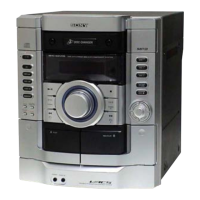
HCD-GB3
[MC COLD RESET]
The cold reset clears all data including preset data stored in the
memory to initial conditions. Execute this mode when returning
the set to the customer.
Procedure:
1. In the standby status, press the @/1 button to turn the power
on.
2. Press three buttons of [DSGX], s , and at last @/1 simulta-
neously.
3. When “RESET” appears, the machine enters standby status.
[PANEL TEST MODE]
Enter The Panel Test Mode
Procedure:
1. In the standby status, press the @/1 button to turn the power
on.
2. Press three buttons of [DISPLAY], s , and [DSGX] simulta-
neously.
3. When the panel test mode is activated, LEDs and segments of
LCD are all turned on.
Version Check
Procedure:
1. In the panel test mode (all LEDs and segments of LCD are
turned on), press the [AUDIO IN] button.
2. On the LCD, date and version are displayed “xxxxxxxx”.
For example, “1227V002”.
3. From this status, press the [TUNER/BAND] button, and the
destination is displayed. For example, “GB3LATIN”
4. To release from this mode, press three buttons of [DISPLAY],
s , and [DSGX] simultaneously.
[CD REPEAT 5 LIMIT CANCEL MODE]
Number of repeats for CD playback is 5 times when the repeat mode
is “REPEAT”. This mode enables CD to repeat playback for limitless
times.
Procedure:
1. Press the @/1 button to turn the power on.
2. Press the CD 7 button to select CD function.
3. Press three buttons of CD 7 , [EQ], and [DISC SKIP] simul-
taneously.
4. It enters the CD repeat 5 limit cancel mode and displays “NO
LIMIT”
5. To release this mode, press the @/1 button to turn the power
off.
[CD SHIP MODE]
This mode can run the CD sled motor optionally. Use this mode, for
instance, when cleaning the optical pick-up.
Procedure:
1. Press the @/1 button to turn the power on.
2. Press the CD 7 button to select CD function.
3. Press two buttons of CD 7 and @/1 simultaneously. *1
4. Set to the CD ship mode. (chucking on)
5. After blink “STANDBY”, “LOCK” is displayed, disconnect
the AC plug.
*1) If press three buttons of [DISC 3], s and @/1 simulta-
neously, activate the CD ship mode and MC cold reset.
[CD SLOT LOCK]
This mode is for the antitheft of CD disc in shop. (not for transport)
Procedure:
1. Press the @/1 button to turn the power on.
2. Press the CD 7 button to select CD function.
3. Insert a disc.
4. While pressing the s button, press the Z button for more 5
seconds.
5. The message “LOCKED” is displayed and the disc slot is
locked. (Even if exiting from this mode, the disc slot is still
locked)
6. If press the Z button to eject the disc, the message
“LOCKED” is displayed and can not eject the disc.
7. To release this lock, while pressing the s button, press the
Z button for 5 seconds again.
8. The message “UNLOCKED” is displayed and the disc slot is
unlocked.
[CD POWER MANAGE]
This mode is for switch the CD power supply on/off. Even if this
state pulls out AC plug, it is held.
Procedure:
1. Press the @/1 button to turn the power on.
2. Press the CD 7 button to select CD function.
3. Press the @/1 button again to turn the power off (standby).
4. While pressing the s button, press the @/1 button.
5. It turns power on and display “CD POWER”, then display
“ON” or “OFF”.
[CHANGE-OVER THE AM TUNING INTERVAL]
The AM tuning interval can be changed over 9 kHz or 10 kHz.
Procedure:
1. Press the @/1 button to turn the power on.
2. Press the [TUNER/BAND] button to select TUNER (AM)
function.
3. Press the @/1 button again to turn the power off (standby).
4. While pressing the TUNING+ JL button, press the
@/1 button.
5. It turns power on and display “9k STEP” or “10k STEP”, and
thus the tuning interval is changed over.
SECTION 4
TEST MODE
w
w
w
.
x
i
a
o
y
u
1
6
3
.
c
o
m
Q
Q
3
7
6
3
1
5
1
5
0
9
9
2
8
9
4
2
9
8
T
E
L
1
3
9
4
2
2
9
6
5
1
3
9
9
2
8
9
4
2
9
8
0
5
1
5
1
3
6
7
3
Q
Q
TEL 13942296513 QQ 376315150 892498299
TEL 13942296513 QQ 376315150 892498299
http://www.xiaoyu163.com
http://www.xiaoyu163.com




 To Next Page
