Chapter 1: Setting Up
GB
6
1
2,4
3,5
DISPLAY
flashing
flashing
flashing
flashing
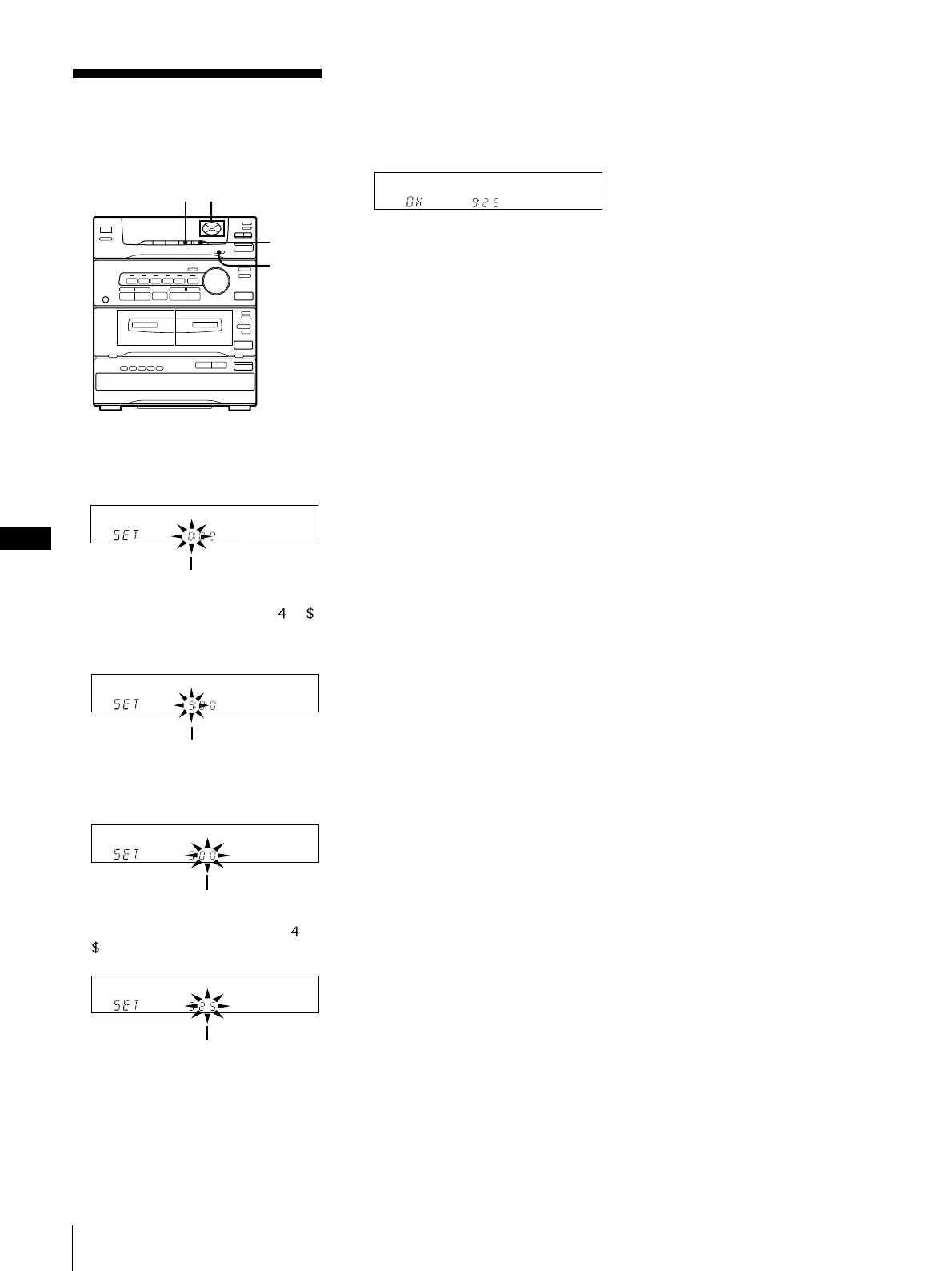
Setting the Clock
The built-in clock shows the time in the
display.
1 Keep pressing CLOCK SET until the
hour indicator begins flashing.
2 Set the current hour by pressing or
(CURSOR CONTROL) until the correct
hour appears.
3 Press ENTER/NEXT .
The minutes indicator begins flashing.
4 Set the current minute by pressing or
until the correct minute appears.
5 Press ENTER/NEXT.
Use the time signal to set the clock
accurately.
“OK” appears in the display and the
clock starts running.
To check the time while power is on
Press DISPLAY.
The current time appears for a few seconds.
To correct the clock setting
Repeat steps 1 to 5.



 To Next Page