HCD-SHAKE10/SHAKE30/HCDSHAKEX10/HCDSHAKEX30/HCDSHAKEX70
8
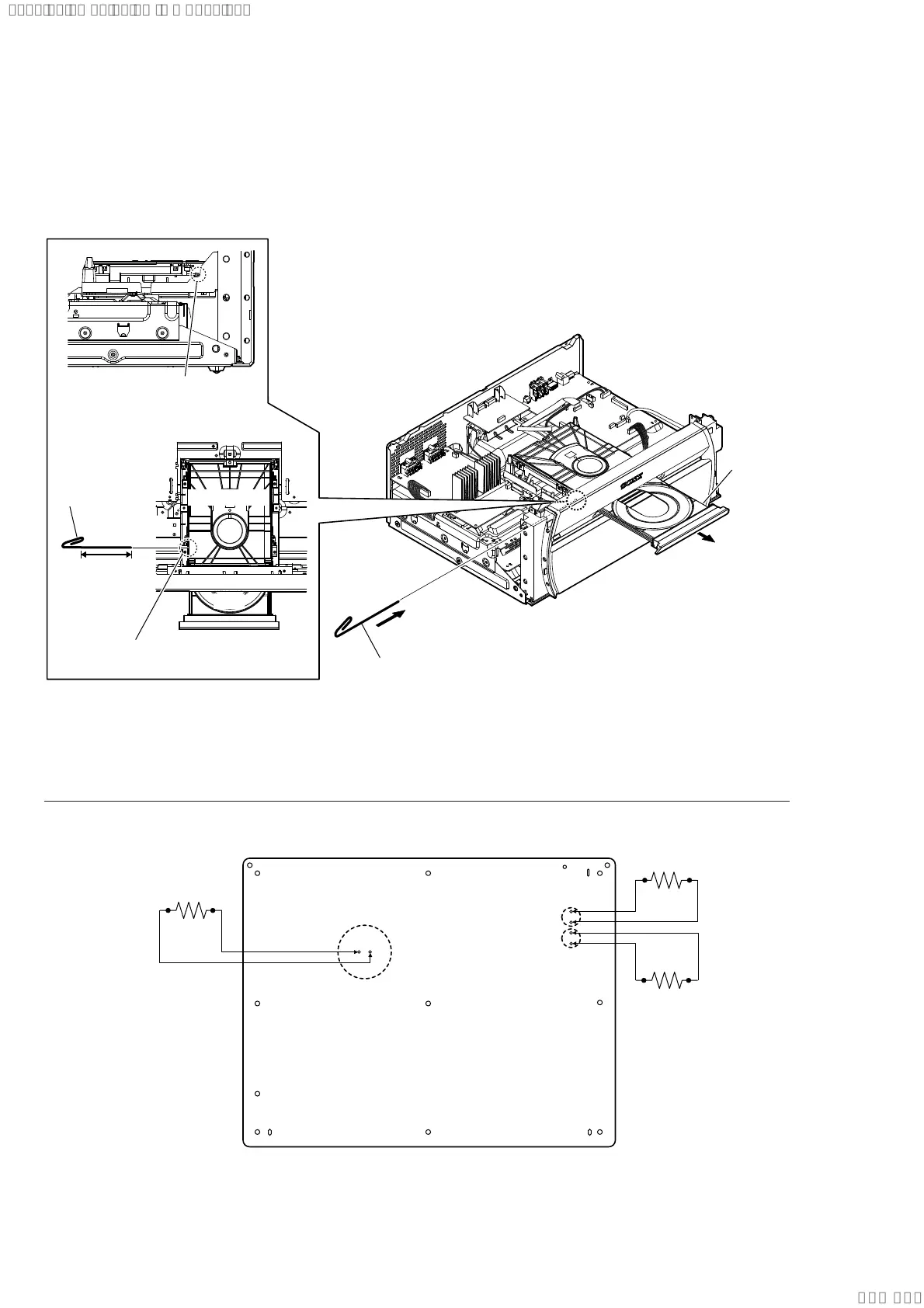
HOW TO OPEN THE TRAY WHEN POWER SWITCH TURN OFF
Note 1: After the side (L, R) panel, top panel section, fan bracket and DC fan are removed, this work is done.
Note 2: Please prepare the thin wire (clip etc. processed to the length of 8 cm or more).
CAPACITOR DISCHARGE FOR ELECTRIC SHOCK PREVENTION
Switching Regulator (SSN-172AD) Board (Conductor side view) (HCD-SHAKE10/SHAKE30/HCDSHAKEX10/HCDSHAKEX30)
In checking the Switching Regulator (SSN-172AD) board, make 3 capacitors discharge of C18, C20 and C27 for eletrical shock prevention.
C18
C20
C27
R
800 :/5 W
800 :/5 W
R
R
800 :/5 W
2 Insert the clip etc.
3
tray
1 Remove the side (L,R) panel, top panel section,
fan bracket and DC fan.
(Illustration of disassembly is omitted.)
CD/DVD drive
tray
Insert the clip etc.
processed to the
length of 8 cm or
more in the hole
on the side of the
CDM and push.
8 cm or more
hole
– Side view –
– Top view –
Note:
Push after it inserts it in this hole well.
Ver. 1.1
SYSSET
2019/10/2523:34:43(GMT+09:00)



 To Next Page