32
PAINT Menu
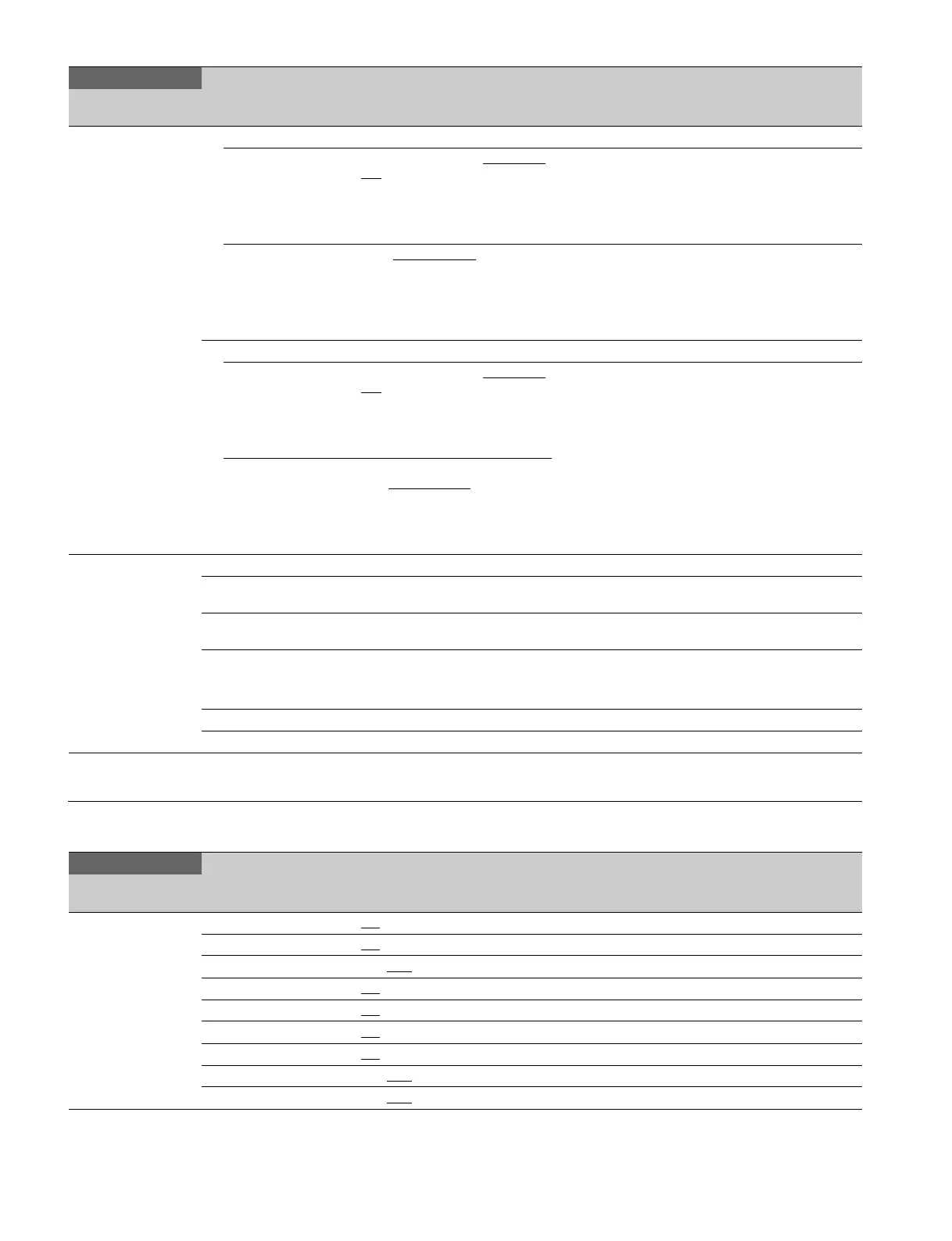
<SWITCH ASSIGN>
12 (U08)
LENS
VTR S/S OFF, RETURN1 SW, RETURN2
SW, RETURN3 SW, VF DETAIL,
SPIRIT LEVEL INDICATOR,
FOCUS ASSIST INDICATOR,
PinP, VTR S/S, TALLY R, TALLY
G, CALL
RET OFF, RETURN1 SW
, RETURN2
SW, RETURN3 SW, VF DETAIL,
SPIRIT LEVEL INDICATOR,
FOCUS ASSIST INDICATOR,
PinP, VTR S/S, TALLY R, TALLY
G, CALL
D-SUB
ASSIGN1 OFF, RETURN1 SW, RETURN2
SW, RETURN3 SW, VF DETAIL,
SPIRIT LEVEL INDICATOR,
FOCUS ASSIST INDICATOR,
PinP, VTR S/S, TALLY R, TALLY
G, CALL
This function works when each pin of the D-sub
connector contacts with GND (see page 48).
TALLY R and TALLY G are available only in
standalone device or extension mode, and make the
tally lamp light.
ASSIGN2 OFF, RETURN1 SW, RETURN2
SW, RETURN3 SW
, VF DETAIL,
SPIRIT LEVEL INDICATOR,
FOCUS ASSIST INDICATOR,
PinP, VTR S/S, TALLY R, TALLY
G, CALL
<OPERATOR FILE>
13
READ (USB t CAM) Execute using ENTER. Reads the operator file from a USB drive.
WRITE (CAM t USB) Execute using ENTER. Writes the current settings of the operator file items to
a USB drive.
PRESET Execute using ENTER. Sets the operator file items to the preset values in
internal memory.
FILE ID Max. 14 characters Enters a comment for the operator file to be written to
a USB drive.
See “To specify a character string” (page 18).
CAM CODE Camera code Display only
DATE Date Display only
PAINT
Page name
Page No.
Item Settings Description
<SW STATUS>
P01
FLARE ON
, OFF
GAMMA ON
, OFF
BLK GAM ON, OFF
KNEE ON, OFF
WHT CLIP ON
, OFF
DETAIL ON
, OFF
LVL DEP ON
, OFF
SKIN DTL ON, OFF
MATRIX ON, OFF
OPERATION
Page name
Page No.
Item Settings Description



 To Next Page