37
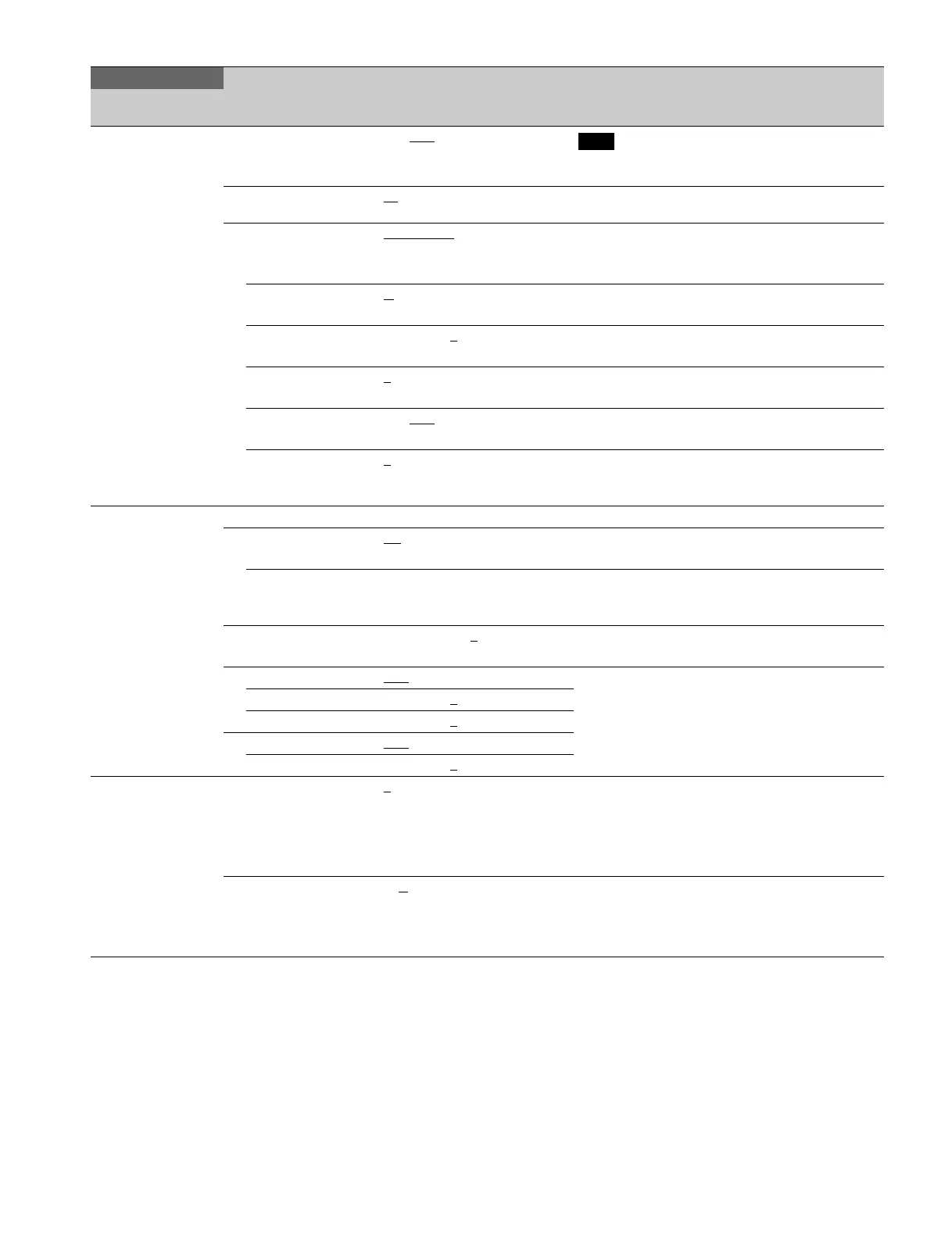
<FLICKER
REDUCTION>
P18
REDUCTION ON, OFF
Note
When you turn REDUCTION ON or OFF, noise may
be generated. This is not a malfunction.
POWER LINE
FREQUENCY
50
, 60 Specifies the frequency of the lighting power source.
MODE STANDARD
, ACM Enabled in HD format.
STANDARD: Corrects flicker without adding an image.
ACM: Corrects flicker by adding images.
LIGHT TYPE 1,
2, 3 Enabled only when STANDARD is selected.
Selects the type of lighting.
GAIN –99 to +99, 0
Enabled only when STANDARD is selected.
Sets the correction gain.
OFFSET 0
to 99 Enabled only when STANDARD is selected.
Sets the brightness level that invokes correction.
LIMITER ON, OFF
Enabled only when STANDARD is selected.
Turns the over-correction limiter on/off.
ACM TYPE 1
, 2, 3, 4 Enabled only when ACM is selected.
Selects the combination of frames to add. More frames
are added as the value increases.
<HDR OPERATION>
P19
HDR MODE OFF, LIVE HDR, CINEMA Displays the BPU setting.
SDR GAIN 0.0
to –15 dB Enabled only when LIVE HDR is selected.
Gain setting applied to the SDR output.
HDR CONTRAST 100 to 560 % Enabled only when LIVE HDR is selected.
HDR output contrast ensured by setting SDR GAIN
(display only).
BLACK HDR OFFSET –99.9 to +99.9, 0
Enabled only when LIVE HDR is selected.
HDR output black offset
HDR KNEE OFF
, ON Enabled only when LIVE HDR is selected.
KNEE setting applied for HDR
POINT –99 to +99, 0
SLOPE –99 to +99, 0
HDR WHITE CLIP OFF, ON
LEVEL –99 to +99, 0
<OPTICAL FILTER>
P20
ND 1, 2, 3, 4, 5 1: Clear
2: 1/4ND
3: 1/8ND
4: 1/16ND
5: 1/64ND
CC A, B
, C, D A: Cross filter
B: 3200K
C: 4300K
D: 6300K
PAINT
Page name
Page No.
Item Settings Description



 To Next Page