54
<AUTO IRIS>
M05
AUTO IRIS ON, OFF
, (ON), (OFF) Settings in ( ): When a remote control unit/panel or a
CCU is not connected (cannot be changed)
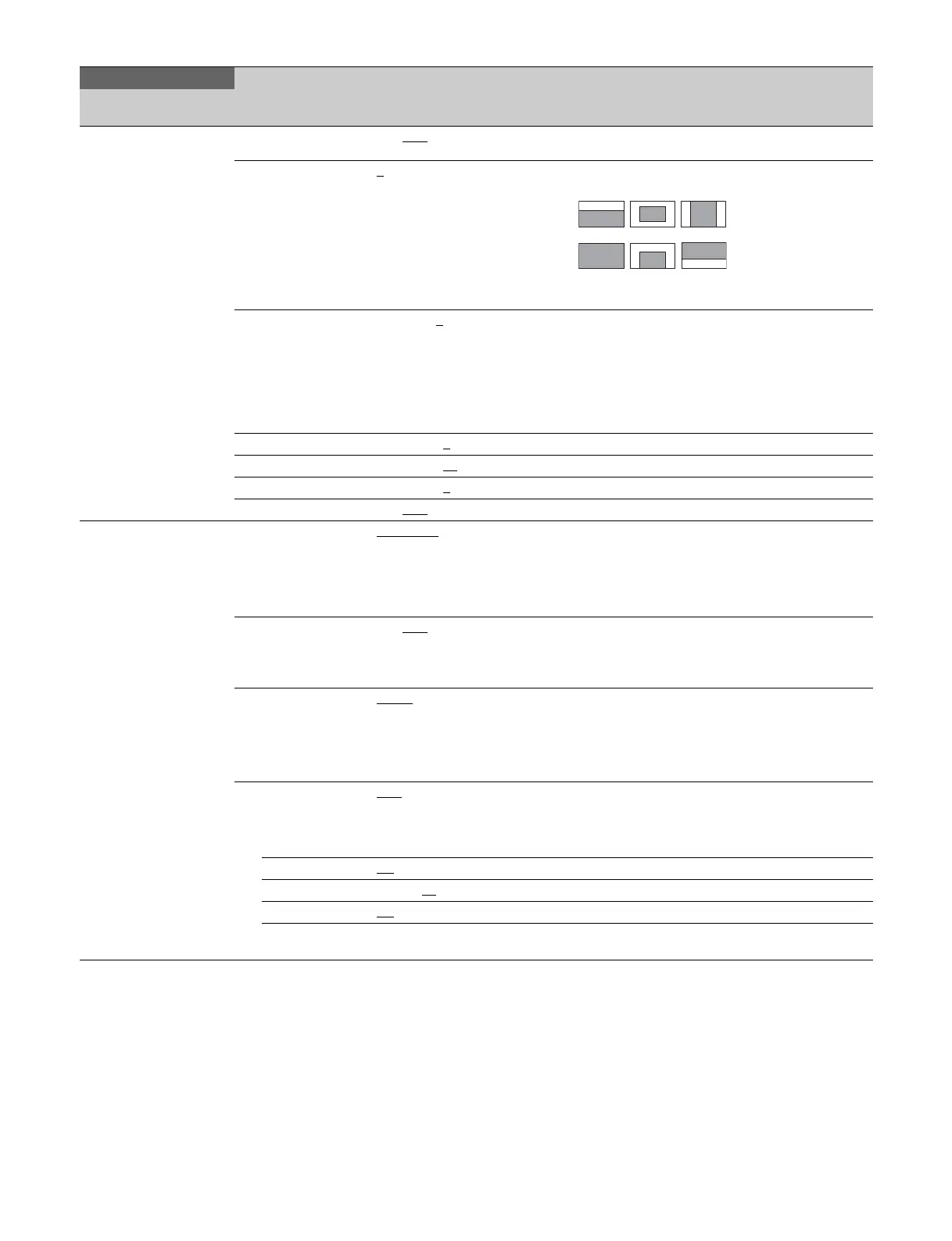
WINDOW 1
, 2, 3, 4, 5, 6 Selects the auto iris windows:
The shaded parts indicate the area where light
detection occurs.
OVERRIDE –99 to 99, 0
, --- Sets the override to temporarily change the
reference value for brightness of the automatic iris
level in the range of ±2 steps:
–99: Two steps to fully closed iris.
99: Two steps to fully opened iris.
--- : OFF
The setting returns to “ --- ” when the power is
turned off.
IRIS LEVEL –99 to +99, 0
±4 steps
APL RATIO –99 to +99, 65
IRIS GAIN –99 to +99, 0
IRIS CLOSE ON, OFF
<LENS1>
M06
F NO. DISP CONTROL, RETURN Selects the iris indication on the panel when AUTO
IRIS is off:
CONTROL: Displays the value from the camera
RETURN: Displays the value returned from the lens.
(When AUTO IRIS is on, the value returned from the
lens is always displayed.)
AF DISPLAY ON, OFF
, OFF(EFFECT),
OFF(ASSIST IND)
OFF(EFFECT): Displayed when EFFECT of <VF
MARKER> is ON.
OFF(ASSIST IND): Displayed when INDICATOR of
<FOCUS ASSIST> is ON.
ALAC AUTO
, OFF With AUTO selected, the status is displayed at the
right.
(ACTIVE): Compensation is in progress.
(WAIT): Waiting for completion of lens initialization.
(STOP): Compensation is turned off for a non-
applicable lens.
F DROP COMP OFF
, ON, (OFF) Turns F drop compensation on/off.
During compensation, the compensation gain is
displayed on the right.
(OFF): For when a serial lens is not attached.
MAX GAIN 0.0
to 24 dB Maximum compensation value
DROP POINT 0 to 99, 50
Compensation start point
ROUNDNESS 0.0
to 12 dB Roundness of the compensation curve.
STORE LENS
FILE
Execute using ENTER. Saves settings to a lens file.
MAINTENANCE
Page title
PageNo.
Item Settings Description
123
456



 To Next Page