26
GB
5: Preparing the system
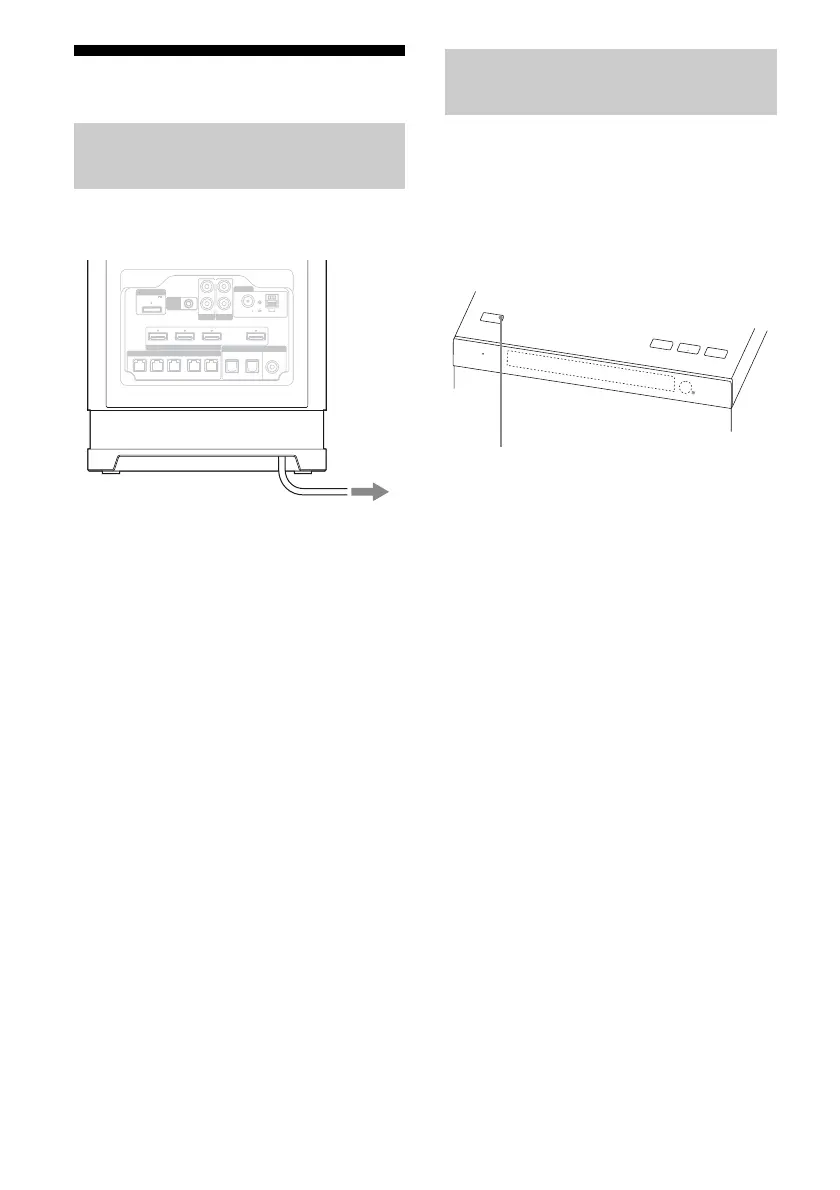
Connect the AC power cord (mains lead) to a
wall outlet (mains).
Before using the system for the first time,
initialize the system by performing the
following procedure. This procedure can also
be used to return settings you have made to
their initial settings.
Be sure to use the buttons on the subwoofer for
this operation.
1 Press ?/1 to turn on the system.
2 Hold down ?/1 for a few
seconds until “CLEARED”
appears.
All the settings you have changed or
adjusted are reset to the initial settings.
Connecting the AC power cord
(mains lead)
DMPORT
DIGITAL
ANTENNA
HDMI
0.7A MAX
DVD IN BD IN
FRONT R FRONT L SUR R SUR L
OPT IN COAX IN
VIDEO
CENTER
SAT/CATV IN TV OUT
ARC
DC5V
AUDIO IN AUDIO IN
FM 75
AM
COAXIAL
R
L
CAL MIC
AUTO
SA-CD/CD TV
SAT/CATV TV
SPEAKERS
To the wall outlet (mains)
Performing initial setup
operations
IN
P
U
T
S
E
L
E
C
TO
R
P
OWER/
A
CTIVE S
T
ANDBY
V
OLUME
V
OLUME
+
? / 1
?/1



 To Next Page