56
GB
6 Select the desired function on
the S-AIR product.
When the sound is other than 2 channel
stereo, multi channel sound is
downmixed to 2 channel.
7 Adjust the volume on the S-AIR
receiver.
Note
When “TUNER FM” or “TUNER AM” is selected
on the system, you can only select the same band for
the tuner on the S-AIR product.
To control the system from the
S-AIR receiver
You can control the system from the S-AIR
receiver by using the following buttons.
For details, refer to the operating instructions
of the S-AIR receiver.
Stabilizing S-AIR
reception
Read the following when S-AIR reception is
poor or unstable.
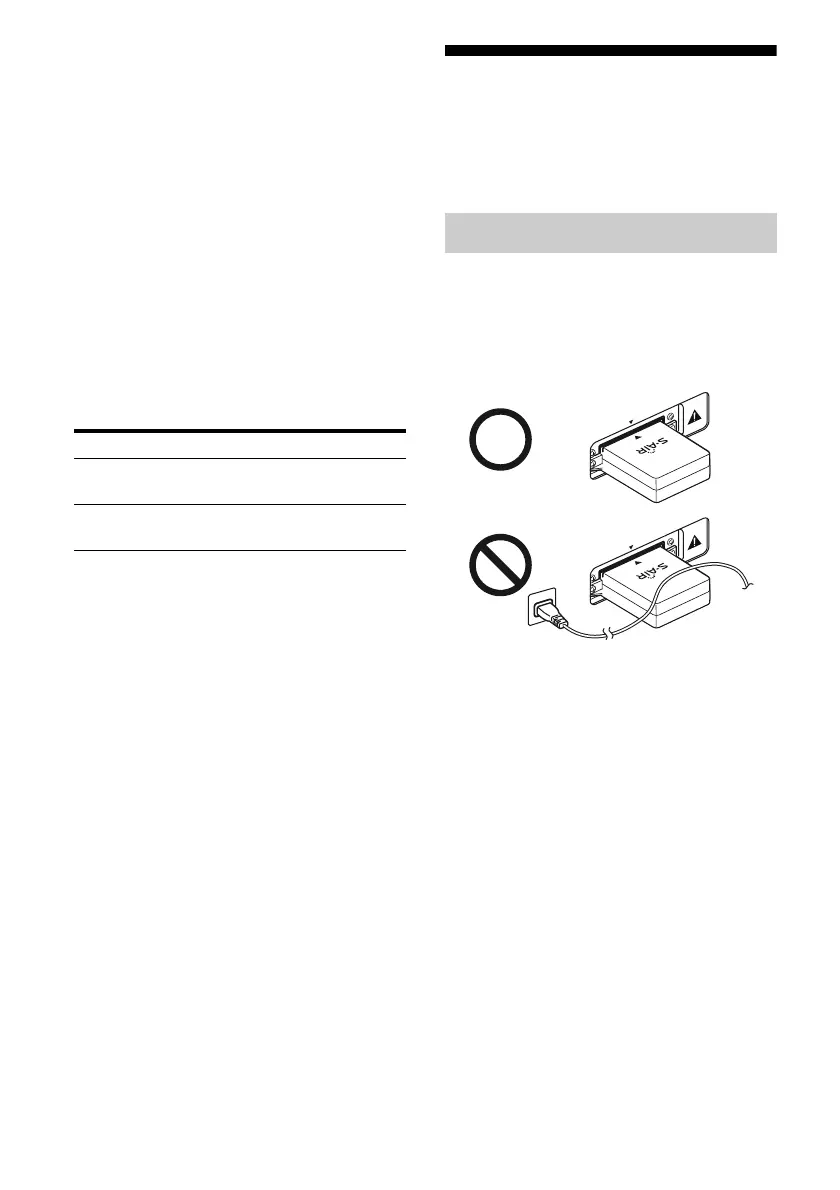
Check the following.
• Keep cords that are connected to the S-AIR
product (AC power cord (mains lead),
speaker cords, or other cords) away from the
wireless adapter and slot.
Press Operation
N, X, x,
./>
Share the same operations on the
remote
S-AIR CH Change the function of the S-AIR
main unit
When S-AIR reception is poor
EZ
W
-T1
00
EZ
W
-T1
00



 To Next Page