60
GB
Changing the input button
assignments
You can change the initial settings of the input
buttons (BD, DVD, SAT/CATV, VIDEO and
SA-CD/CD) to suit the components in your
system. For example, if you connect a Blu-ray
Disc player to the DVD jack on the subwoofer,
you can set the DVD button on this remote to
control the Blu-ray Disc player.
Note
You cannot change the remote assignments for
DMPORT, TUNER and TV.
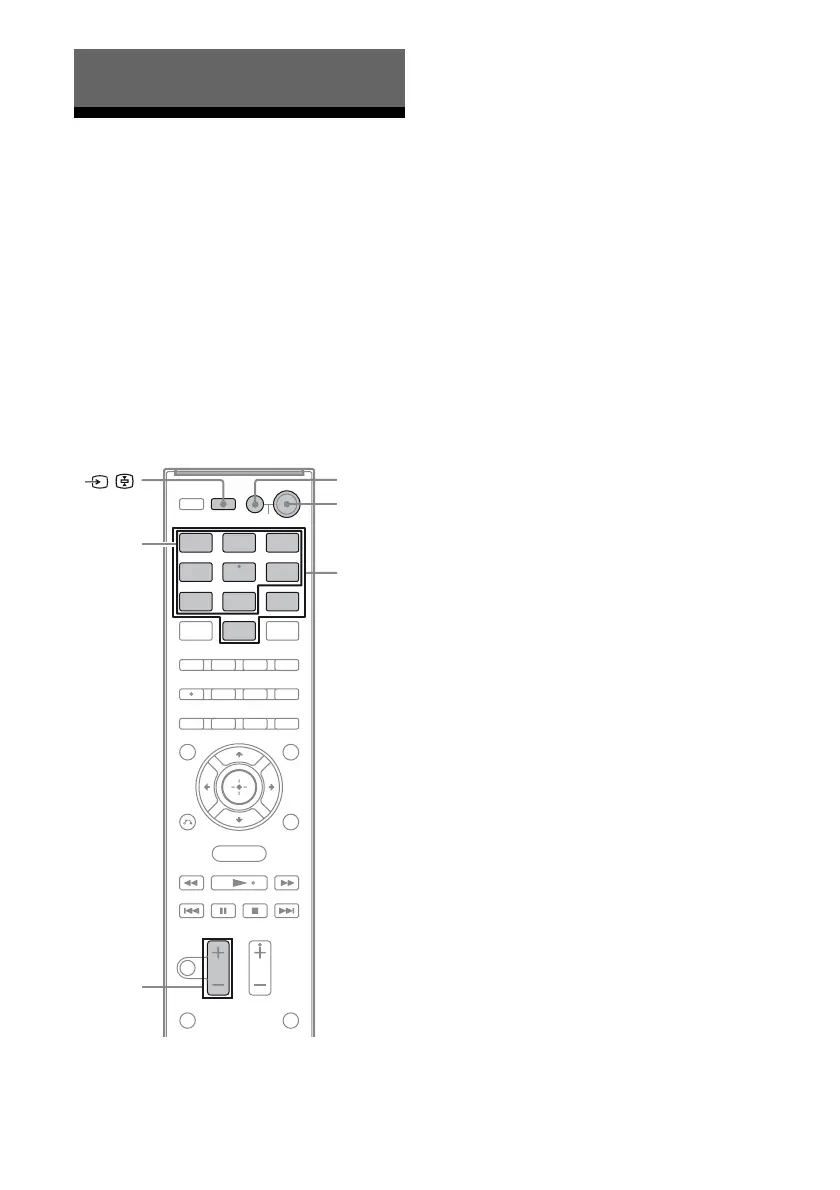
1 While holding down the input
button of which you want to
change the assignment, hold
down AV ?/1.
Example: While holding down DVD,
hold down AV ?/1.
2 With the AV ?/1 button hold,
release the input button you
selected in step 1.
Example: With the AV ?/1 button held,
release DVD.
3 Referring to the following table,
press the corresponding
button for the category you
want, then release AV ?/1.
Example: Press 1, then release AV ?/1.
Now you can use the DVD button to
control the Blu-ray Disc player.
Advance Settings
BD DVD
SAT/
CATV
TVVIDEO
SA-CD/
CD
DMPORT
TUNER
MENU
Input
buttons
2 –
?/1
Numeric
buttons
AV ?/1



 To Next Page