Naming inputs
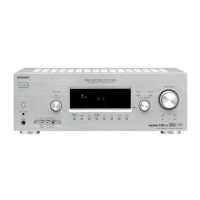
You can enter a name of up to 8 characters for
inputs and display it on the receiver's display.
This is convenient for labeling the jacks with
the names of the connected components.
1 Press the input button to select
the input you want to create an
index name for.
You can also use INPUT SELECTOR on
the receiver.
2
3
4
5
6
Press AMP MENU.
"1-LEVEL" appears on tile disphty.
Press */_ repeatedly to select
"5-AUDIO".
Press @ or * to enter the
menu.
Press ,14, to select "NAME IN".
Press @-) or. to enter the
parameter.
Tile cursor fhtshes and you can select it
character. Follow the procedure given in
"To create an index name" (page 50).
Changingthedisplay
You can check the sound field, etc., by
changing the inl\>rmation on the display.
Be sure to use the button on the receiver for
this operation.
Press DISPLAY repeatedly.
Each time you press the button, tile display
changes cyclically as follows.
All inputs except the FM and AM
band
hMex name of tile input a) -"'+ Selected input
--+ Sound field cnrrently applied
FM and AM band
Program Ser',.ice name b) or preset station
name a) --+ Frequency --+ Program Type
indication b) --+ Radio Text indication b) --+
Current Time indication (in 24-hour system
mode) b) --+ Sound field currently applied
a)index name appears only when you have assigned
one to the input or preset station (page 49, 52).
Index name does not appear when only blank
spaces have been entered, or it is the same as the
input nalne.
b)During RDS reception only (models of area code
CEL, CEK only) (page 50).
Note
Ch:u'acters or marks ma> not be displayed lot some
languages.
52 G8



 To Next Page