20
GB
If “COMPLETE” does not appear
after performing the steps above
Set the Control for HDMI function to on for both
the system and the connected equipment
individually.
The default setting of the Control for HDMI
function of the system is “ON.”
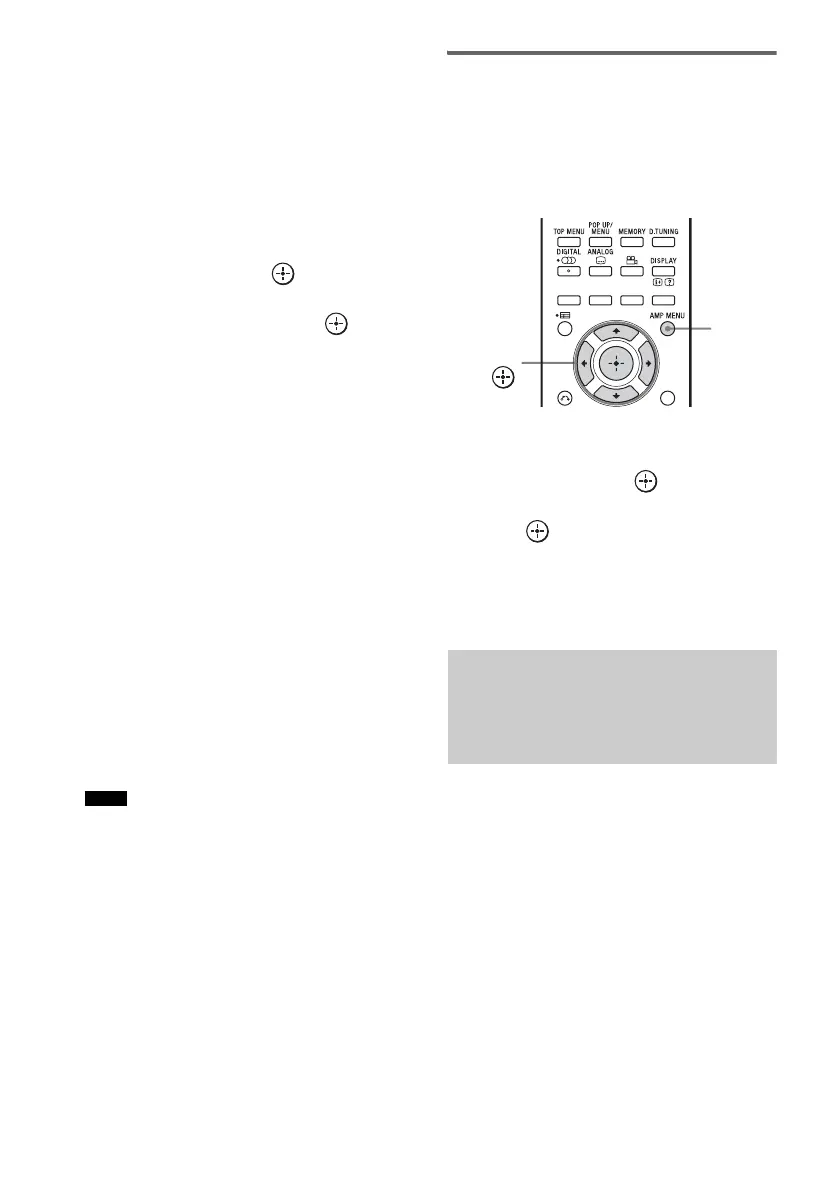
1 Press AMP MENU.
2 Press X/x repeatedly until “SET HDMI”
appears, then press or c.
3 Press X/x repeatedly until “CTRL
HDMI” appears, then press or c.
4 Press X/x to select “ON.”
The Control for HDMI function is set to on.
5 Press AMP MENU.
The AMP menu turns off.
6 Select the input of the system
connected to the equipment you want
to use the Control for HDMI function for
(BD/DVD, GAME or SAT/CATV).
7 Set the Control for HDMI function of the
connected equipment to on.
For details on setting the connected
equipment, refer to its operating
instructions.
If you add or reconnect an
equipment
Perform steps of “Preparing for “BRAVIA”
Sync” (page 19) and “If “COMPLETE” does not
appear after performing the steps above” again.
• If the Control for HDMI function for the connected
equipment cannot be set simultaneously by setting
“CONTROL FOR HDMI” of the TV, set the Control
for HDMI function using the menu of the connected
equipment.
• For details on setting the TV and the connected
equipment, refer to their operating instructions.
Setting the Control for HDMI
function to off
Set the Control for HDMI function to off when
you connect equipment not compatible with
“BRAVIA” Sync, or that do not have HDMI
jacks, etc.
1 Press AMP MENU.
2 Press X/x repeatedly until “SET HDMI”
appears, then press or c.
3 Press X/x to select “CTRL HDMI,” then
press or c.
4 Press X/x to select “OFF.”
5 Press AMP MENU.
The AMP menu turns off.
To output multi-channel digital audio, check the
digital audio output setting on the connected
equipment.
For example, for a Blu-ray Disc player, check
that “Audio (HDMI)” is set to “Auto.”
For details, refer to the operating instructions
supplied with the connected equipment.
Notes
Setting up the sound
output of the connected
equipment
AMP
MENU
C, X, x, c,



 To Next Page