25
GB
Tuner Functions
You can enter the frequency of a station directly
using the number buttons.
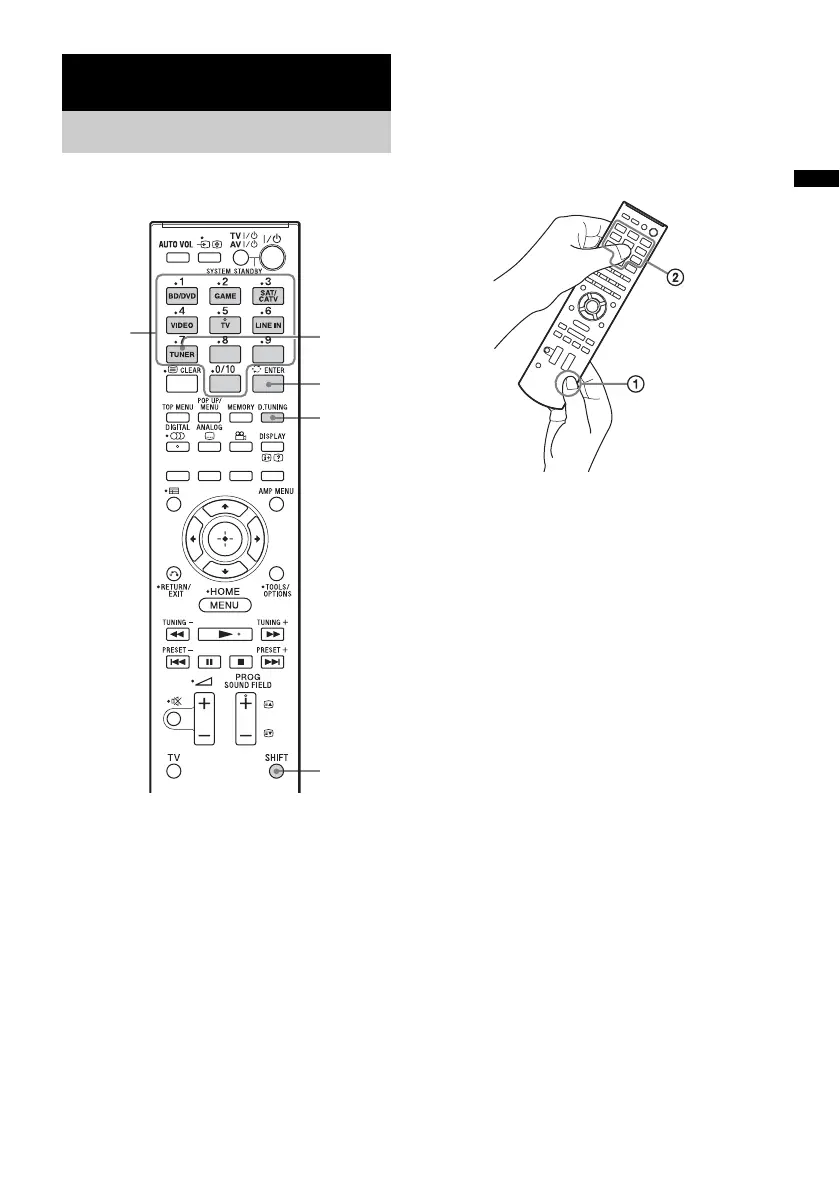
1 Press TUNER.
“TUNER FM” appears on the front panel
display.
2 Press D.TUNING.
3 While pressing and holding SHIFT (1),
press the number buttons (2) to enter
the frequency.
Example: 88.00 MHz
While pressing and holding SHIFT, select 8
t 8 t 0 t 0.
4 While pressing and holding SHIFT,
press ENTER.
If you cannot tune in a station
Make sure you have entered the right frequency.
If not, repeat steps 2 to 4. If you still cannot tune
in a station, it is likely that the frequency is not
used in your area.
Tuner Functions
Listening to the radio
Number
buttons
TUNER
ENTER
D.TUNING
SHIFT



 To Next Page