34
GB
• The above explanations are intended to serve as an
example only. Depending on the equipment, the
above operations may not be possible, or may operate
differently than described.
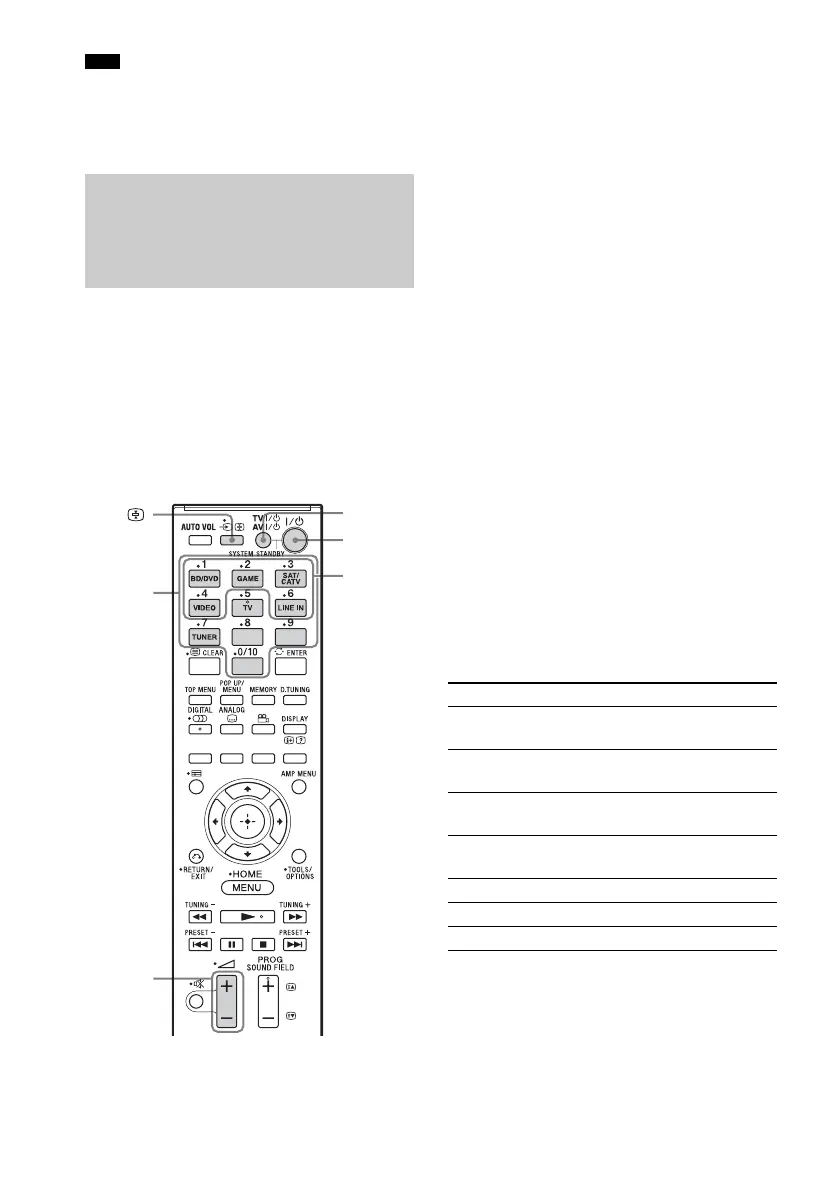
You can change the factory settings of the input
buttons to allow you to use Sony equipment in
your system. For example, if you connect a Blu-
ray Disc player to the BD/DVD jack on the
system, you can set the BD/DVD button on this
remote control to control the Blu-ray Disc
player.
You cannot change the remote control
assignments for TV, and TUNER.
1 Press and hold the input button whose
assignment you want to change, and
then press and hold AV ?/1 at the same
time.
Example: While holding down BD/DVD,
press and hold AV ?/1.
2 While continuing to hold down AV ?/1,
release the input button you selected in
step 1.
Example: While continuing to hold down
AV ?/1, release BD/DVD.
3 While continuing to hold down AV ?/1,
refer to the following table and press
the corresponding number button for
the category you want.
Example: While continuing to hold down
AV ?/1, press 1.
4 Release the number button you
selected in step 3, and then release AV
?/1.
Example: Release 1, then release AV ?/1.
Now you can use the BD/DVD button to
control the Blu-ray Disc player.
Categories and the
corresponding buttons for BD/
DVD, GAME, SAT/CATV and
VIDEO
* The factory default setting of the BD/DVD button.
For details on the BD1 or BD3 setting, refer to the
operating instructions supplied with the Blu-ray
Disc player or Blu-ray Disc recorder.
** The factory default setting of the SAT/CATV
button.
Note
Changing the input button
assignments of the remote
control
Number
buttons
t/
Input
buttons
AV ?/1
?/1
2 +/–
Categories Press
Blu-ray Disc player
(command mode BD1)*
1
Blu-ray Disc recorder
(command mode BD3)
2
DVD player
(command mode DVD1)
3
DVD recorder
(command mode DVD3)
4
VCR (command mode VTR3) 5
CD player 6
Euro Digital Satellite Receiver** 7



 To Next Page