24
GB
Setting the voltage
selector
If your receiver has a voltage selector on
the rear panel, check that the voltage
selector is set to the local power supply
voltage. If not, use a screwdriver to set the
selector to the correct position before
connecting the AC power cord to a wall
outlet.
Depending on the area, the VOLTAGE
SELECTOR may differ.
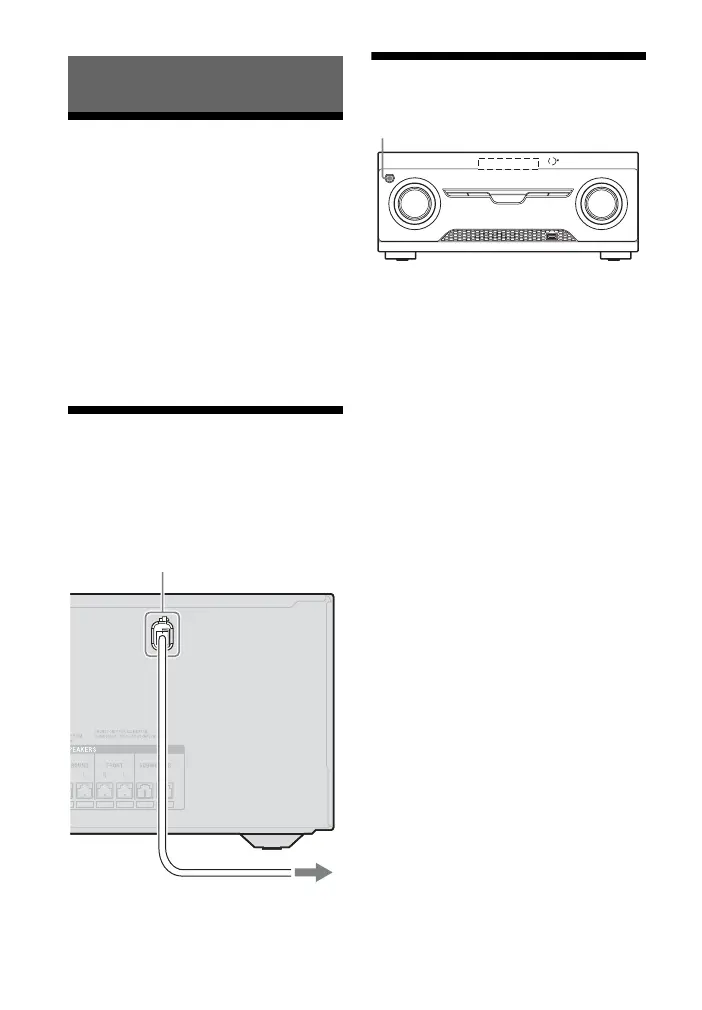
Connecting the AC
power cord (mains lead)
Connect the AC power cord (mains lead) to
a wall outlet.
Turning on the receiver
Press ?/1 to turn on the receiver.
You can also turn on the receiver using ?/1
on the remote control. When you turn off
the receiver, press
?/1 again.
“STANDBY” flashes on the display panel.
Do not disconnect the AC power cord
(mains lead) while “STANDBY” is
flashing. This may cause a malfunction.
Preparing the Receiver
AC power cord (mains lead)
To the wall outlet
?/



 To Next Page