25
US
4 Select the input name.
You can select the input name from
the following.
•[BD Player]
•[DVD Player]
•[Cable Box]
• [Satellite]
•[GAME]
•[PC]
5 Press to complete.
Tip
When you change the input name, the
displayed icon is also changed
automatically.
Listening to Music on a
USB Device
You can play music/photo files stored
on a connected USB device.
For playable types of files, see “Playable
Types of Files” (page 69).
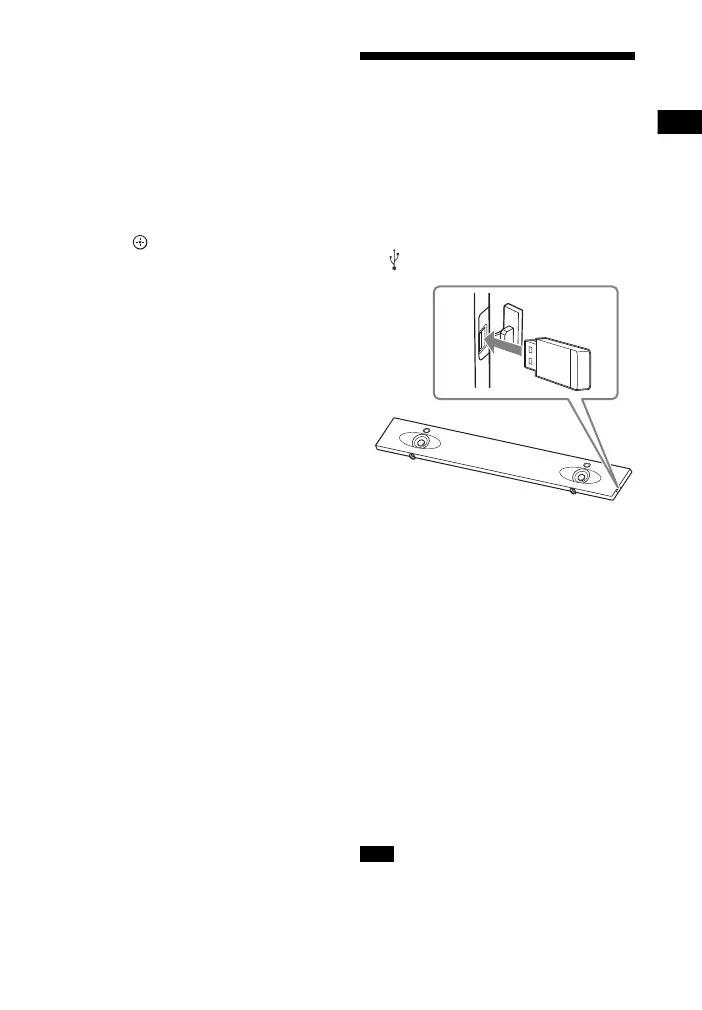
1 Connect the USB device to the
(USB) port.
2 Press HOME.
The home menu appears on the TV
screen.
3 Select [USB (Connected)] from
the home menu.
4 Select [Music] - folder on which
songs are stored - song.
The selected song is played and
sound is output from the system.
5 Adjust the volume.
• Adjust the volume by pressing
+/– on the remote control.
• Adjust the subwoofer volume by
pressing SW +/– on the remote
control (page 29).
Do not remove the USB device during
operation. To avoid data corruption or
damage to the USB device, turn the system
Note



 To Next Page