42
US
Performing the Wireless
Connection of the
Subwoofer (LINK)
Perform the wireless connection of the
subwoofer again for a better
connection.
1 Press HOME.
The home menu appears on the TV
screen.
2 Select [Setup] from the home
menu.
The setup display appears on the TV
screen.
3 Select [System Settings] -
[Wireless Subwoofer Connection]
- [Link].
The [Link] screen appears on the TV
screen.
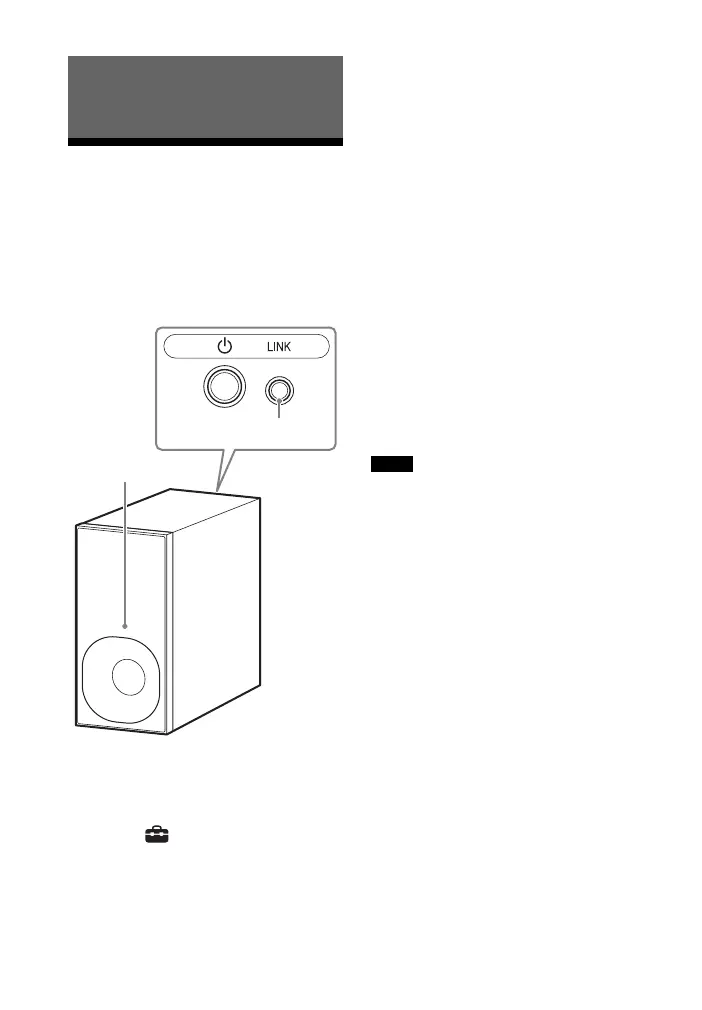
4 Press LINK on the rear of the
subwoofer.
The power indicator of the
subwoofer flashes in green.
Proceed to the next step within 1
minute.
5 Select [Start].
The link setting starts.
To return to the previous display,
select [Cancel].
6 Complete the link setting by
following the on-screen message.
The power indicator of the
subwoofer lights in green.
• If the message [Cannot set Link.] appears,
follow the on-screen instructions.
• When [Bluetooth Mode] is set to
[Transmitter] and the BLUETOOTH device
is connected to the system, the wireless
subwoofer connection cannot be
established.
Using the Various Functions/
Settings
Notes



 To Next Page