16
GB
e.g. Message 1
Message 2
Blank space
Newly recorded message
Folder name
(page 42)
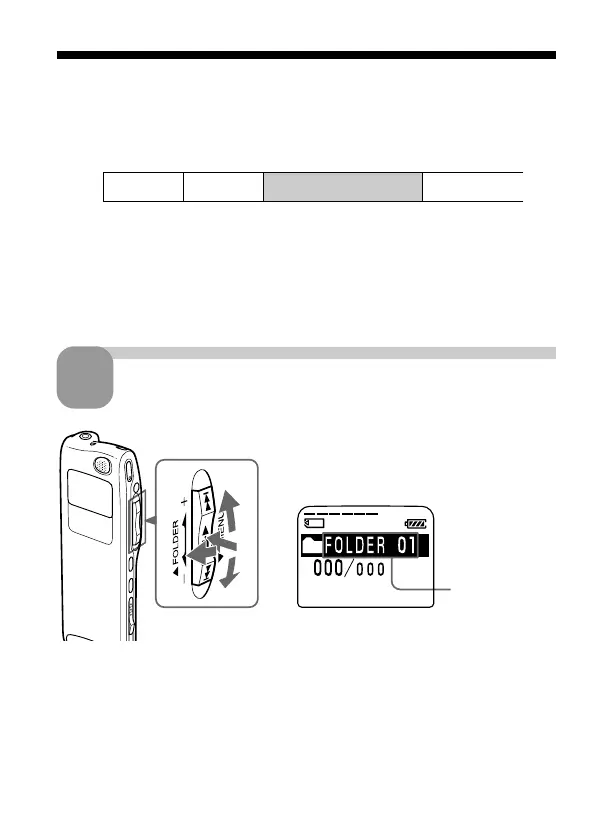
1 Turn the jog lever toward FOLDER.
The folder is selected.
2 Press the jog lever up or down (>/
.) to display the folder in which
you wish to record messages.
1
2
2
3
BBasic Operations
Recording Messages
Since a newly recorded message is automatically added behind the last
recorded message, you can press zREC/REC PAUSE to start recording
quickly without searching for the end of the last recording.
Notes
• The maximum recording time and the number of messages you can make
varies depending on the conditions or capacity of the “Memory Stick“ (page
7).
• Before making a long recording, be sure to insert new batteries and check the
battery indicator (page 11).
Select the folder.
1
3 Press the jog lever (x•B) again to select the folder.
To add a new folder, see page 37.



 To Next Page